Three options are available:
Manually add users
Import an Excel file: upload it, check the data, and import
Start the import
Synchronize your directory: Entra ID, Google Directory, Lucca, or any other source.
How to sync my Active Directory with Sigilium
Discover how to manage your users automatically by synchronizing your Active Directory with Sigilium
Here's how to deploy automatically in a few clics the email signatures across your Outlook's environment : the Desktop App (Mac and PC) + the webmail 365 Outlook Web access and on mobiles (iPhone and Androïd)
The Pros :
it is seamless for your teams, they have literally nothing to do.
you are in control of the scope
it is done in 3 clicks from your tenant 365
Deploy the Sigilium addin on Microsoft 365
Here's how to deploy email signatures on Outlook 365, centrally.
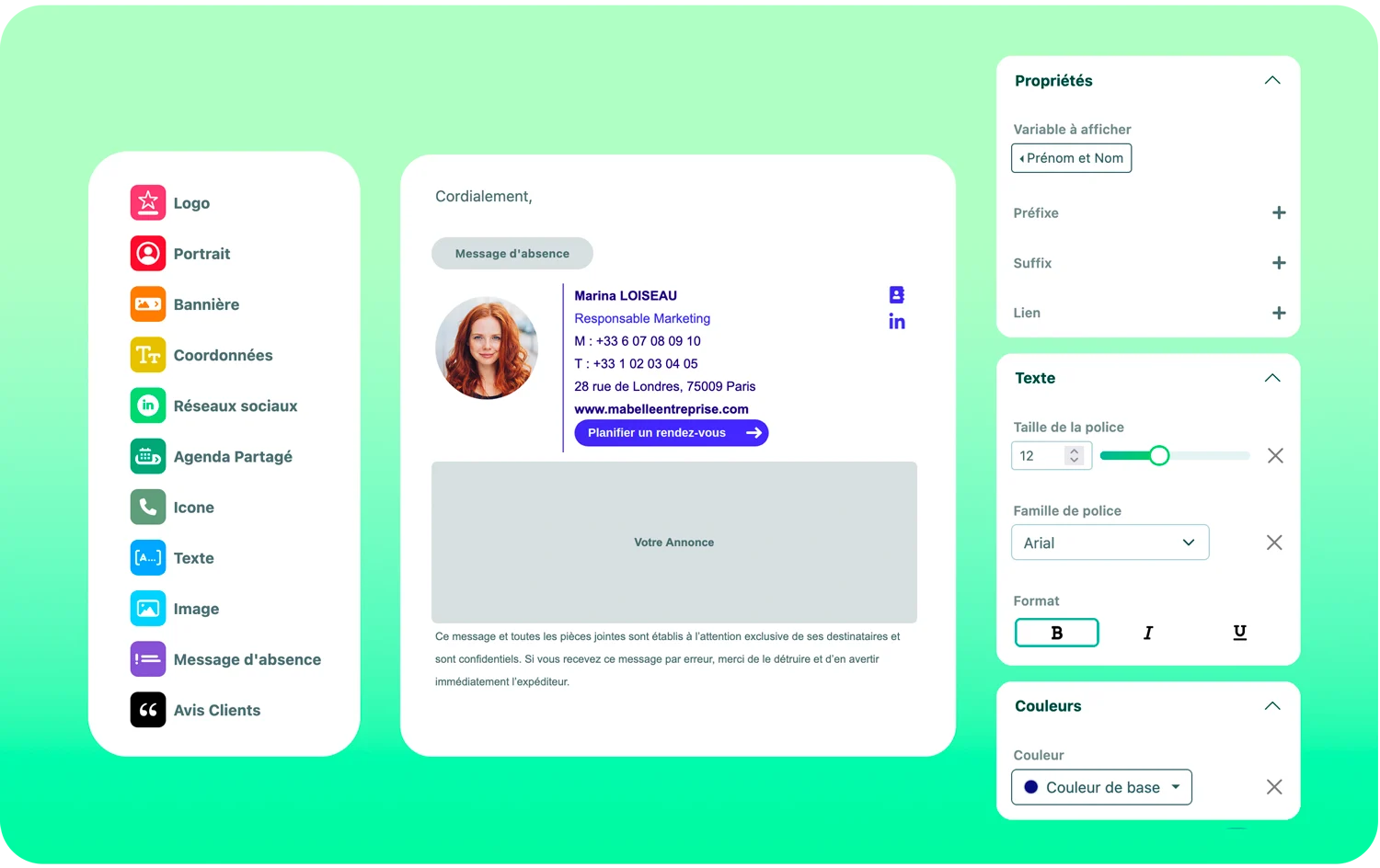
Two options are available to design your template :
The No code editor to build or custom your template with a drag-and-drop interface
The HTML editor to work on an ultra-precise level your template and the elements and variables display logics.
The complete Guide to the No-Code Editor
Your marketing and non-technical teams can easily take over on the design for your email signatures. No coding experience needed, discover a video for each settings in this complete guide.
For the segmentation :
if you have defined groups in your directory, the segmentation will be based on it.
if it’s prepared in your imported file, the segmentation is automatically generated.
if you want to create it after the users import, you just have to define your organisations (by profession, localisation, country, brand) and dispatch your users.
How to prepare a relevant segmentation
Find out how to divide your users into groups to make it easier to manage information shared by several employees in their email signatures.
From the platform :
Create your first messages (text or banners), you can plan them, then after checking, choose to whom it would apply.
Lastly, mesure feedbacks directly
How to Create and Deploy Campaigns on Outlook
Learn how to prepare, plan, and deploy your email signature campaign in Outlook.
You want to dive deeper into automation ?
If your active directory is up to date, we can sync all or parts of the fields to generate the signatures.
This step is often set with the IT teams after the initial import.
Here is the video to prepare the sync with your Active Directory
Related Articles
Centrally deploy Sigilium's addin for Outlook / Microsoft 365
Forward this notice to your company's Microsoft 365 console administrator so that they can be guided step by step.
Change the user scope of the Microsoft 365 add-in
This simple guide will walk you through each step to help you choose the right users for the POC. You can follow the same steps to ensure global deployment in a second phase.
Allow us to connect to Microsoft 365 Active Directory
Learn how to automate user management with this video tutorial on synchronizing your Entra ID (formerly Azure AD) corporate directory with Sigilium.
Multi-signature: create and assign multiple campaigns to a user in Outlook
Find out how to set up multiple email signatures for each user and deploy a different campaign for each one. Your users will be able to access each signature directly in Outlook.
Apply a different signature template for replies/forwards and internal emails
Find out how to set up a different signature template for replies and forwards. Your users won't have to do anything—the switch from the main signature to the reply signature will happen automatically in Outlook with your 365 license.
Any questions ?
You can describe your problem orally in a few seconds leaving a message on the
+33 1 83 64 02 13
You would rather write it down? We are happy to help in response to your email at
