
If you have already deployed the add-in centrally, you can change the users who will receive it (to add or remove users).
Use the following linki : https://admin.microsoft.com/Adminportal/Home?#/Settings/IntegratedApps
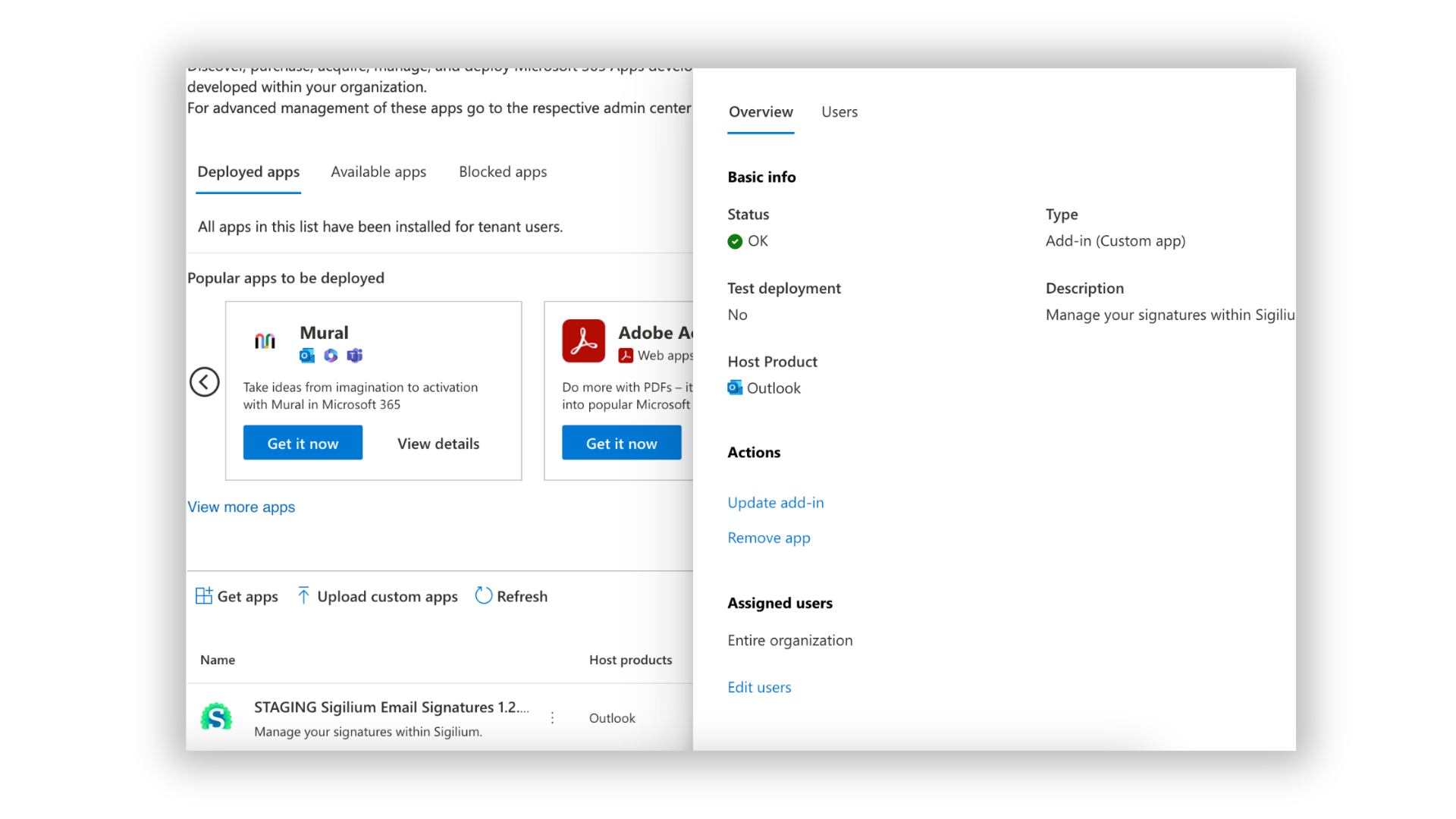
Click on the addin Sigilium

In the panel on your Right, click on Edit user (the last setting on the bottom in Assigned users)
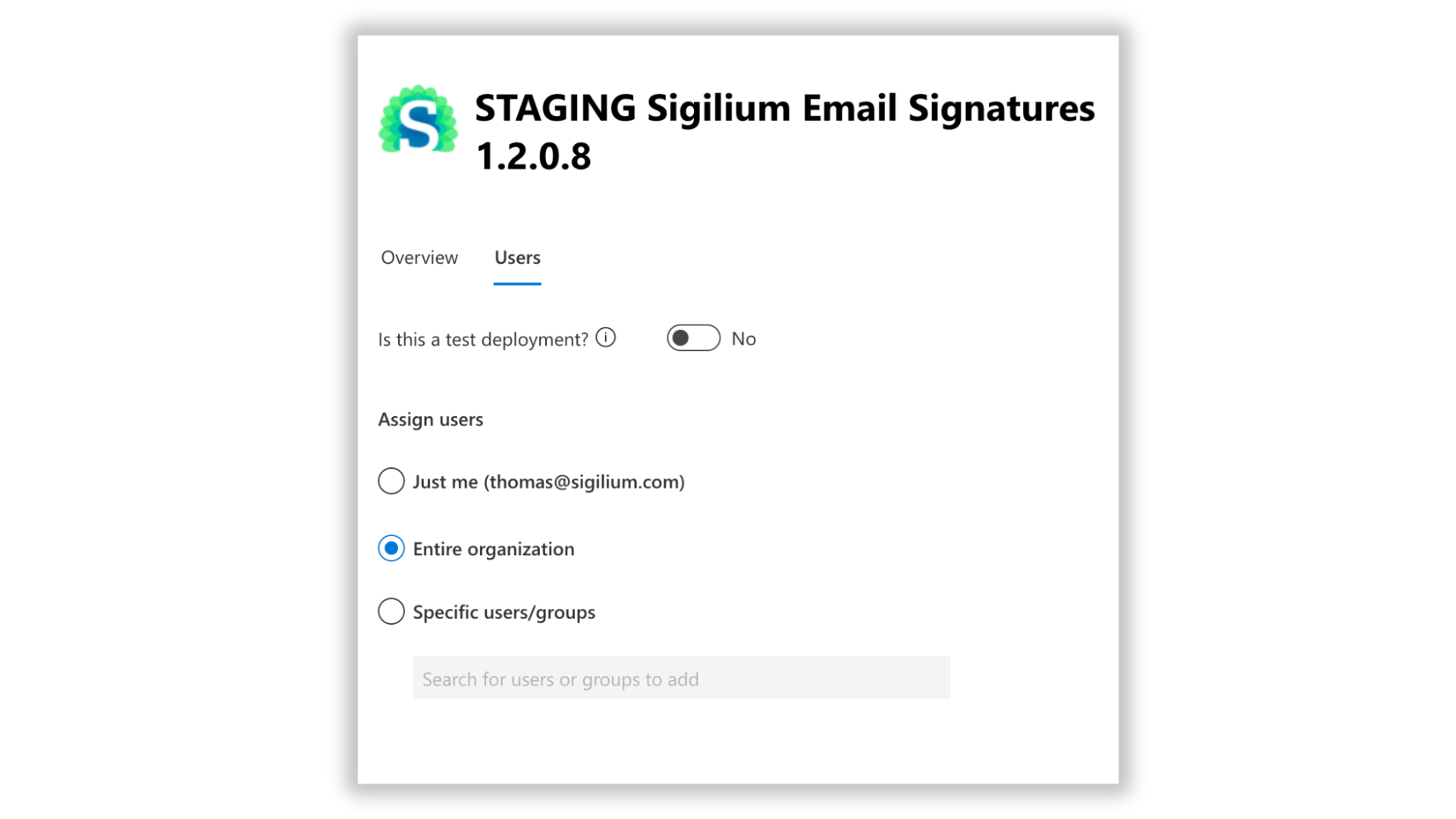
Choose Entire organization, a list of users or a specific AD group.
Any questions ?
You can describe your problem orally in a few seconds leaving a message on the
+33 1 83 64 02 13
You would rather write it down? We are happy to help in response to your email at