Foreword :
If you have an up-to-date corporate directory (Google Directory, Entra ID which is the new name for Azure AD, Lucca...) you can synchronize it with Sigilium. This is an excellent way to centrally manage your users' information, which appears in their email signatures. And keep them up to date from a single source.

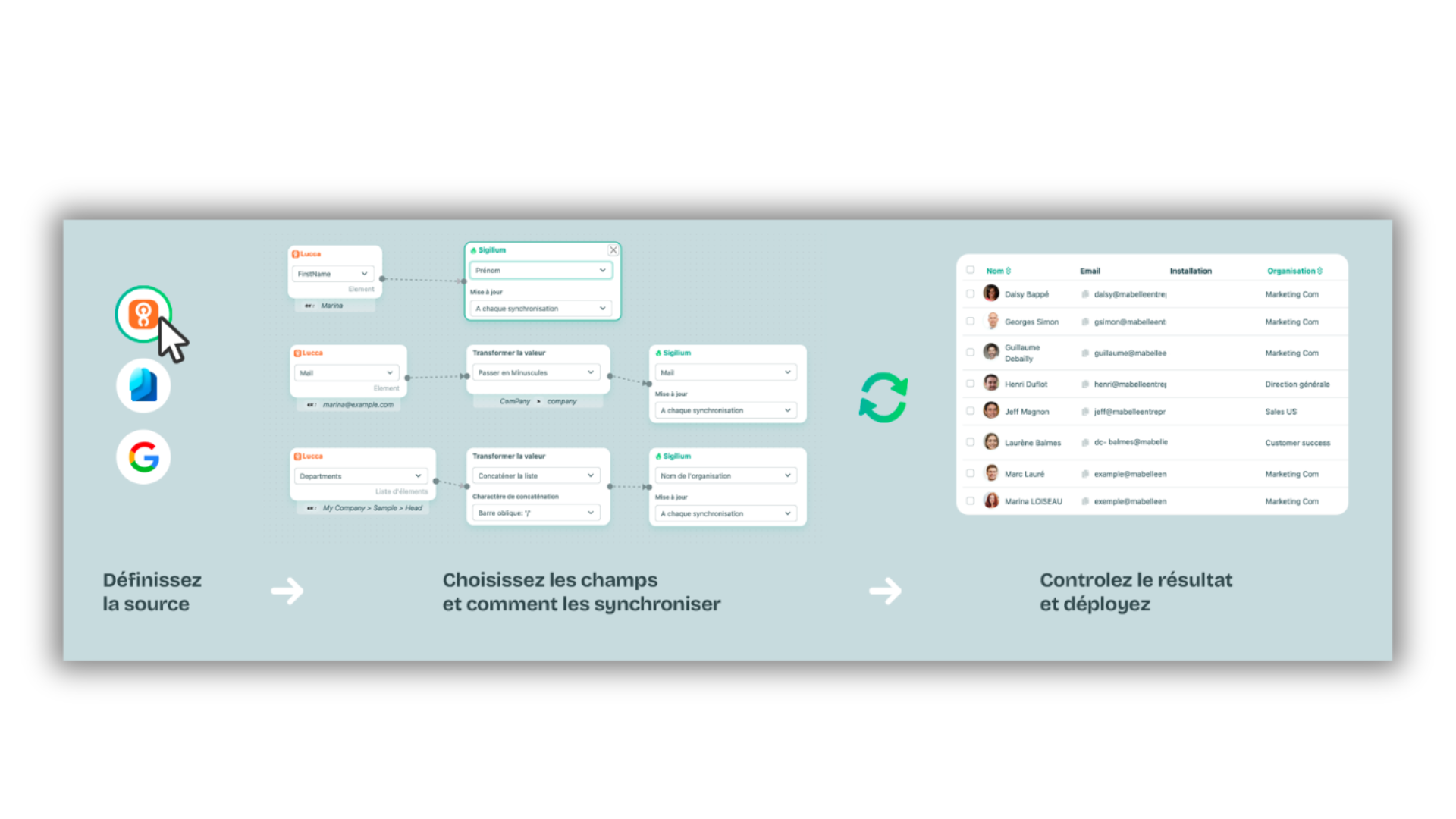
Sigilium allows you to prepare your project step by step.
choose your source
Google Directory
Entra ID (e.g. Azure AD for Microsoft 365)
Lucca
After identifying the information source (HRIS or Microsoft Directory/Google Workspace), you can use all the folllowing tools:
Precisely identify the source field from a ready-made list or define a new custom field.
Filter the imported files
Identify a destination field in the drop-down menu or define a new custom field.
Transform the imported value to ensure consistent results in email signatures even when the data source is disparate (format all phone numbers, capitalize last names, capitalize the first letter of first names, etc.).
Update on every sync, update when a new user is created, or never update.

In this video, discover the interface and how it works:
the first part of the video presents the import section
the second part shows the drag-and-drop editor for syncing your directory
It allows you to :
automate the onboarding of new users
update users' titles, names and contact details as they evolve within the company
automatic deletion of users who have left the company
We have native integrations with Entra ID (e.g. Azure AD) for the Microsoft environment, or with Google Directory, for Google Workspace. And with Lucca if you want to use information from your favorite HRIS.
Yes, you can use and synchronize any other directory or user source, even on-premise, using our Sigilium API.
Any questions ?
You can describe your problem orally in a few seconds leaving a message on the
+33 1 83 64 02 13
You would rather write it down? We are happy to help in response to your email at
