You have just received an access to your account.
Now you can start using the service, manage design, add users, create and deploy announcements.
The next step is to :
Add users | ||
 | Import a file of users load your file, control the data, and import. | |
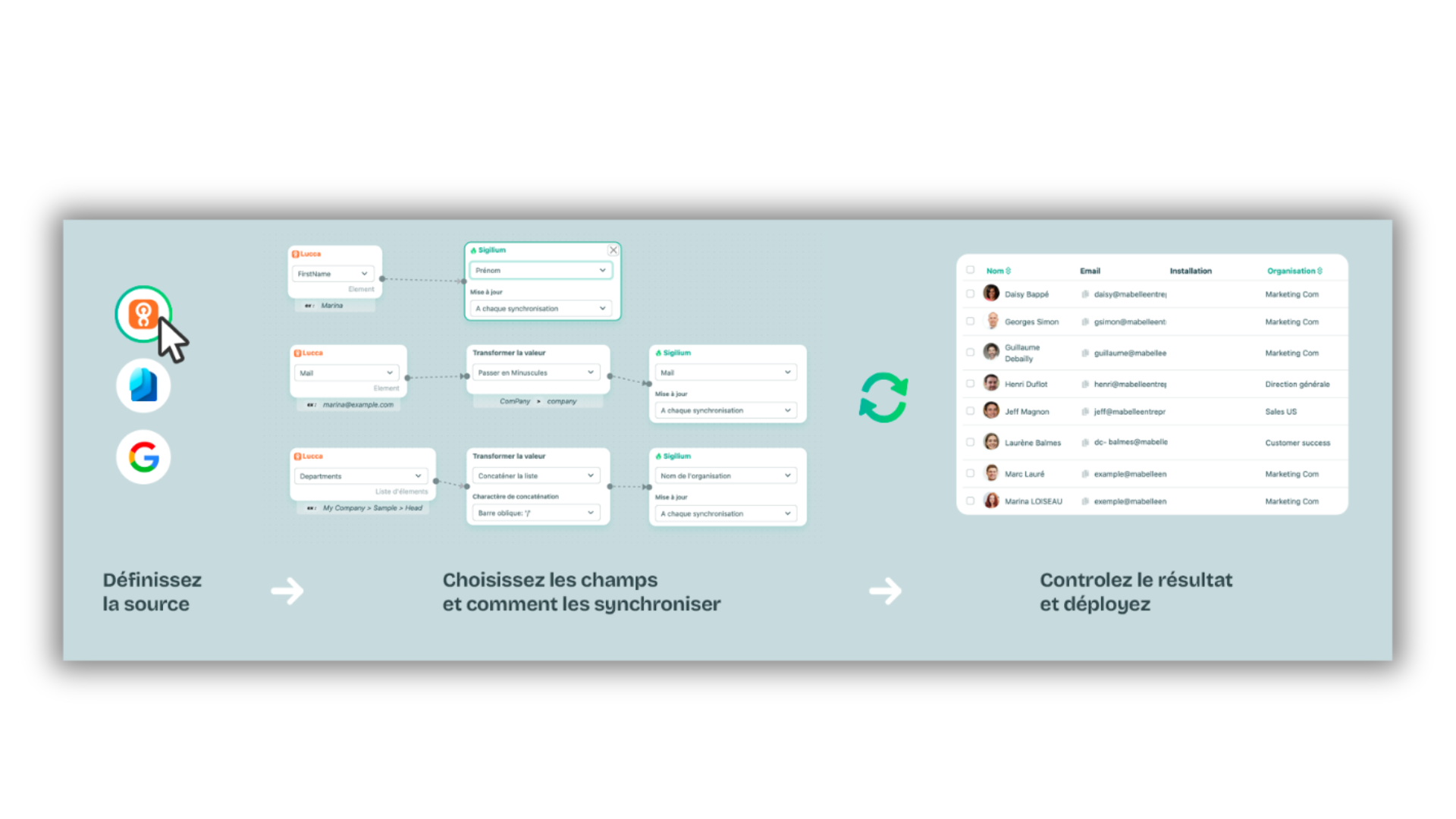 | Sync my Active Directory Entra ID, Google directory, Lucca or another source of information HRIS or AD |
Define administrators to organize the management of your email signatures.
You get to choose which restricted specific access rights each of them gets.
Organize your user in groups based on their expertise or their location.
These groups will share the same informations (colors, logo, website, physical address, social networks, etc...)
For the segmentation :
if you have prepared it in the excel file imported earlier, the segmentation is directly generated on the platform.
if you want to create it after the import, you just have to define your organisations and dispatch your users.
if you have groupes defined in your active directory, we can base the segmentation on it.
You will find our Complete Guide to the No-Code Editor here with a video on each feature and settings.
Several options are available to design your template :
1 - The templates, directly available, by customizing them with your brand elements and your identity guideline
2 - The HTML editor to work with all the benefits of logic display, and pixel-level precision.
3 - The Sigilium No-Code editor, to build or customize your template with elements and a drag-and-drop interface
From the platform :
Create your first message (text or banner), you can also plan it, and after the preview, you can choose to whom it will be applied.
Once deployed, mesure the feedbacks directly.
The best and easiest way is to connect Sigilium from the Market Place of Google Workspace.

Send the email address to Sigilium

Here are more technical details about scope and rights connecting Sigilium with your API.
You can also send technical documentation to your CTO.
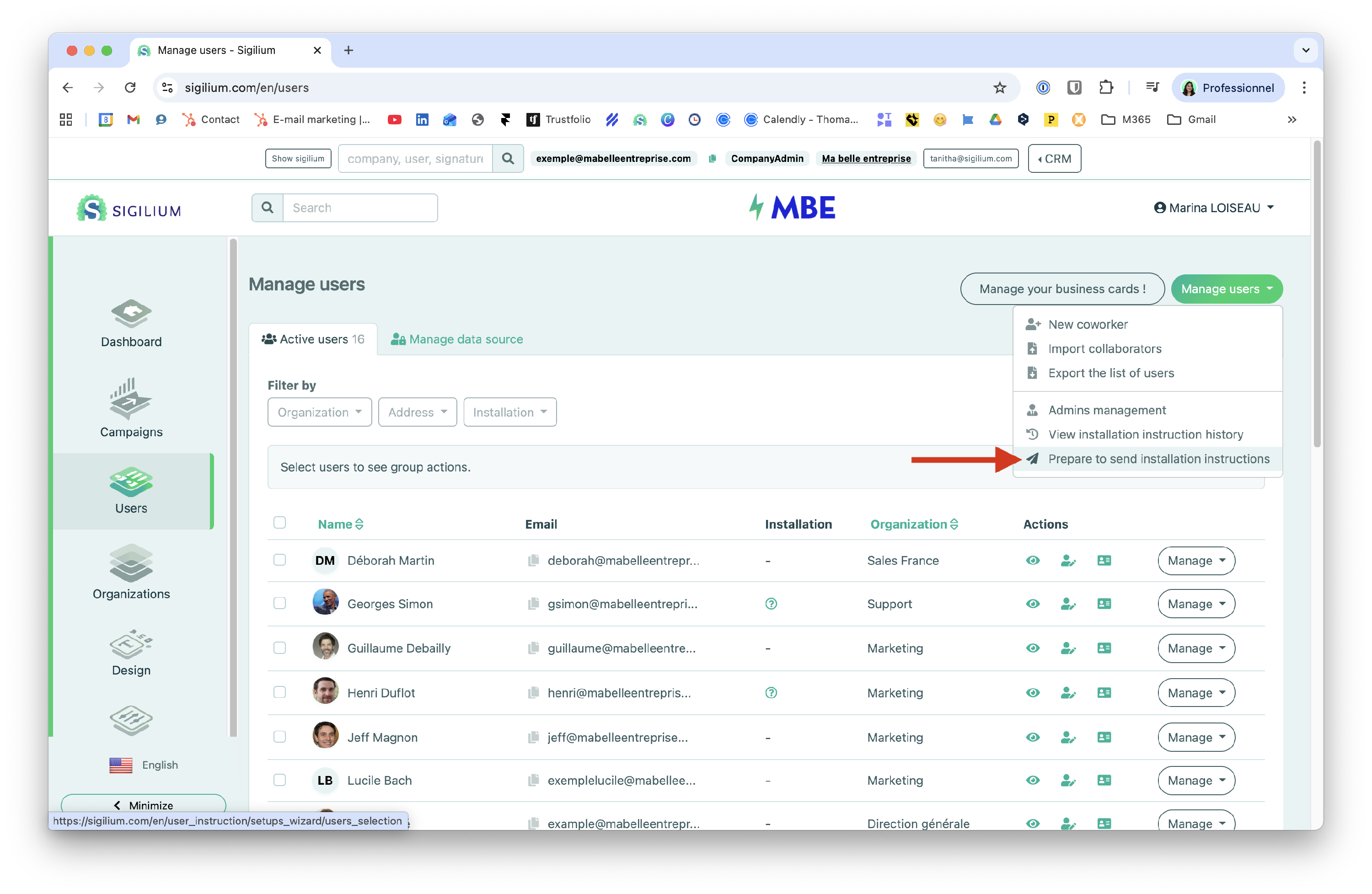
Discover how to send the installation instructions individually to run tests or to larger groups with a group action.
You can also plan the sending of the installation instructions with a precise date as seen below :
If your Active Directory is up to date, we can synchronize all or part of the fields to generate signatures. This step is often implemented at a later stage with IT teams, after an initial import.
Here is the documentation to understand the synchronisation of your Active Directory with Sigilium.
Gmail: Replies & forwards
Find out how to set up your email signature for replies/forwards in Gmail with this detailed article (screenshots for each step 😉).
How to find email signature traffic in Google Analytics
There are several tools available to track and analyze the traffic generated by your email signatures on your website pages. The most common is Analytics. It allows you to compare your traffic acquisition sources and track the user journey.
How to always display your signature in Gmail conversations
Find out how to have your email signature displayed in every message so that it no longer appears at the end of the conversation thread.
How to sync my Active Directory with Sigilium
Discover how to manage your users automatically by synchronizing your Active Directory with Sigilium
How to activate a Gmail Signature on iPhone : a Video Tutorial
Find out how to get your email signature synced in every exchange on Gmail, using your iPhone.
Any questions ?
You can describe your problem orally in a few seconds leaving a message on the
+33 1 83 64 02 13
You would rather write it down? We are happy to help in response to your email at
