
Find out how to get it. If you use Gmail and the signature appears at the end of conversations rather than between each reply, here's how to keep the signature in the conversation:
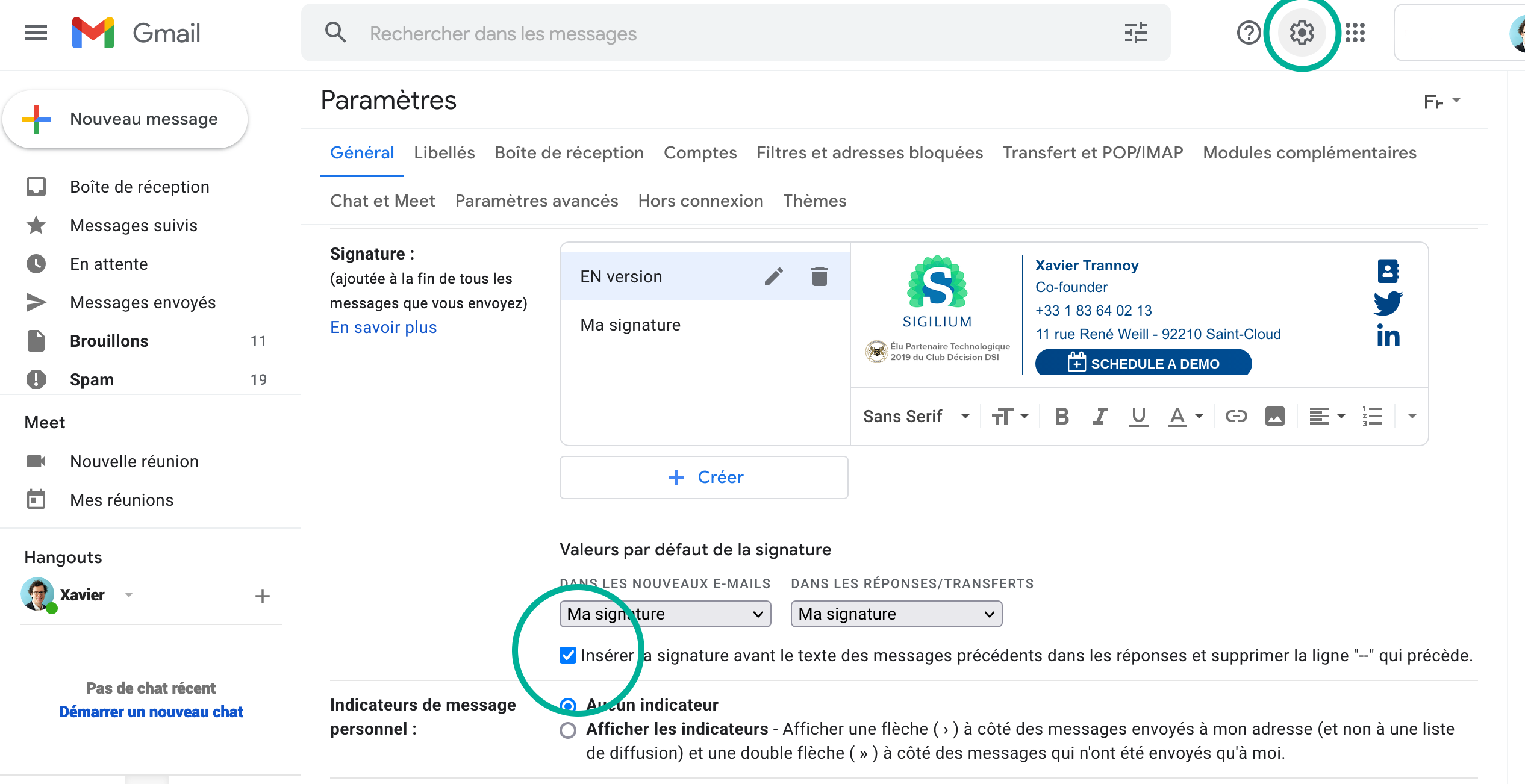
1 - In Gmail, click on the cogwheel icon in the top right corner.
2 - Then click on See all settings.
3 - Scroll down to the Signature section.
4 - Check the box “Insert signature before the text of previous messages.”
5 - Confirm the change at the bottom of the page.
Your email signature will now be displayed at the beginning of each message instead of at the end of the conversation thread.
Bravo, it’s done !
Any questions ?
You can describe your problem orally in a few seconds leaving a message on the
+33 1 83 64 02 13
You would rather write it down? We are happy to help in response to your email at