
On Sigilium, the id Analytics of each banner is available at this page : https://sigilium.com/fr/announcements
Find the email signature traffic
Connect to your Analytics’ account: https://analytics.google.com
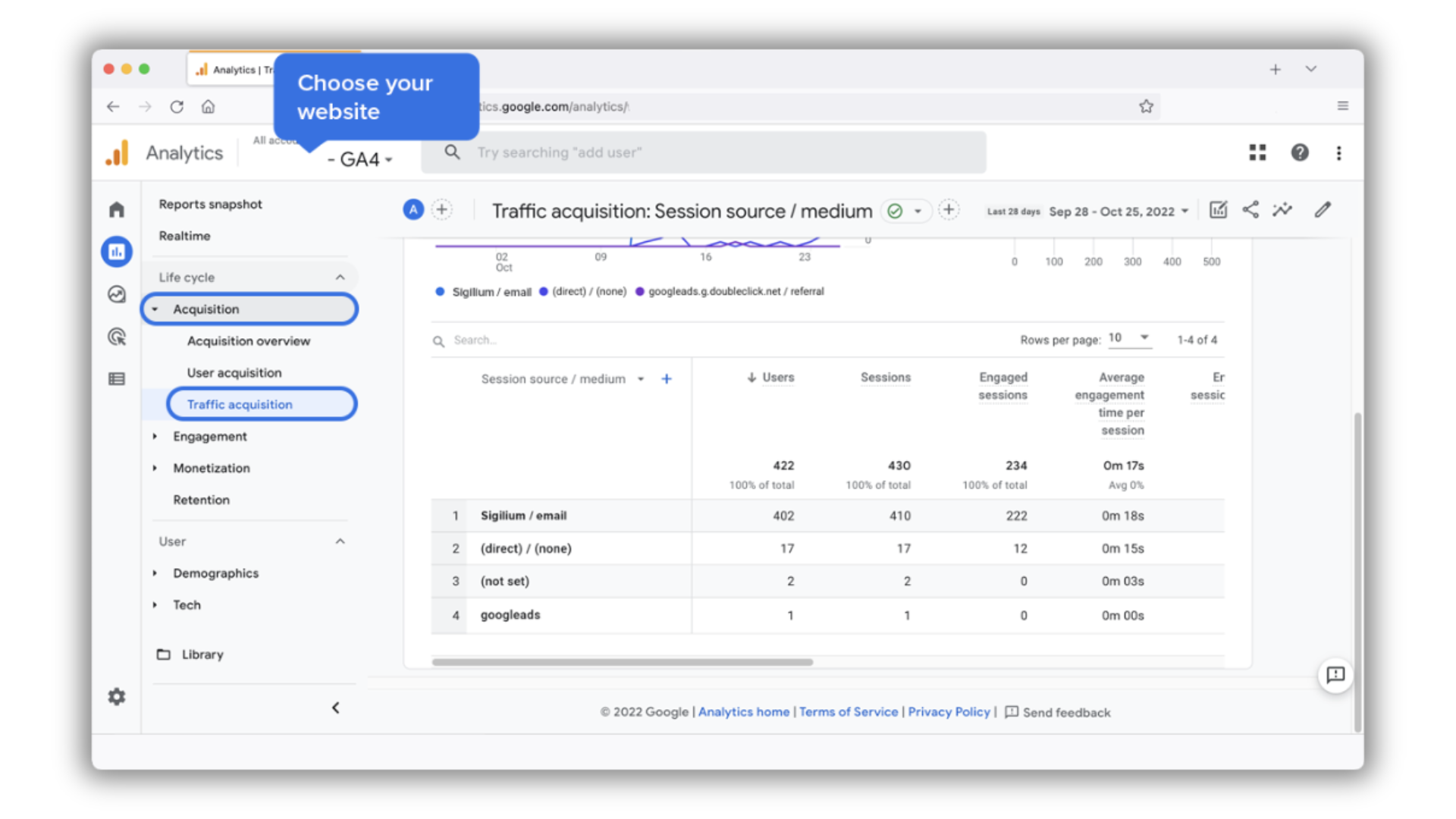
Choose your website on the top of the page.
In the left menu go to Acquisition > Traffic Acquisition > Source/Medium
Find and compare Sigilium / email source to the others.
This process is interesting for 3 reasons :
Collect consent : you can collect your users consent directly in email exchanges and Sigillium will never do personal tracking.
However, you absolutely must collect your users consent on your website. If not, at least know where they come from and their journey.
Centralise data : have analytic tools independant from one another does not allow efficient analytics. The goal is to compare your acquisition canals in one unique tool : yours.
Qualify visitor's interest : you are not interested in the visitor's volume but in their relevance. Only a tracking tool on your website allows you to know if a visit generated by a communication canal or another has converted.
Any questions ?
leave a message on the +33 1 83 64 02 13
Or send us an email at [email protected]