The email signature plays a role that’s often underestimated but relevant.
It lets your contacts know about your upcoming absence
and efficiently redirects urgent matters to the right people within your organization.
This article looks at how to use Sigilium to optimize email signatures before and during periods of absence by setting up automatic replies on Gmail and Outlook, so you can keep communication smooth and professional even when you’re not physically available.
Get ready efficiently by letting your contacts know about your upcoming absence.
Here’s how to set this up in the Sigilium platform before you leave:
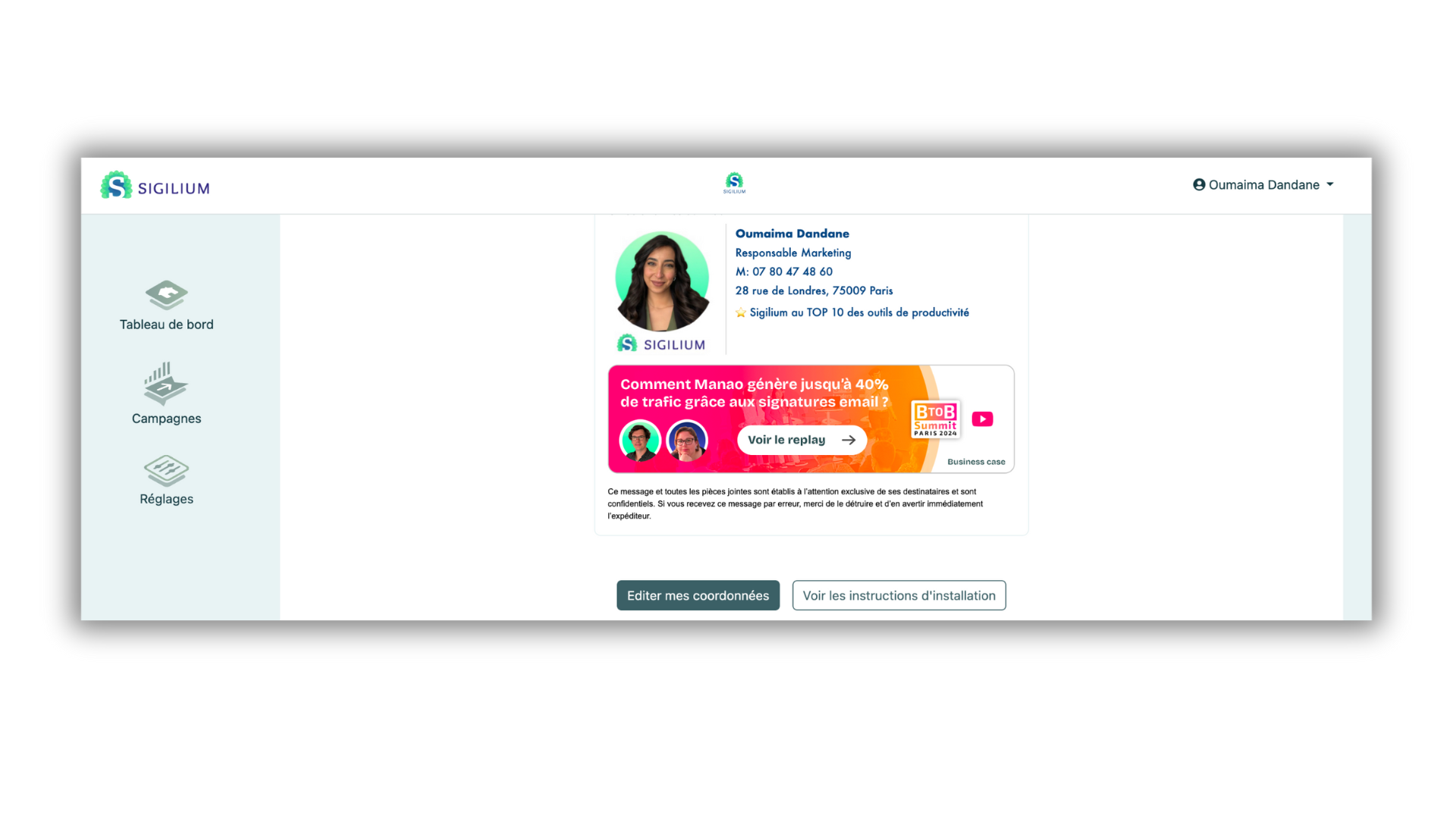
Click the Manage signature → Edit my contact details → Show my out-of-office message.
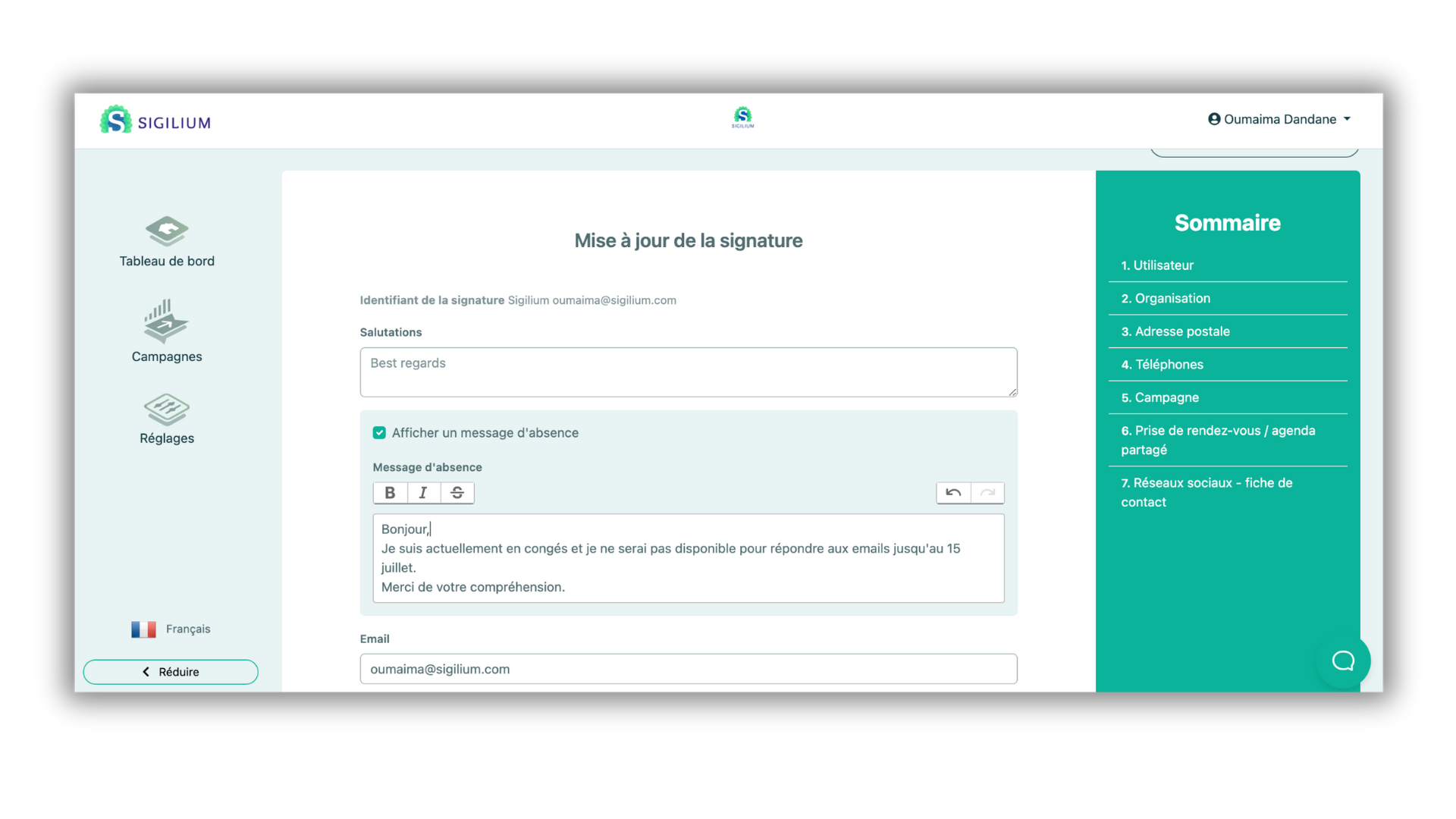
Insert the desired out-of-office message and confirm.
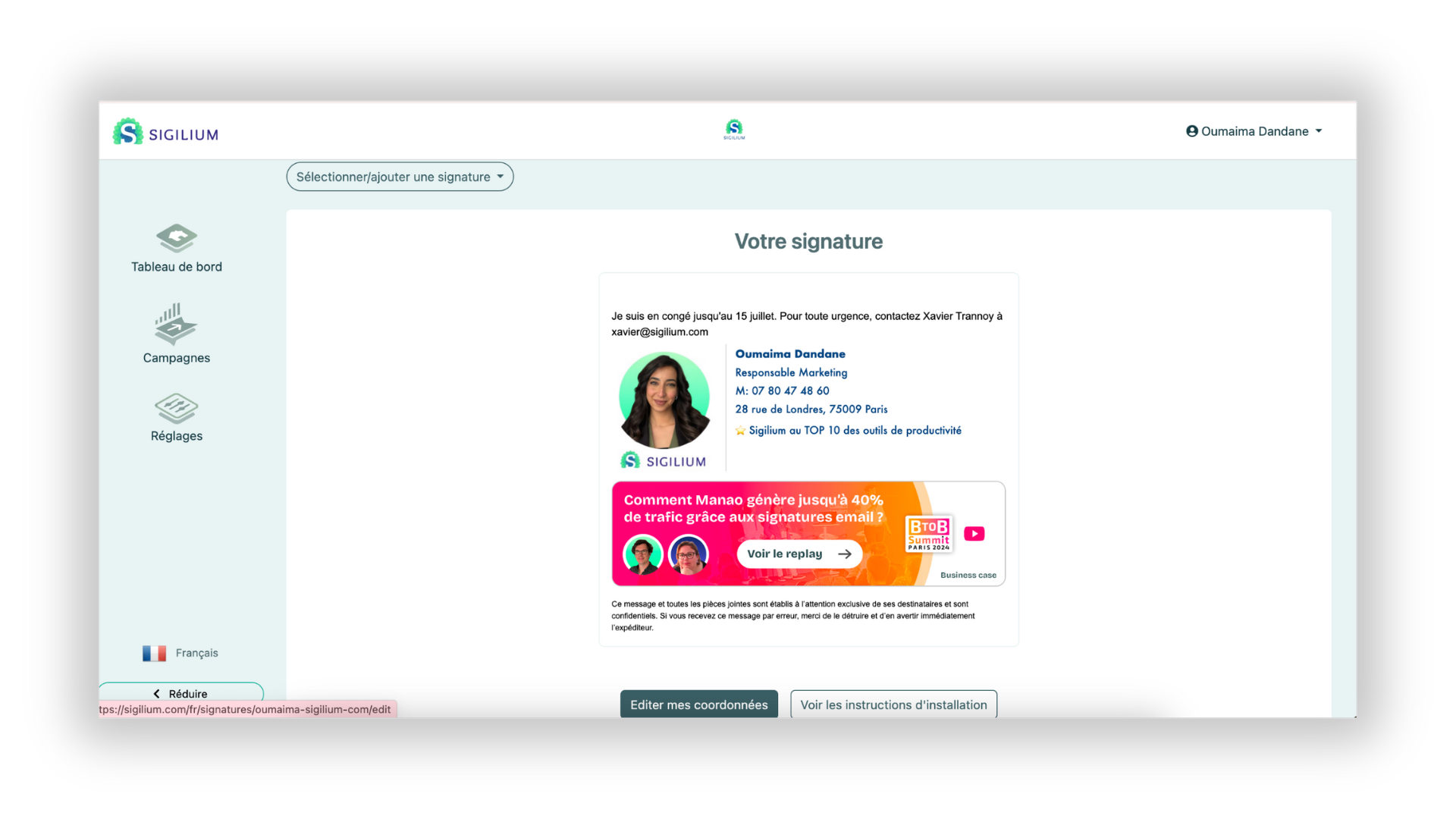
Nice, your message now appears at the top of the signature! 😊
While you’re on vacation, you can display your email signature in your automatic replies. Here’s how to do it in your mailbox. This tip is useful for all your coworkers too (feel free to share it).
In Gmail:
Display your signature in out-of-office messages (automatic replies) on Gmail
By setting up automatic replies in Gmail, you can maintain professional communication and inform your contacts of your absence and the alternatives available.
Unsure about something, have a question?
You can describe your issue out loud in a few seconds by leaving a message at
+33 1 83 64 02 13
Prefer writing? We’re happy to help by replying to your email at
