
Remove the default signature on Outlook PC
To remove the default Outlook signature
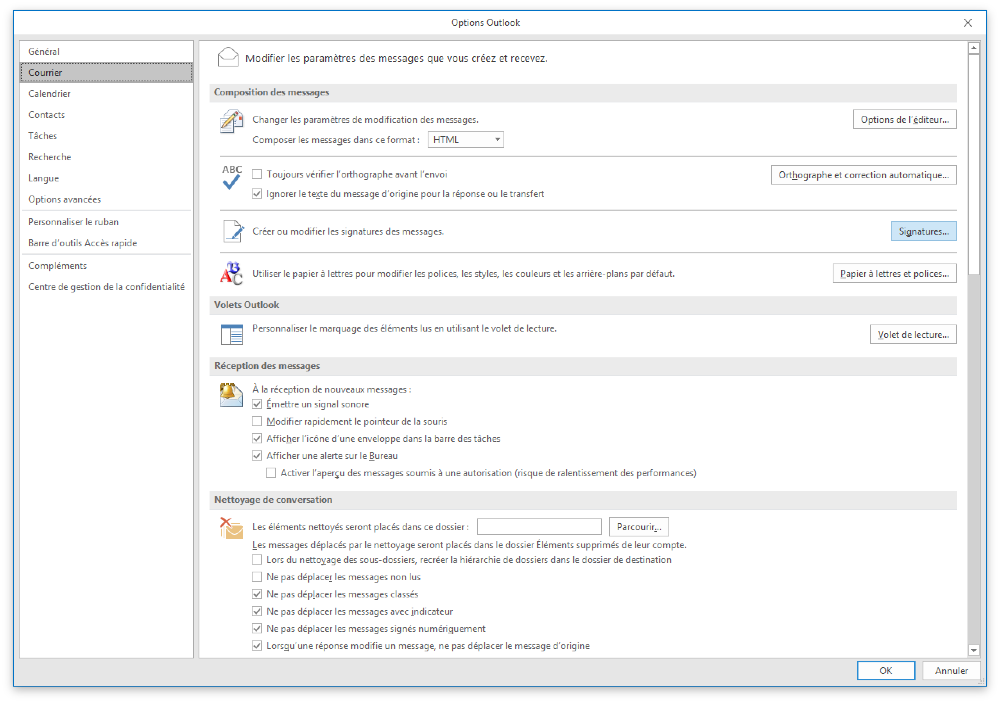
Go to File > Options > Mail > Signatures
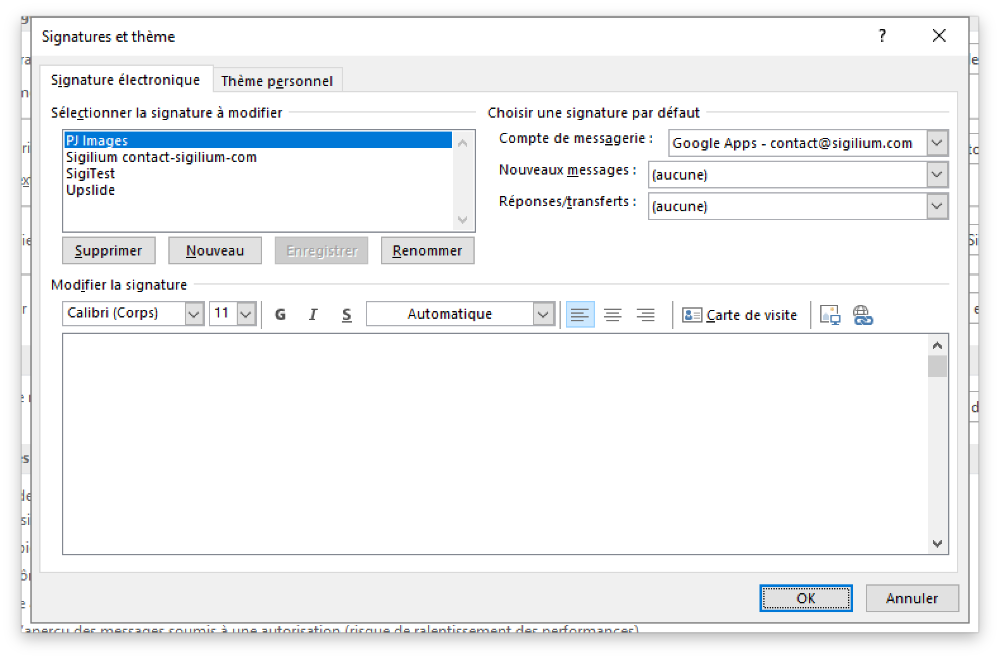
Then you need to set none in the "new messages" and "forwarding replies" options.
Remove the default signature on Outlook Mac
For Outlook Mac users, you can find the dedicated article here :
Set your default email signature in Outlook Mac
Learn how to define your Sigilium email signature as default signature in Outlook Mac settings.
Any questions ?
You can describe your problem orally in a few seconds leaving a message on the
+33 1 83 64 02 13
You would rather write it down? We are happy to help in response to your email at