
Intro
If you just installed the Sigilium's application, see how to select your new signature as default email signature on Outlook Mac:
Here's how
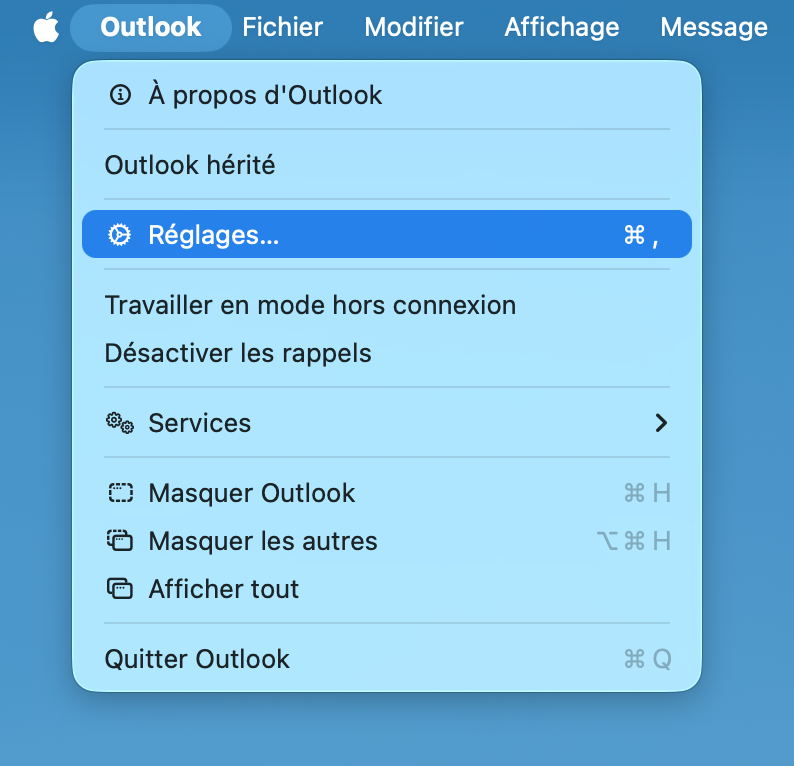
1. Access Outlook Settings.
The first step is to open Outlook on your Mac and go to the app's settings. To do this, click on "Outlook" in the top-left menu bar, then select "Preferences." This will allow you to configure all email-related options.
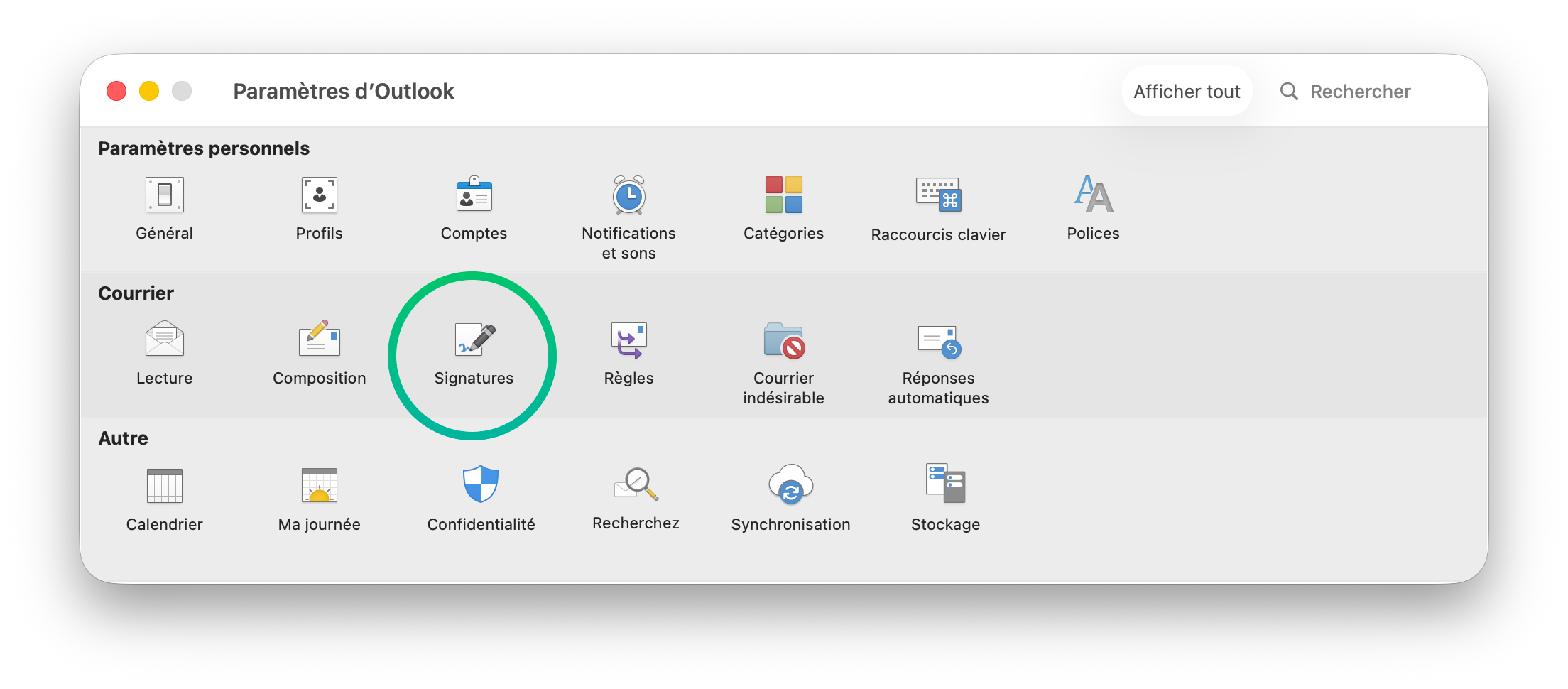
2. Manage Email Signatures.
In the Preferences window, click on "Signatures" to view all existing signatures. Here, you can easily create, edit, or delete a signature.
3. Remove the Unwanted Signature
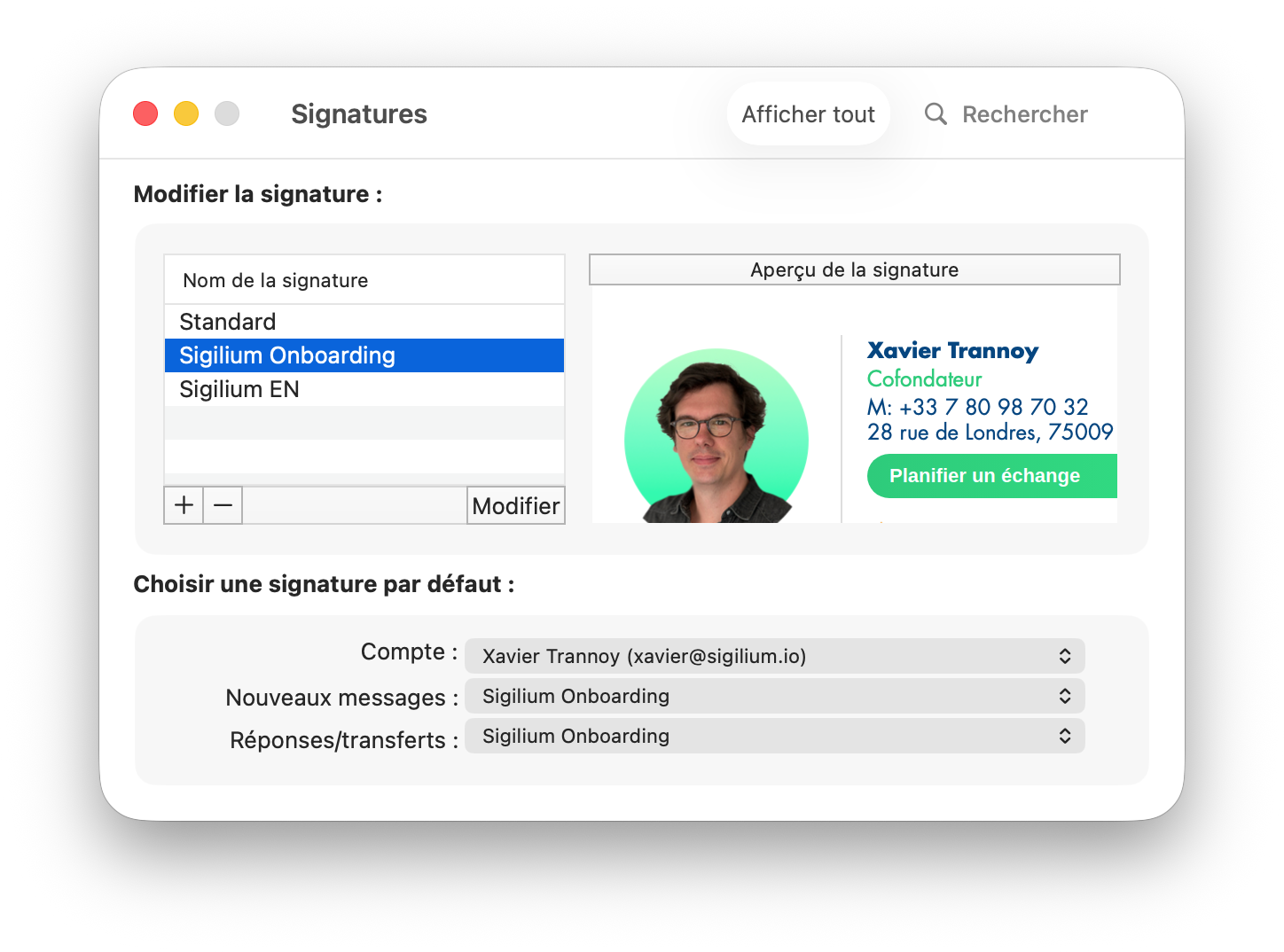
Once you're in the signature management section, select the signature you wish to remove, then use the keyboard to delete it.
4. Select your Sigilium signature as default
Make sure to choose to all your new messages, replies and fowarded messages, to garantee that the right up-to-date signature is used by default.
Still curious ?
Describe your problem leaving a message on the +33 1 83 64 02 13
You would rather write it down? send us an email at [email protected]