The security of our platform is a constant concern.
To ensure a high level of security, we are working on the following areas:
Building a clear application architecture that limits risks
Using best practices for maintenance and security
Sigilium consists of a web application, accessible from a customer account on the website https://sigilium.com, and various connectors that allow signatures to be updated, depending on the email client used by users (Outlook, Gmail, Apple Mail, Thunderbird, etc.).
In addition, Sigilium offers optional synchronization with the corporate directory (AD) to automatically synchronize user information based on the information entered in your directory.
Outlook Desktop is the version of Microsoft Outlook email that can be installed on a computer.
This is different from Outlook Web Access, which is used when the user wants to access their email from a web page.
If you have Microsoft 365, you can use our new add-in, which can be installed in just a few clicks from the Microsoft admin console. Everything is centralized!
Deploy the Sigilium addin on Microsoft 365
Here's how to deploy email signatures on Outlook 365, centrally.
The add-in is loaded by Outlook Web or Desktop (PC and Mac) and is responsible for authenticating the user and retrieving the email signature every 5 minutes from Sigilium.
This add-in only requires port 443 (https) to be open to the sigilium.com domain. Signatures are stored by the add-in for offline operation.
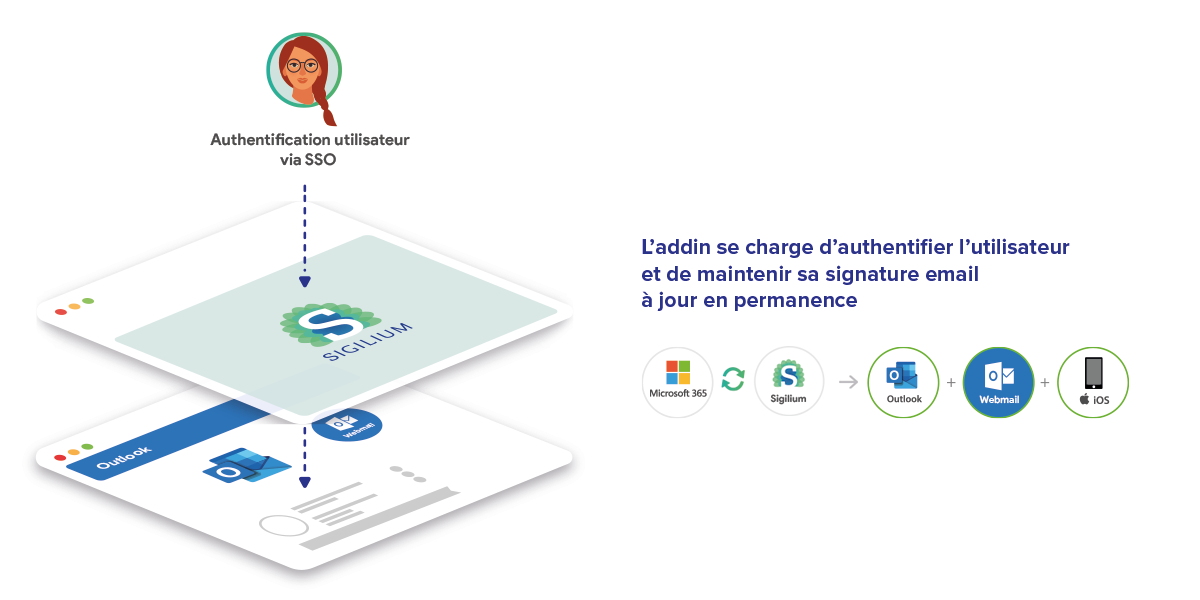
When using Outlook Desktop, we recommend using our Desktop application for Windows and macOS.
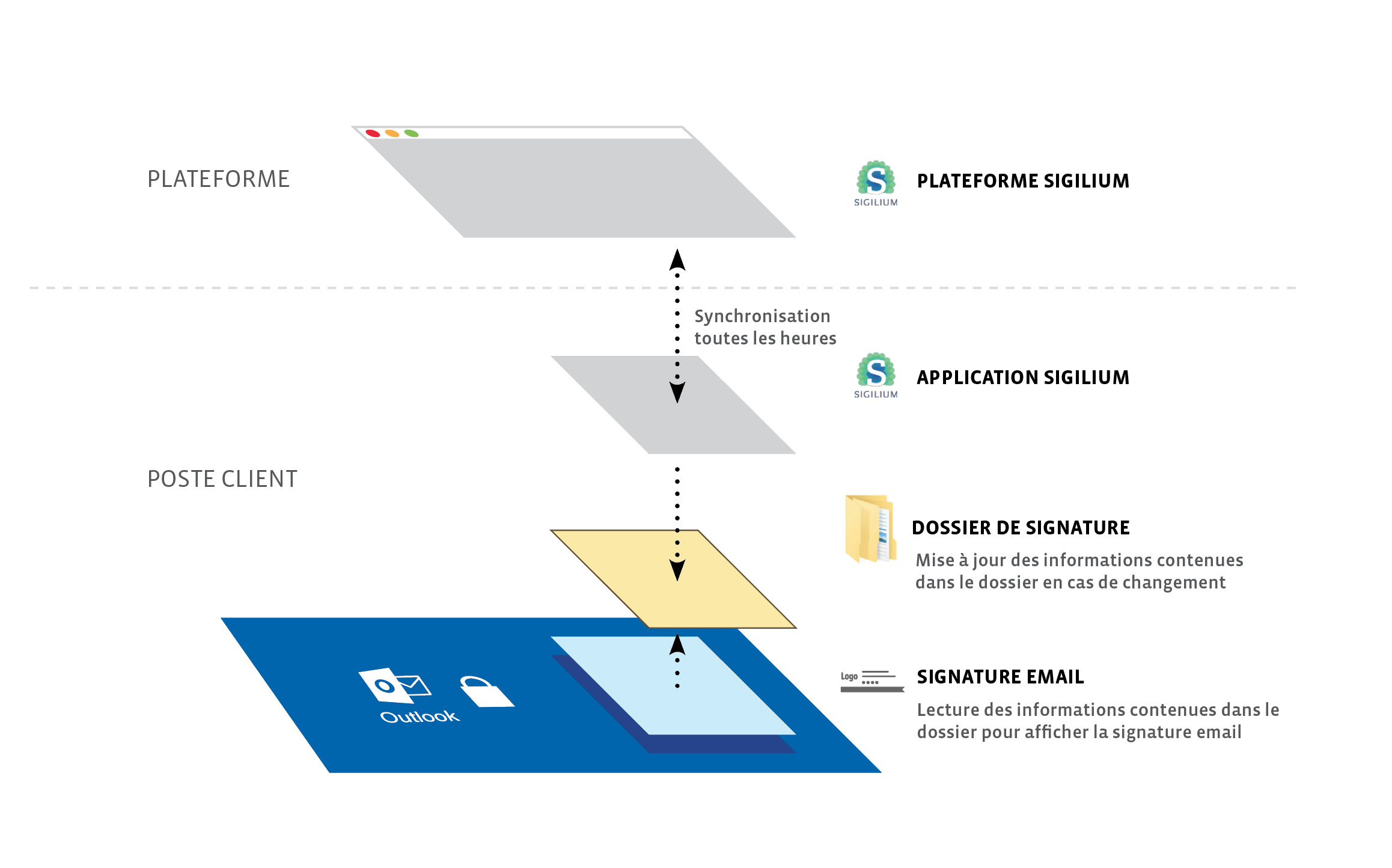
On Windows, the application is responsible for:
allowing the user to authenticate
downloading the user's signature(s)
automatically updating these signatures
For authentication, the user enters their email address, and a verification code is sent by email.
Our application then downloads the signatures from our secure API.
This API only requires port 443 (https) to be open to the sigilium.com domain.
Finally, the Sigilium application only updates the signature files in the corresponding Outlook folder.
Unlike an internal Outlook plug-in, this ensures that we have no access to the content of emails or the list of recipients.
Outlook is instantly notified of updates to the signature files on the disk.
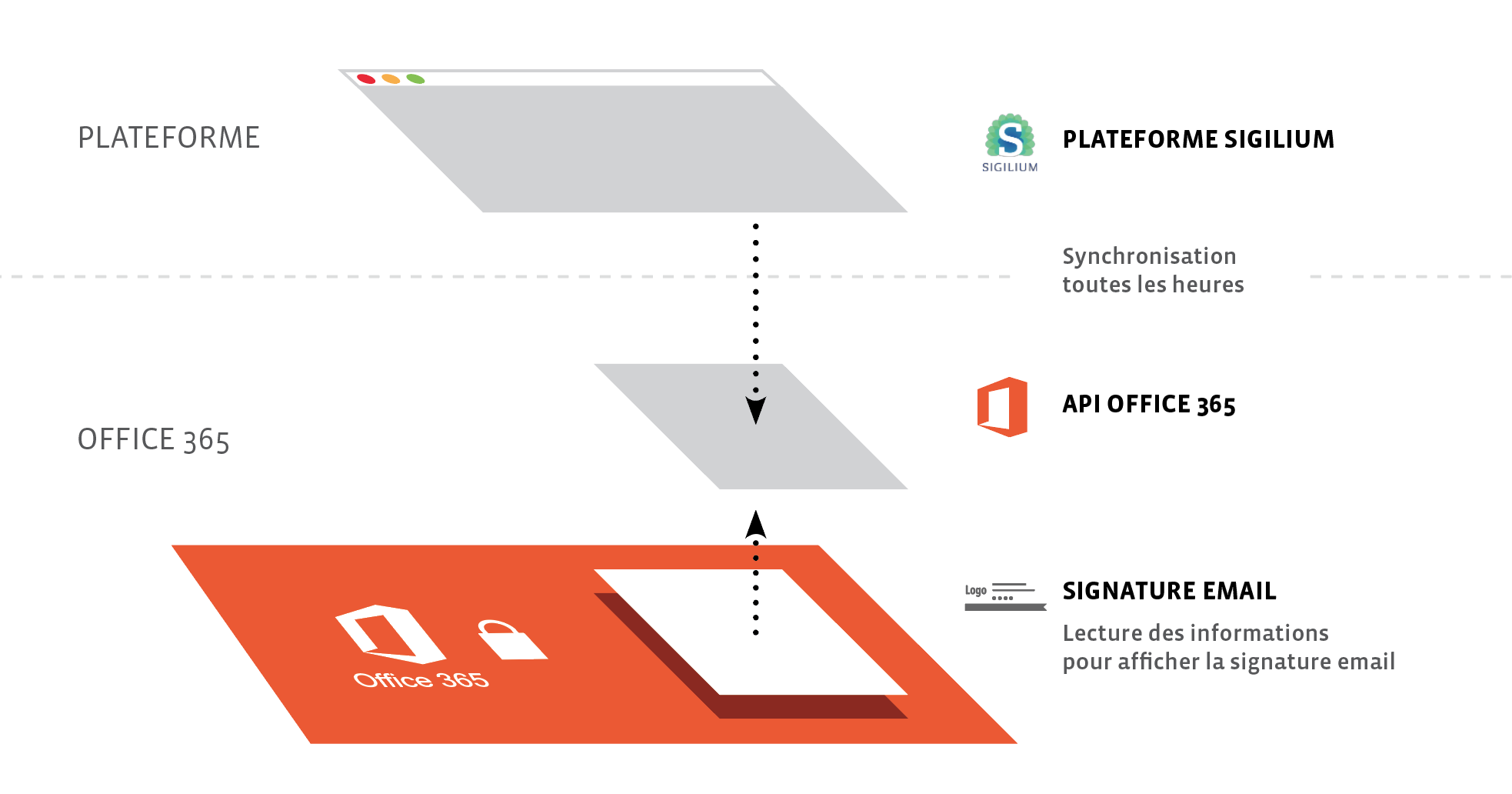
For synchronization with Outlook Web Access (Office 365 version only), Sigilium uses Microsoft's official API to update email signatures.
Creating a user role with restricted access to the API ensures that we have no access to email content or recipients.
Any questions ?
You can describe your problem orally in a few seconds leaving a message on the
+33 1 83 64 02 13
You would rather write it down? We are happy to help in response to your email at
