
Is your brand image evolving, or your logo changing? Here's how to update it in email signatures.
1 organisation at a time
As the account administrator, you can modify the elements of the signature template for each of your company's organizations.
If you manage multiple brands or entities, you can modify them directly on the platform independently:
Here's how to do it:
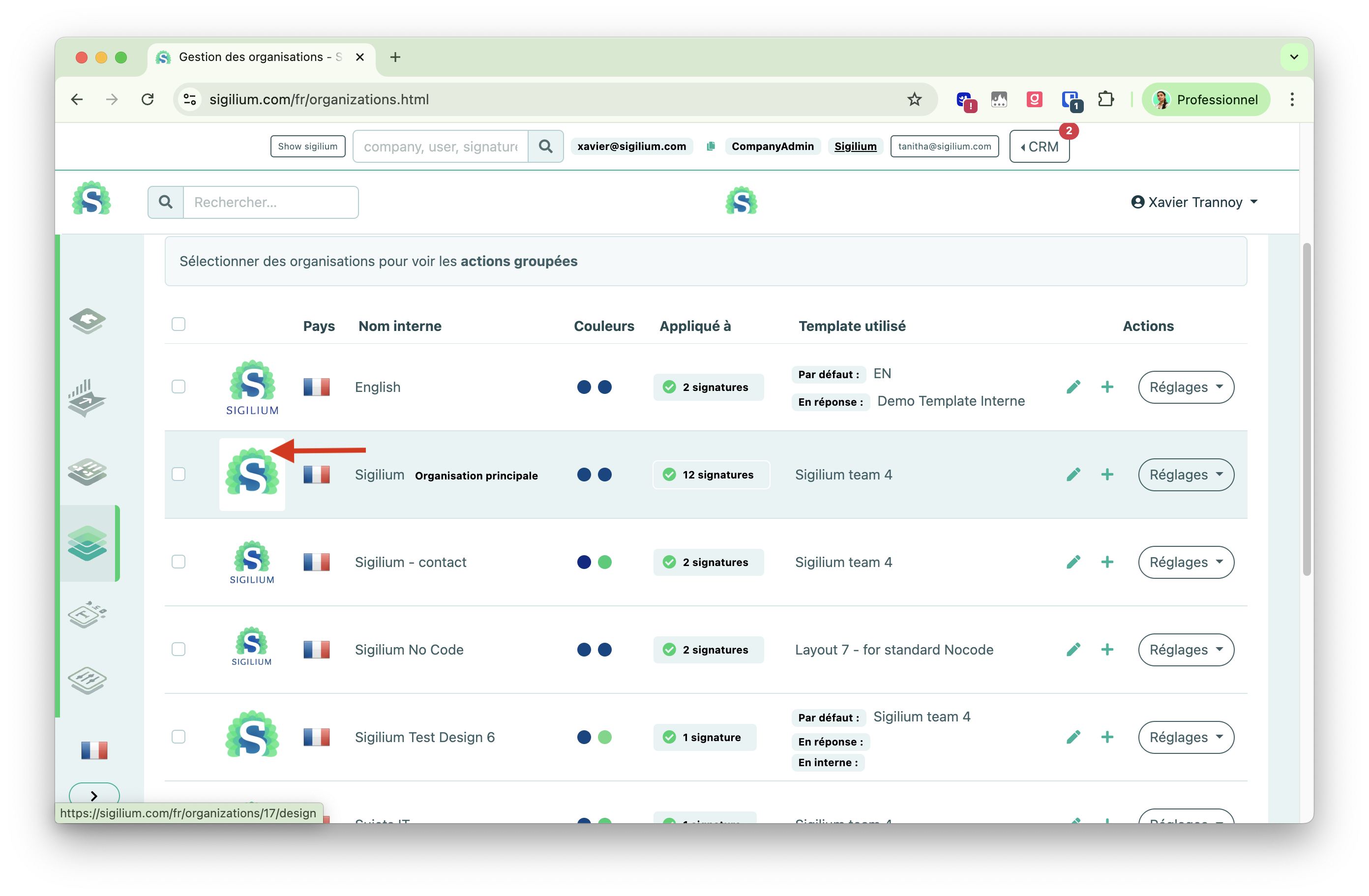
In the menu Organizations > Click on the logo
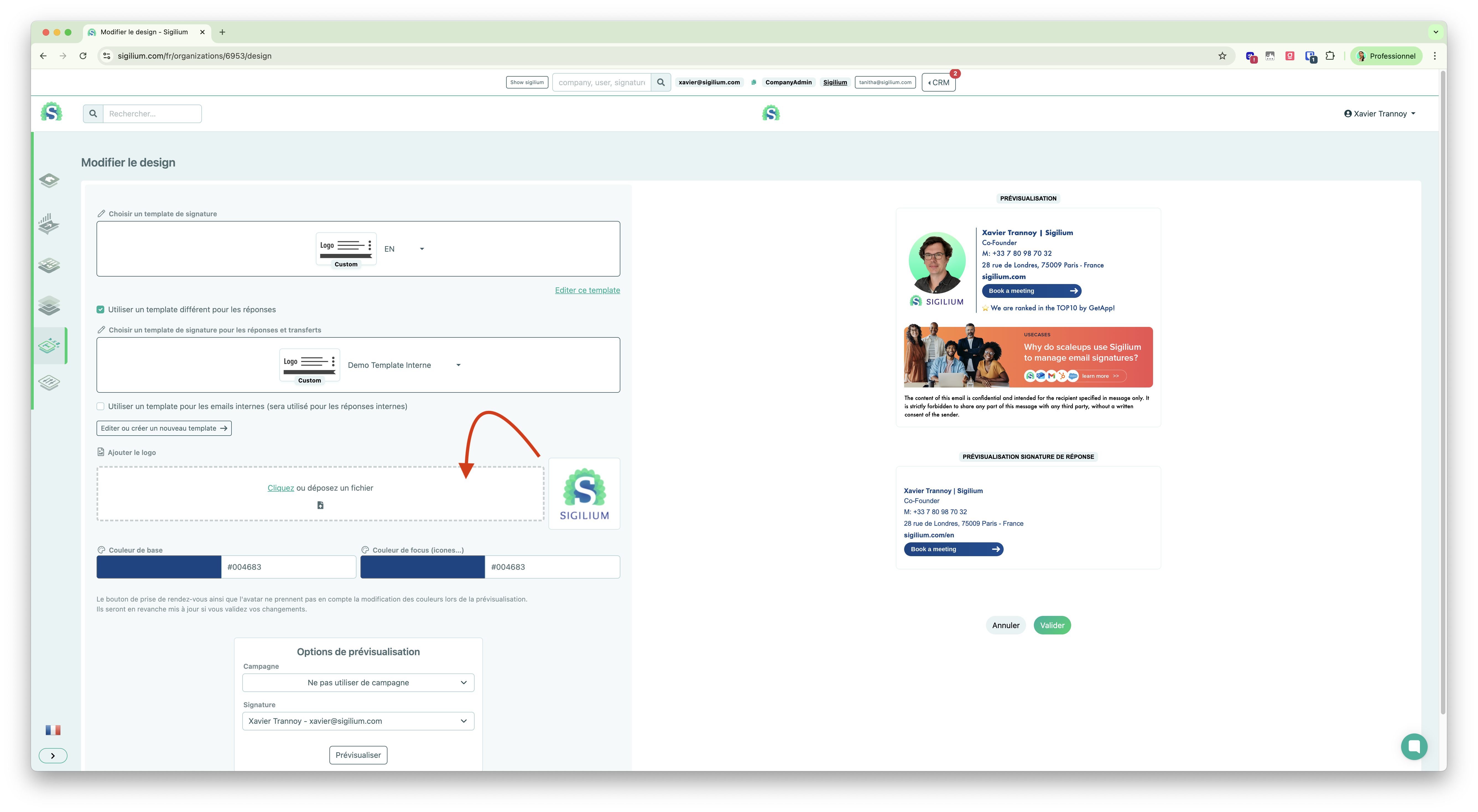
Download your new logo, preview the result, and confirm !
Several organisation at a time
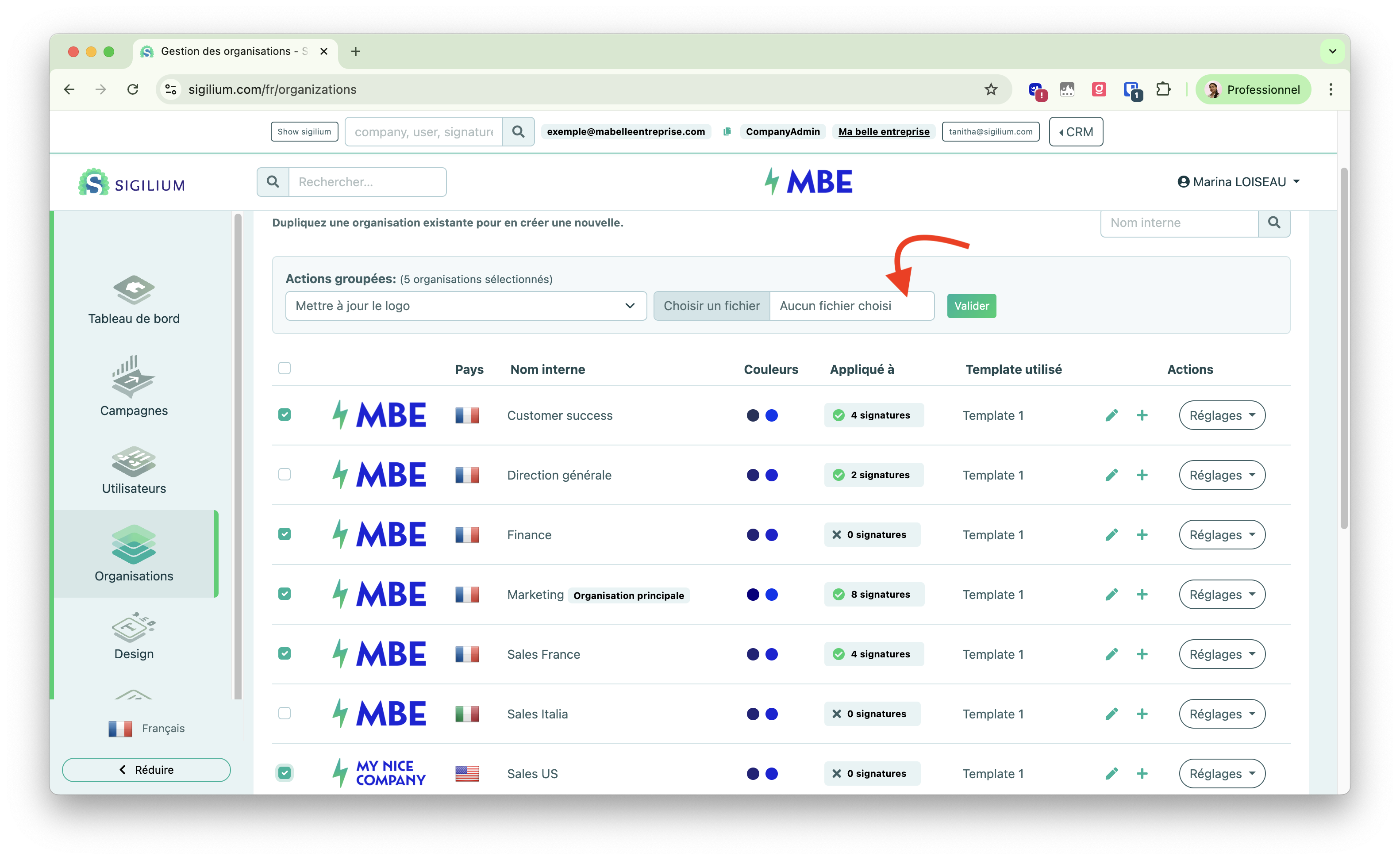
You can also update the logo for several organisation at once in bulk :
Any questions ?
You can describe your problem orally in a few seconds leaving a message on the
+33 1 83 64 02 13
You would rather write it down? We are happy to help in response to your email at