
1 - You reconnect the Sigilium app to the right email address
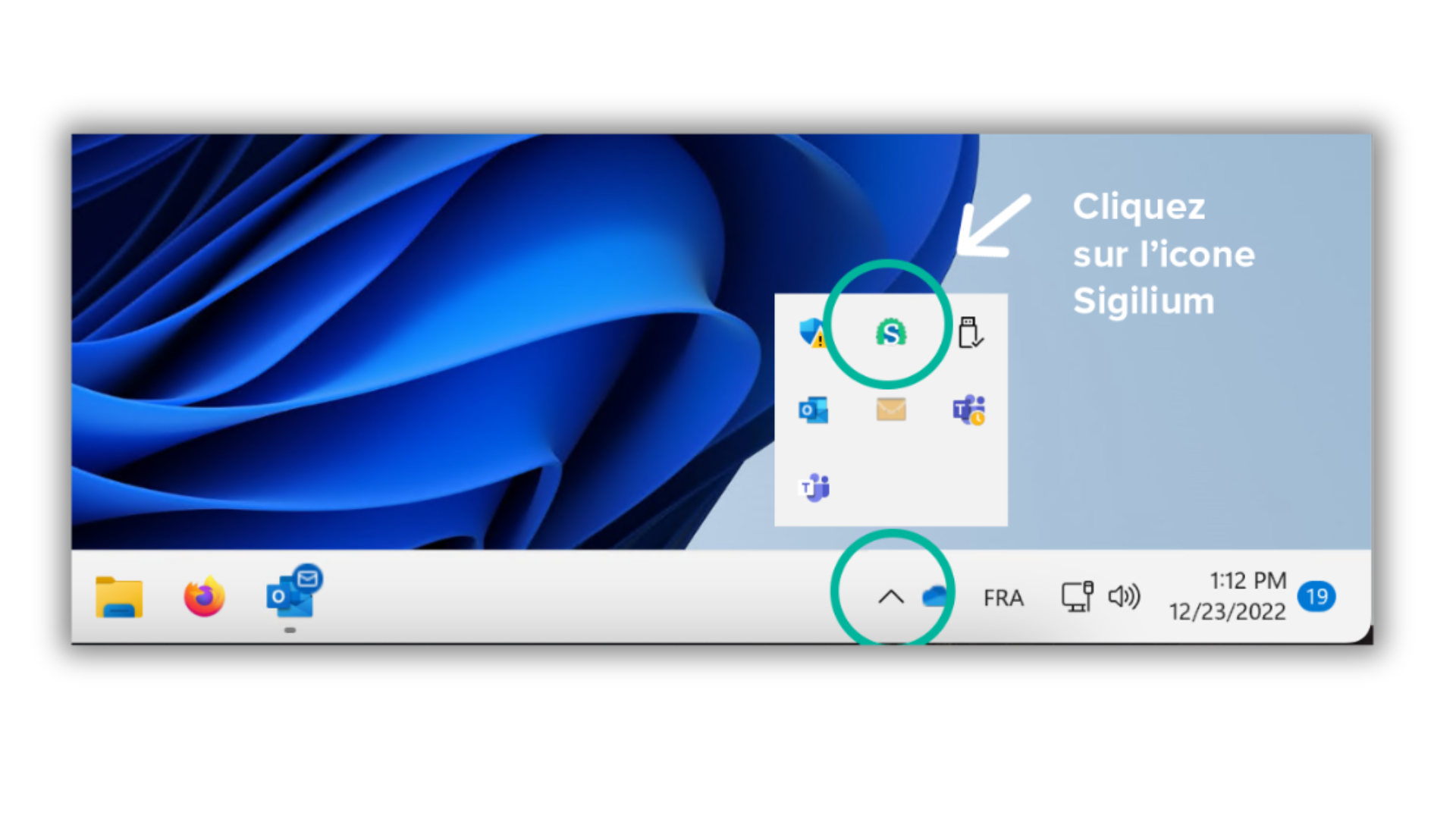
In the menu bar, on the bottom right corner of your screen, an arrow shaped icon ( ^ ) allows you to find the Sigilium App ; click on it
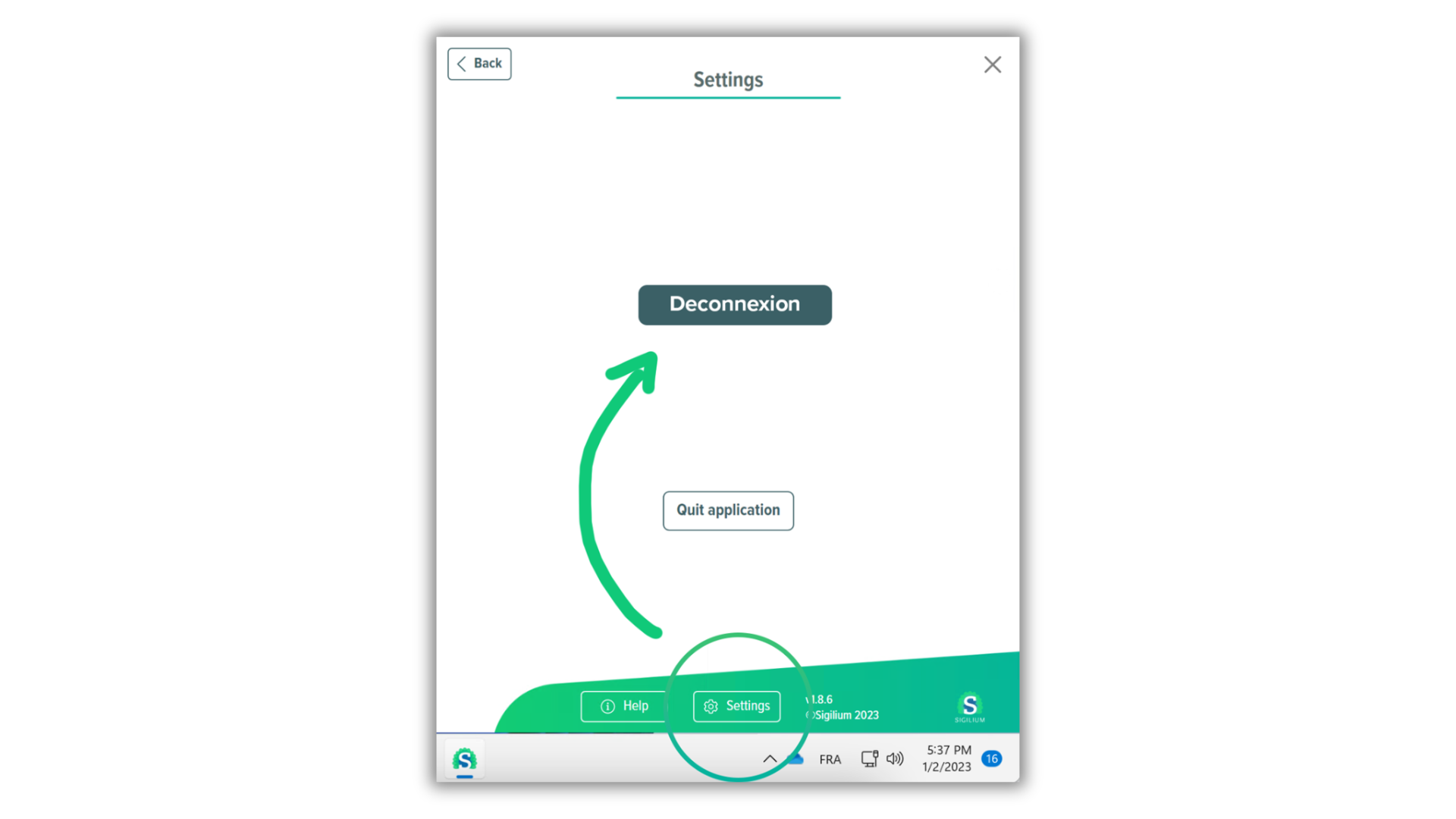
in the Green part, click on the button Settings > Disconnect
then reconnect by entering your new email : "[email protected]"
2 - Redefine the lixil signature as by default signature :
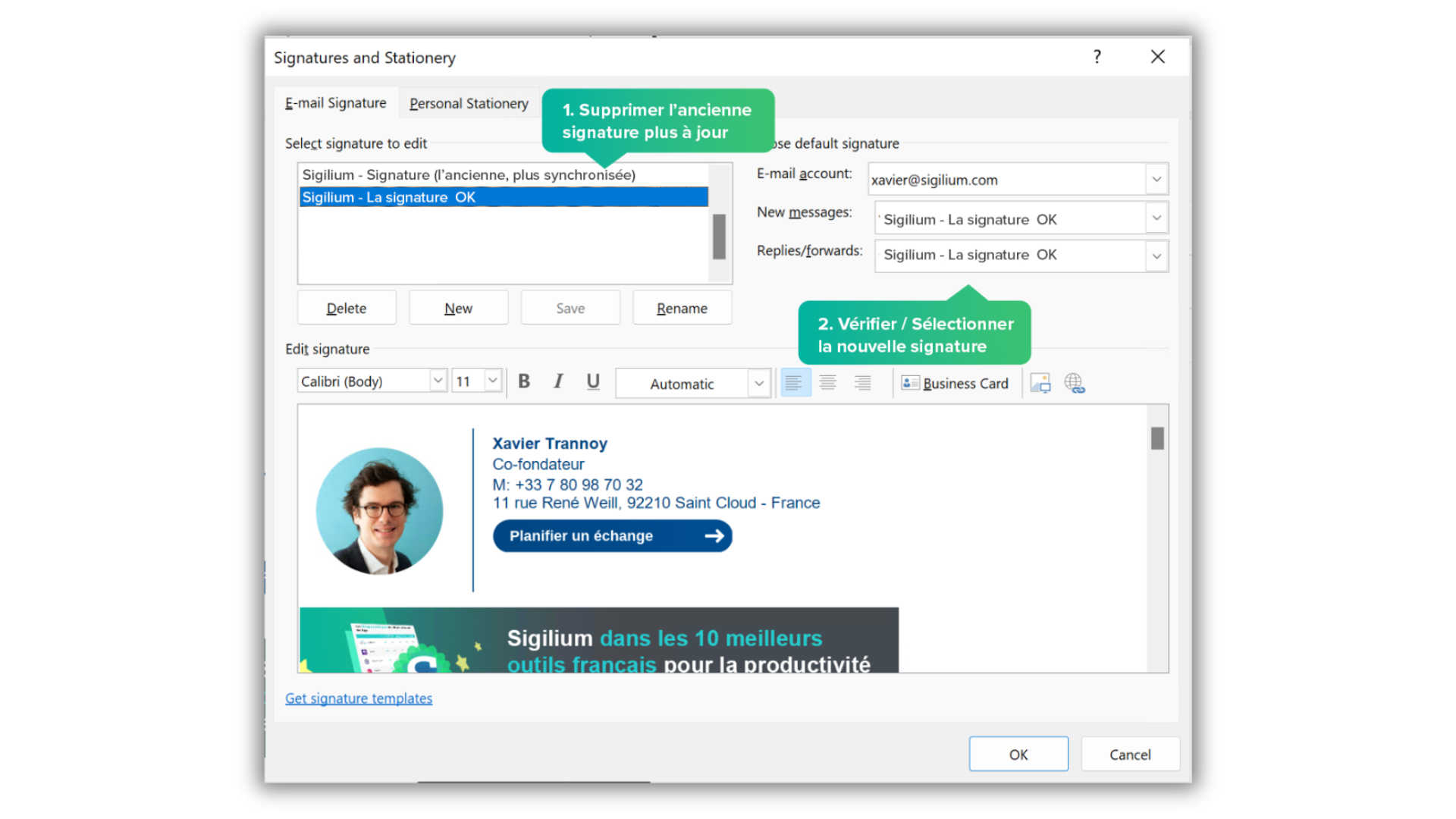
1 - In the signatures list on Outlook, a new signature has appeared.
Click on "Signatures..." (at the bottom of the list)
2 - In the signature tab, delete the outdated signature
Congrats it's done !! 🎉
Your new email signature appears upon opening new emails.
It will be updated automatically like before.
Any questions ?
You can describe your problem orally in a few seconds leaving a message on the
+33 1 83 64 02 13
You would rather write it down? We are happy to help in response to your email at