
If you have the Sigilium App installed on your computer but the email signature is not synchronised anymore, here's what to do :
What happened :
A new email signature synchronised by default must have been added with the recent Outlook's update by the Microsoft teams (dec.2022).
1 - Update the Sigilium App
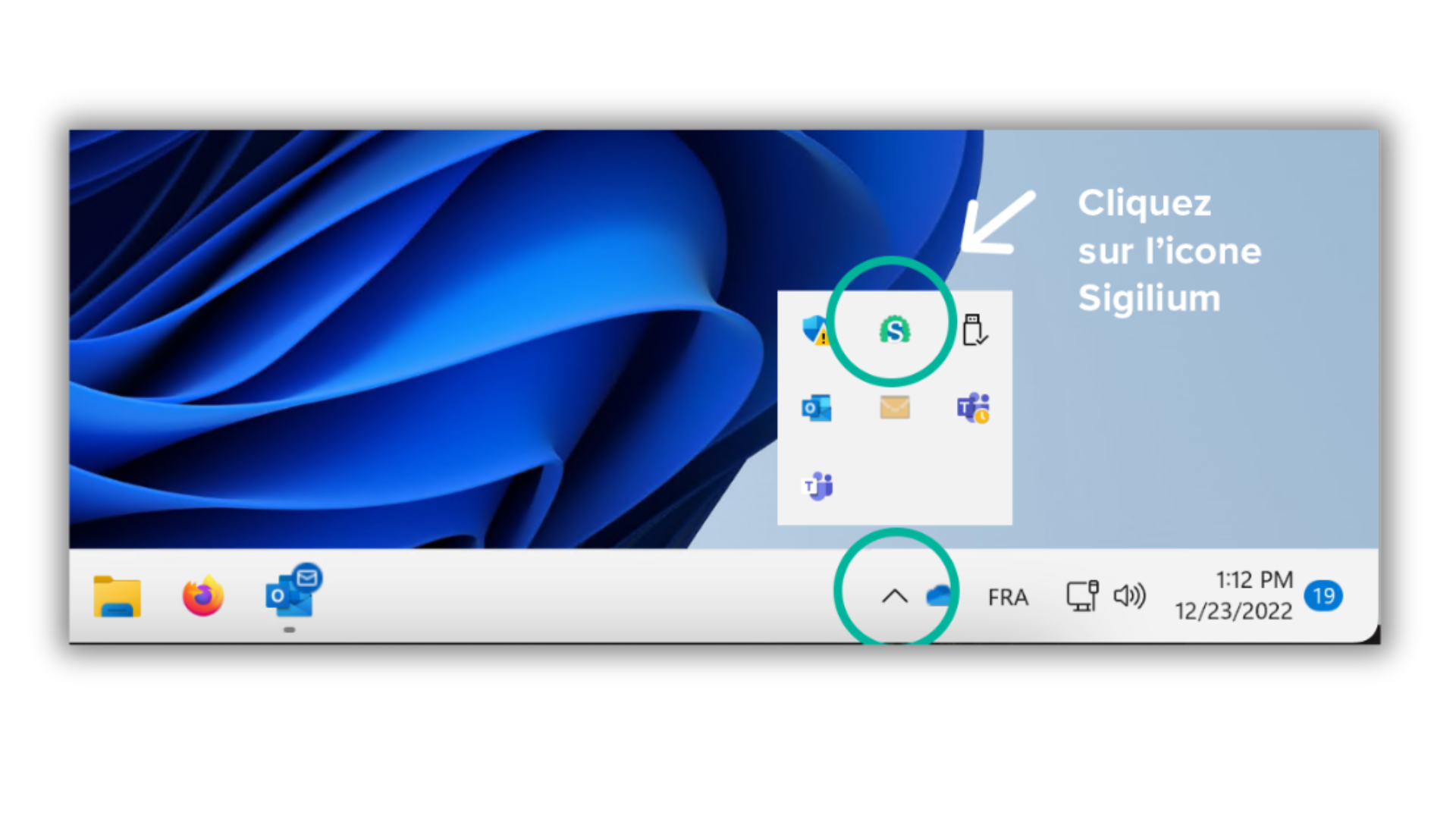
In the menu bar, on the bottom-right-corner of your screen, an arrow shaped icon ( ^ ) allows you to find the Sigilium App ; click on it.
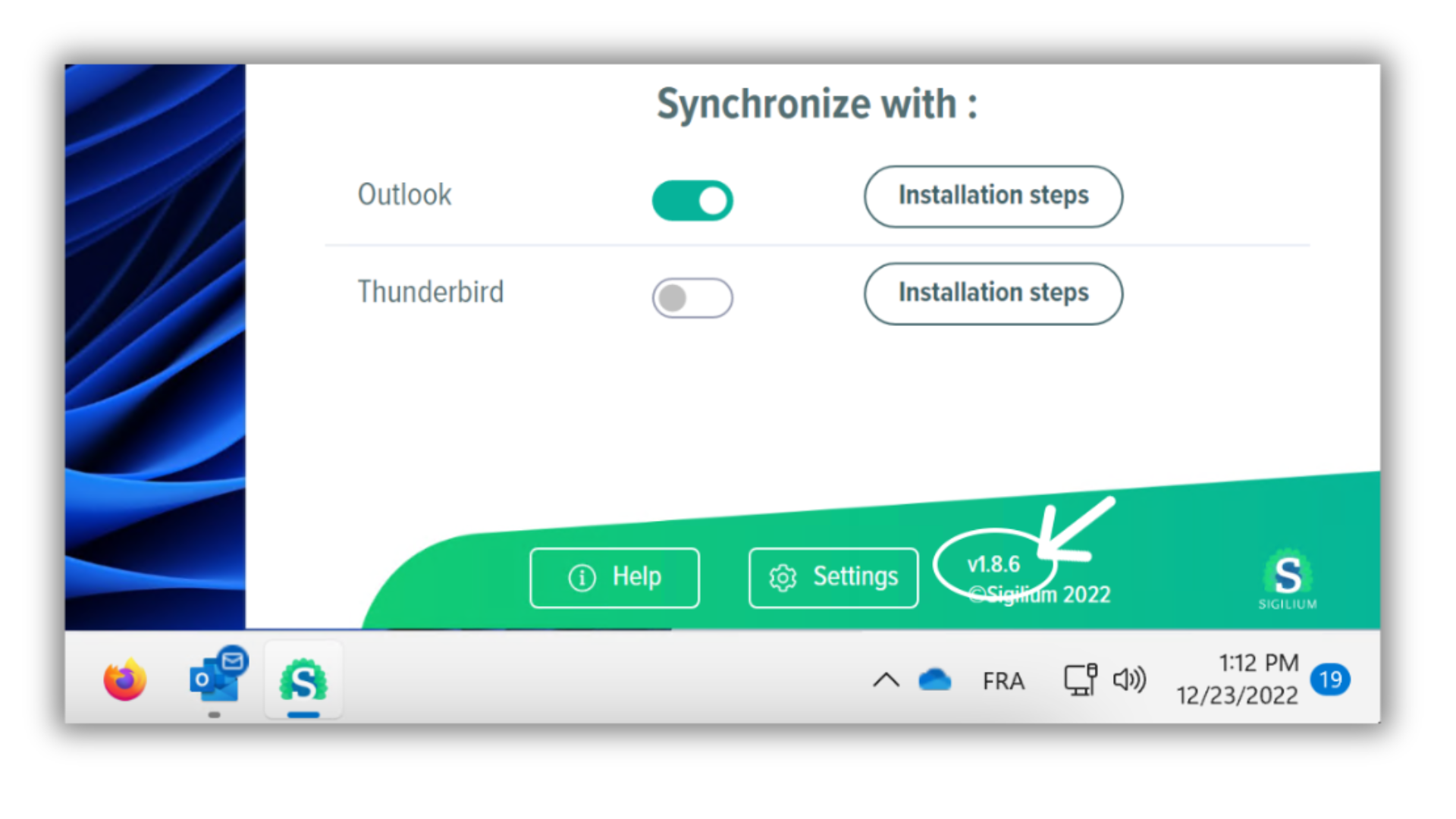
In the green part on the bottom next to the Settings, click on 1.2.5 or Check for update, the app will load the last version (1.8.6).
Close Outlook and restart it.
2 - Find your synchronized email signature in 1 min :
1 - Go to your list of signatures on outlook : New message > Signature icon > "Signatures..."
And delete the old signature from the list (= the one set but not up to date)
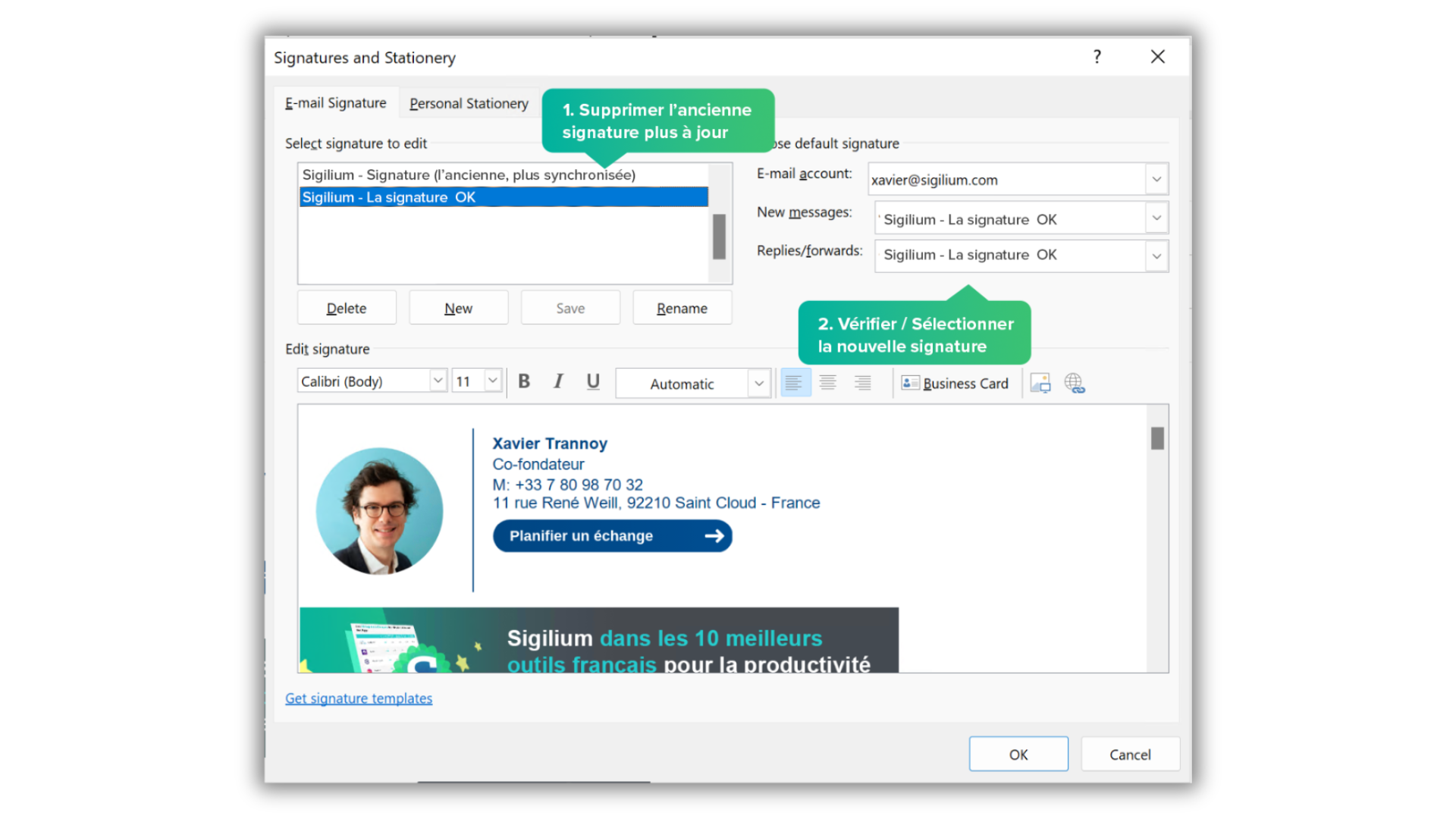
Set the right signature by default for your New Messages and Transfers/Replies
Congrats it's done !! 🎉
Your new signature appears upon opening new mails.
It will be updated automatically like before.
Any questions ?
You can describe your problem orally in a few seconds leaving a message on the
+33 1 83 64 02 13
You would rather write it down? We are happy to help in response to your email at