
Here’s how to display your sender’s images in the emails you receive
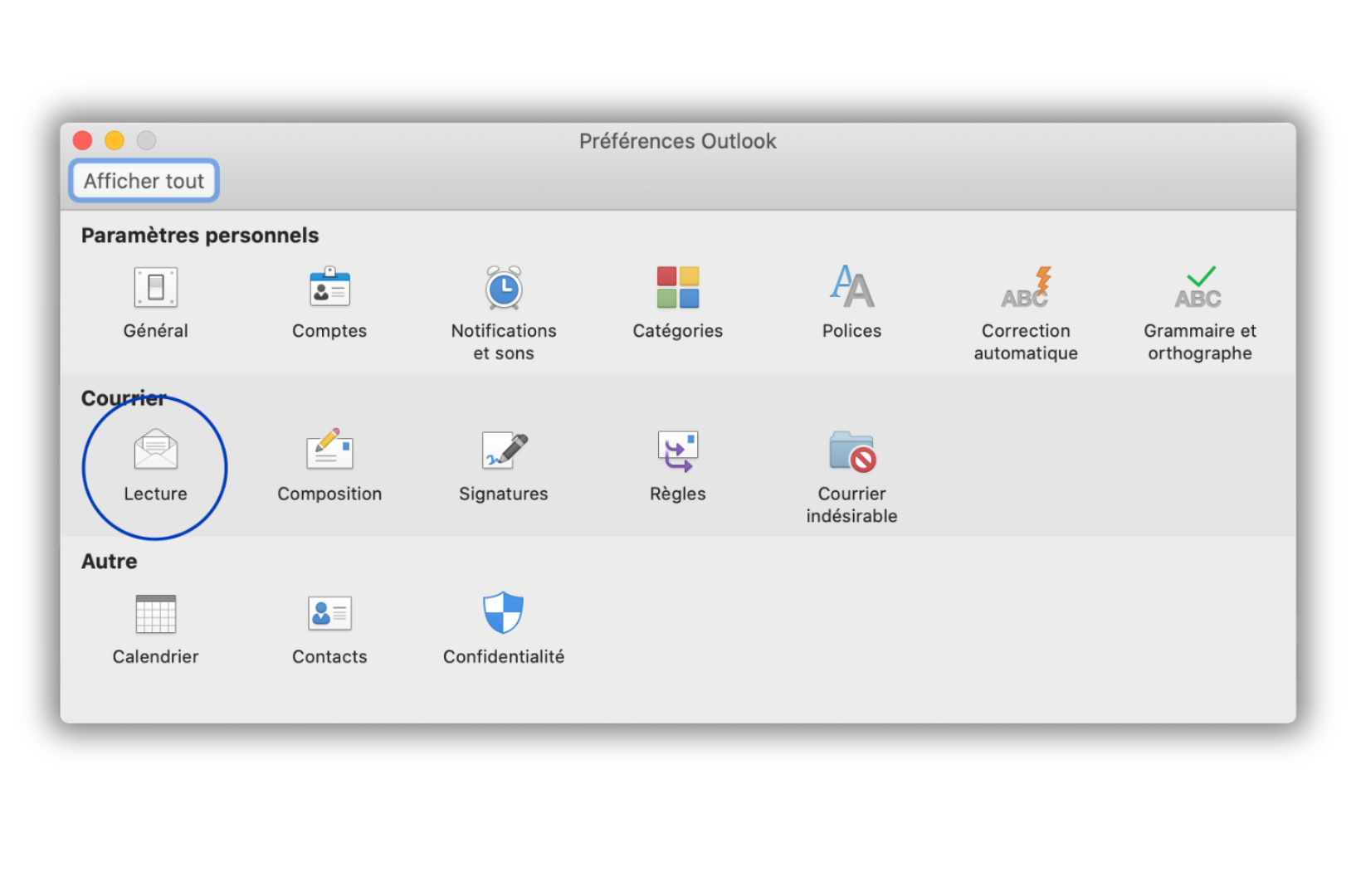
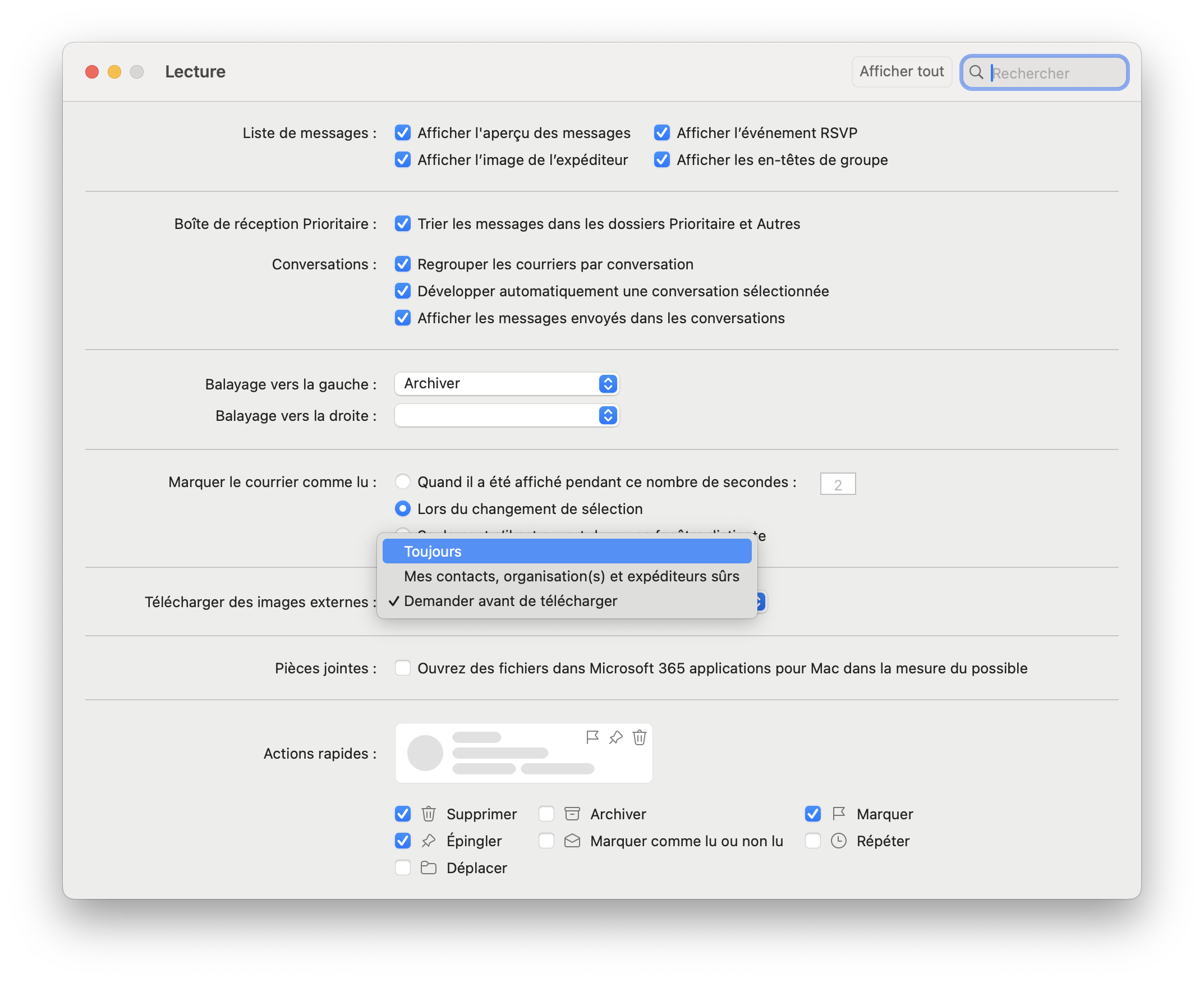
In the Preferences menu, click on the Reading icon and choose the option you prefer among the 3 possibilities.
Download images that come from the internet:
in all messages
in messages from my contacts
never
Choose the Always option to be able to display images from all senders.
Not sure about something, have a question?
You can describe your problem out loud in a few seconds by leaving a message at
+33 1 83 64 02 13
Do you prefer writing? We're happy to help by replying to your email at