
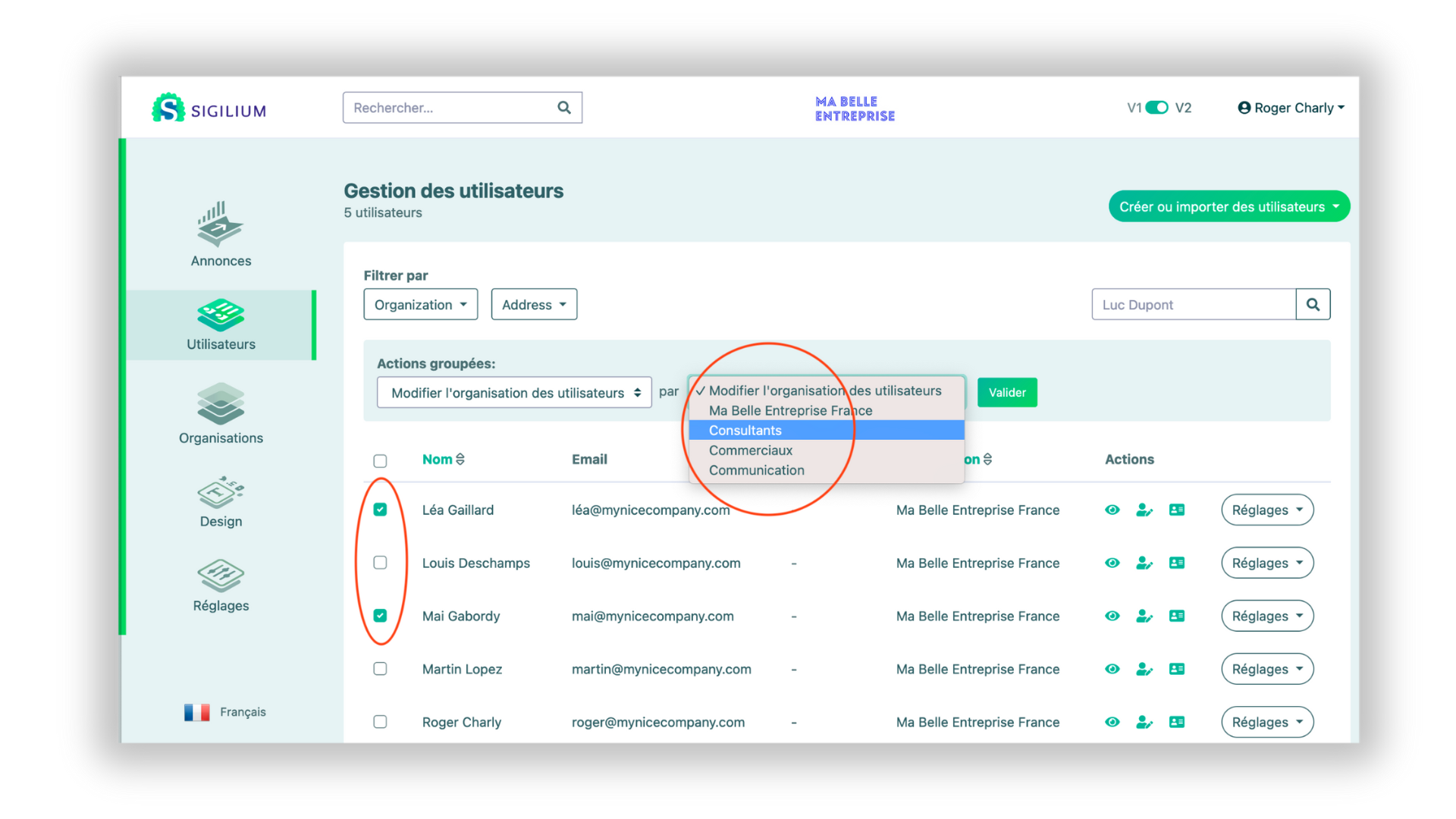
1 - In the Users menu
2 - Toggle the persons concerned, a menu Grouped Actions appears at the top of the list
3 - Click on Modify the organisation of the users
4 - Choose the destination organisation and confirm
Any questions ?
You can describe your problem orally in a few seconds leaving a message on the
+33 1 83 64 02 13
You would rather write it down? We are happy to help in response to your email at