
More and more email exchanges are being handled directly from the HubSpot CRM by sales and support teams. That's why it's essential to synchronize email signatures with HubSpot.
This ensures brand consistency in all communications with customers and prospects.
Video Tutorial: Installing my Sigilum signature in Hubspot
Note when using the Dynasign® version of Sigilium:
Email signature details will not update.
The banner will update automatically, without any action required from you.
How to do this
From your Sigilium account, click the HubSpot icon and follow the instructions.
Copy the Dynasign® version.
Paste it into HubSpot in the user's account settings.
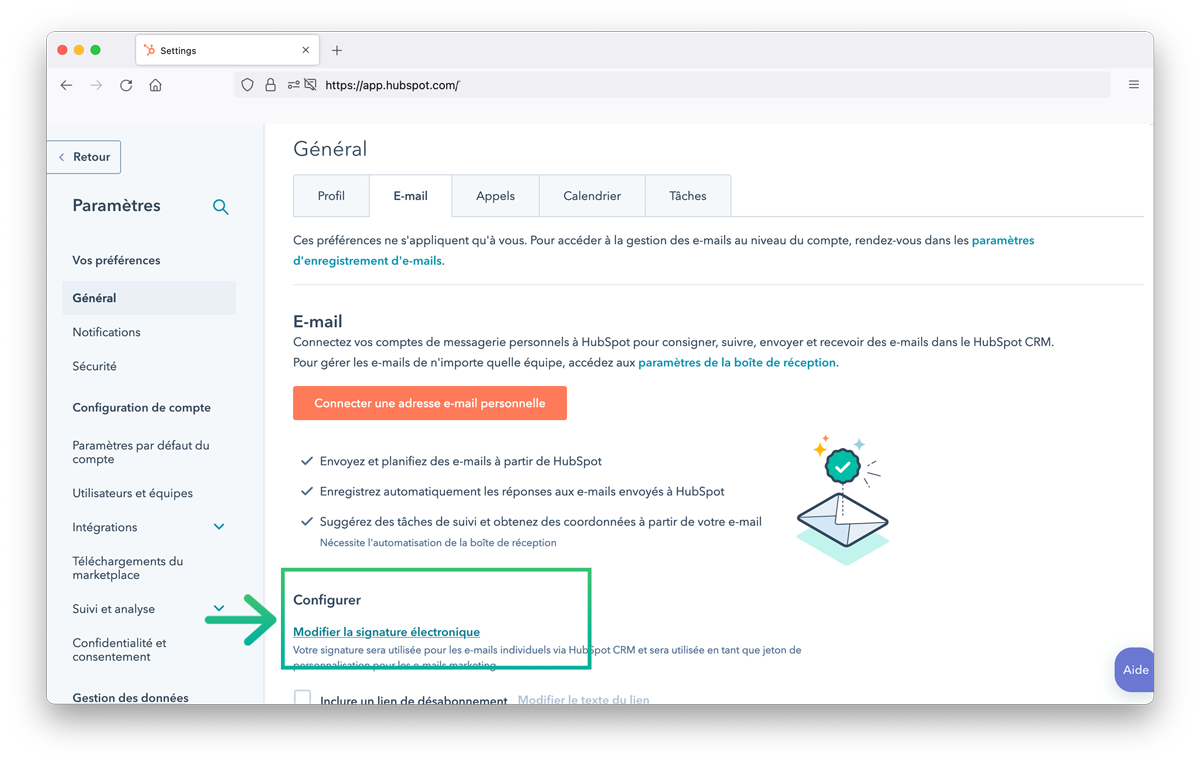
Preferences > General > Email > Edit email signature
Click: Edit email signature
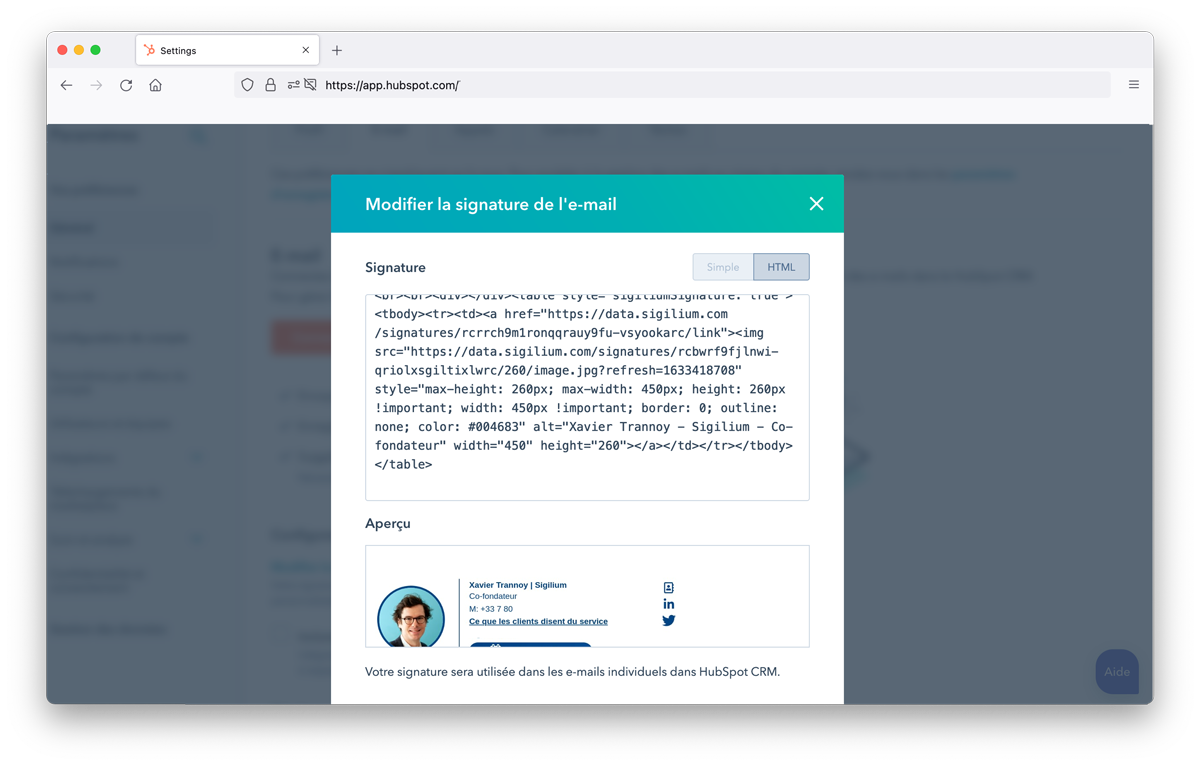
In the top right corner of the window, select HTML mode and paste your email signature.
The code will appear, and so will the result.
Compose an email from Hubspot, and your email signature will appear!

Any question?
Describe your problem leaving a message on the +33 1 83 64 02 13
You would rather write it down? send us an email at [email protected]