
Problem identified
A contact detail in your email signature is out of date and you are unable to edit it.
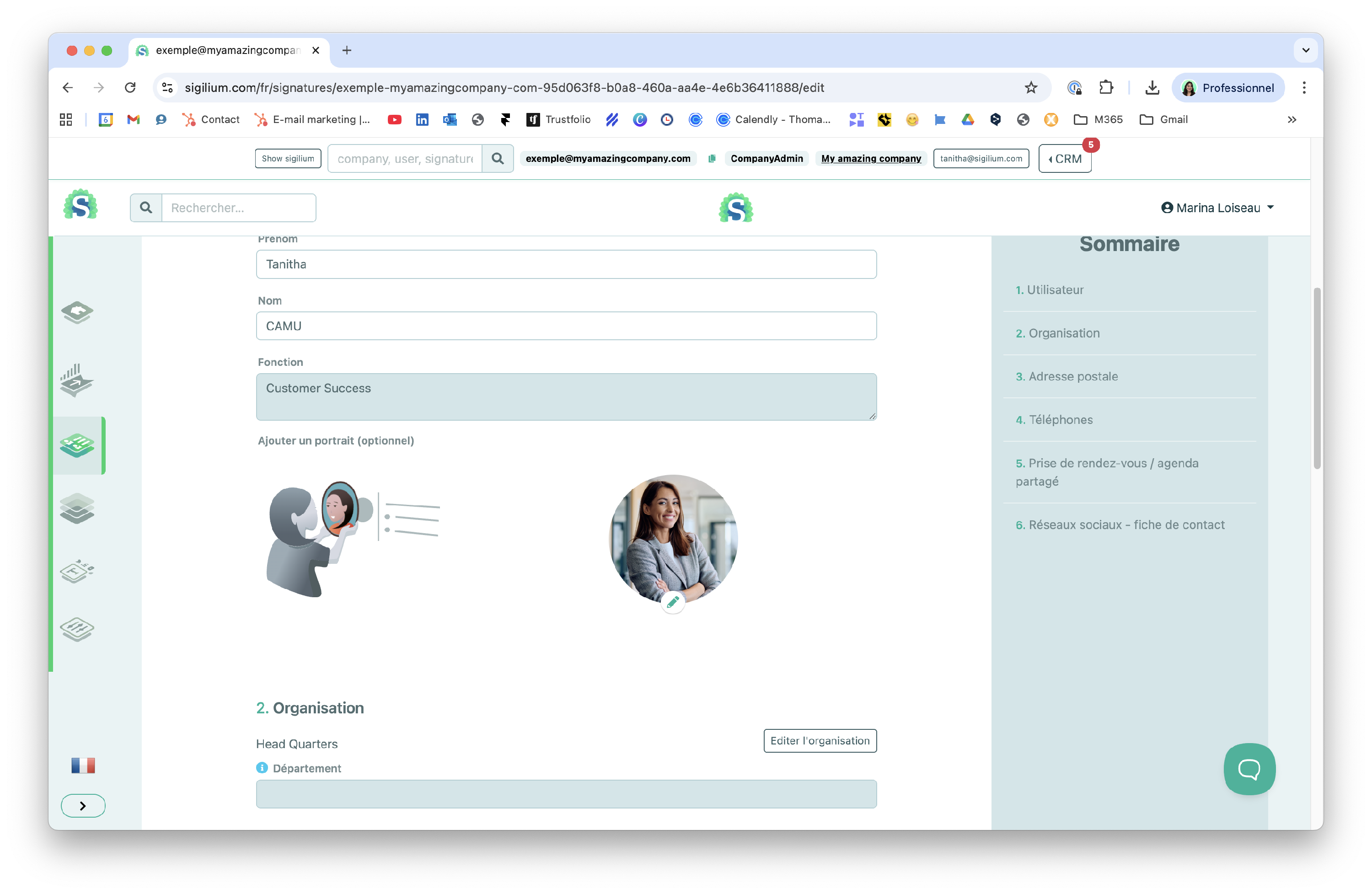
The field appears grayed out as shown below. What should you do?
Solution
The grayed-out fields in user forms are imported directly from your company directory.
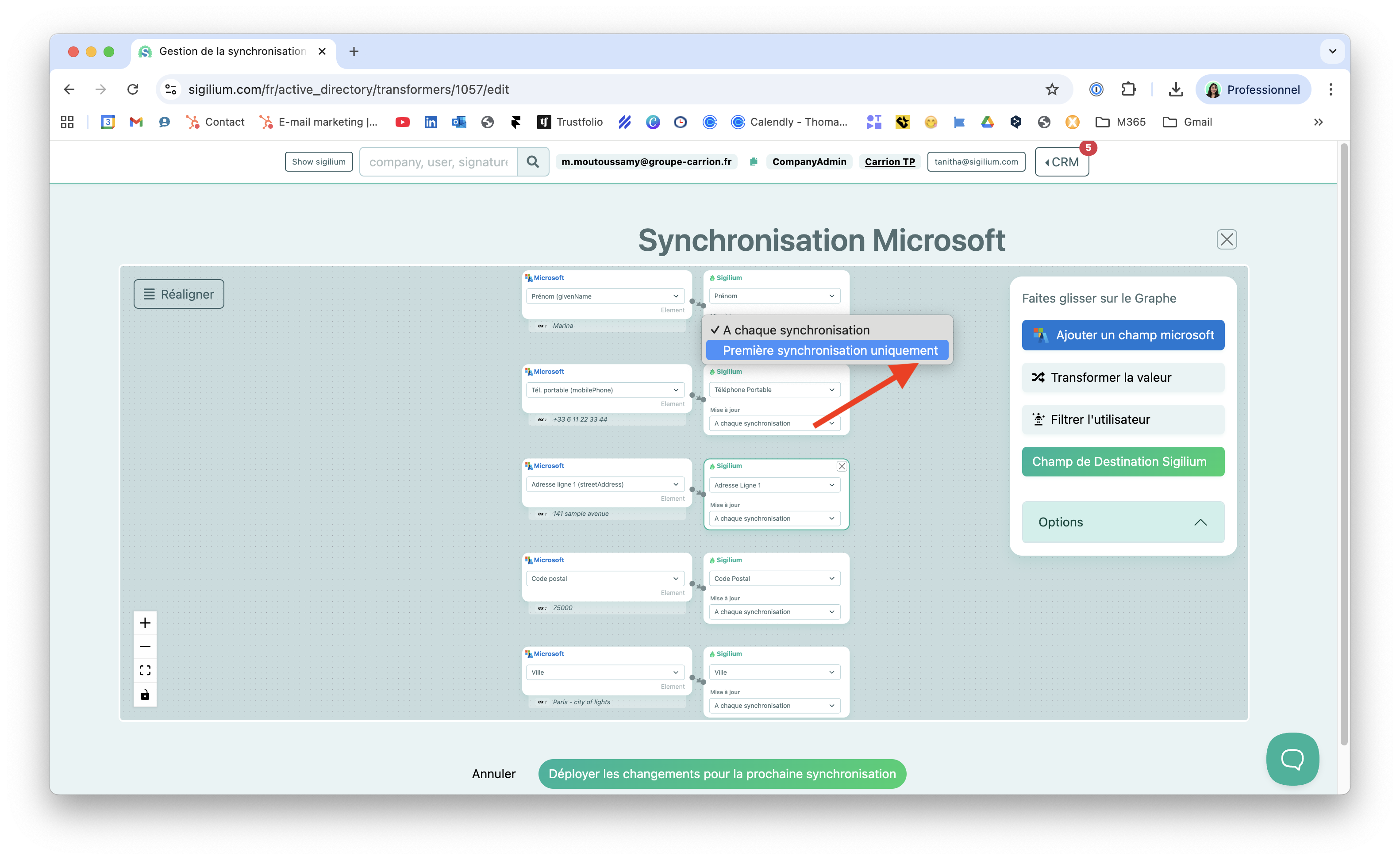
To make these fields editable, your administrators must change the synchronization frequency in your directory's synchronization editor at this page.
👉 You must change the frequency from “Every sync” to “First sync only” as shown in the screenshot below:
Results
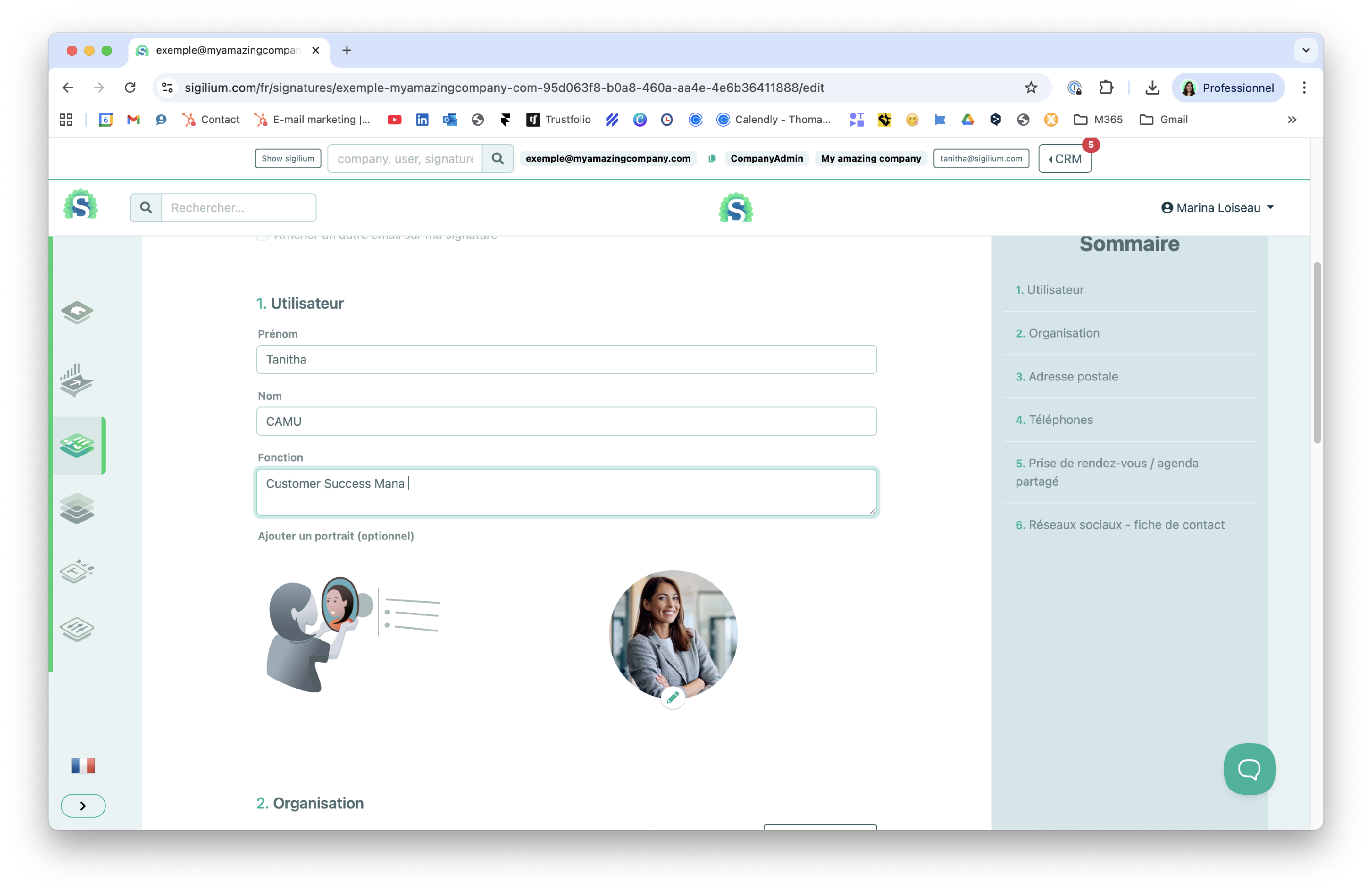
Fields with a new frequency set to “First synchronization only” are then freed up and become available for editing again.
Any questions ?
You can describe your problem orally in a few seconds leaving a message on the
+33 1 83 64 02 13
You would rather write it down? We are happy to help in response to your email at