
Here’s how to do it on Outlook:
Thanks to Sigilium you can have a dynamic email signature in your automatic replies on Outlook.
Log in to your Sigilium account
In the available sync options, choose Other Email
Copy your email signature in HTML version (Dynasign®)
open Outlook, and go to the Settings icon (gear wheel at the top right). In the menu go to the Automatic replies section
Turn on Automatic replies.
Choose the dates during which you want your out-of-office message to be sent and say whether you want to send different versions to your internal colleagues and to people outside your company.
Paste the signature into the reply block provided and Save.
well done, you're all set!
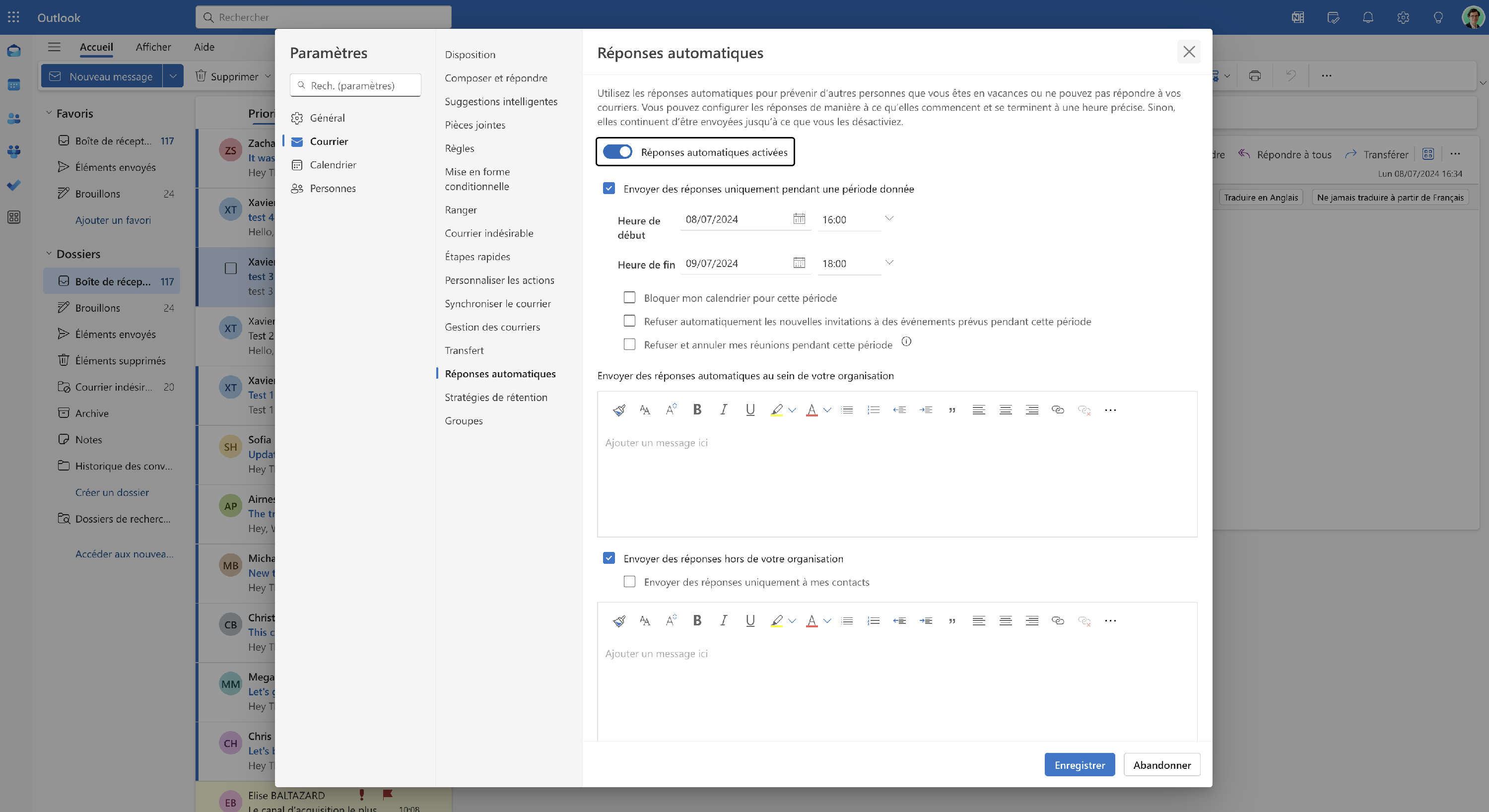
Enabling automatic replies
Result : the signature appears in addition to your automatic message!
It's still more professional, right?
Extra benefit, this signature updates automatically if the message changes while you're away!
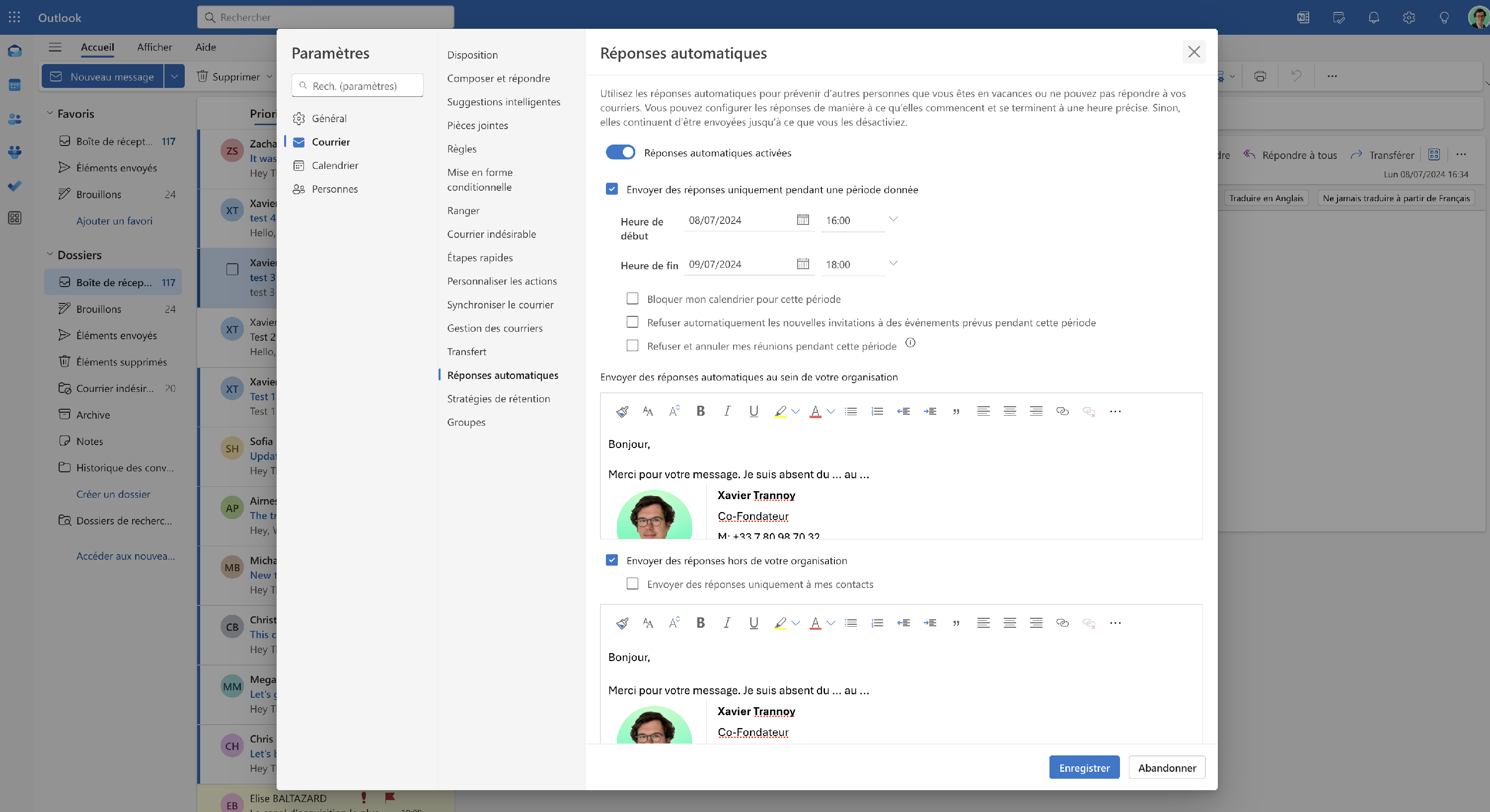
Inserting the message and email signature
By using automatic replies in Outlook, you make sure your email communications stay consistent and high-quality, even while you're on vacation. 💯