If you're using Roundcube for your emails, now you can benefit from a synced email signature.
Open the installation instructions email send by Sigilium
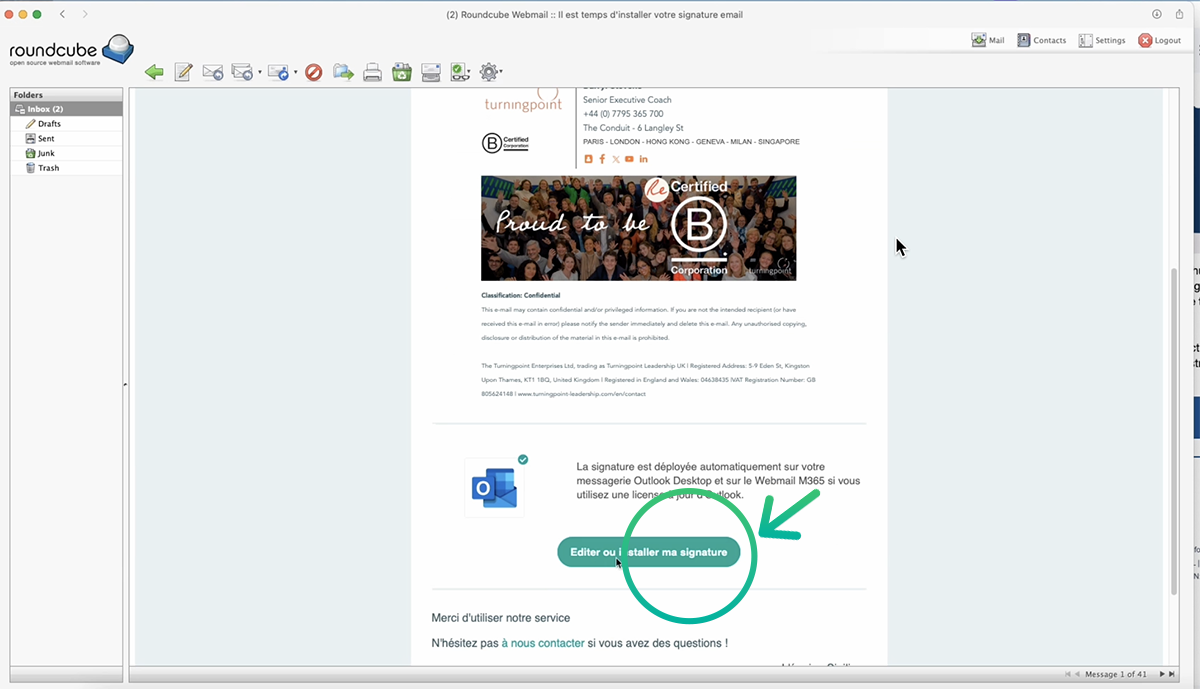
open the email send from Sigilium and click on the button Edit or Install
At the bottom, click on the green button Edit or install. it redirects to your account on Sigilium.
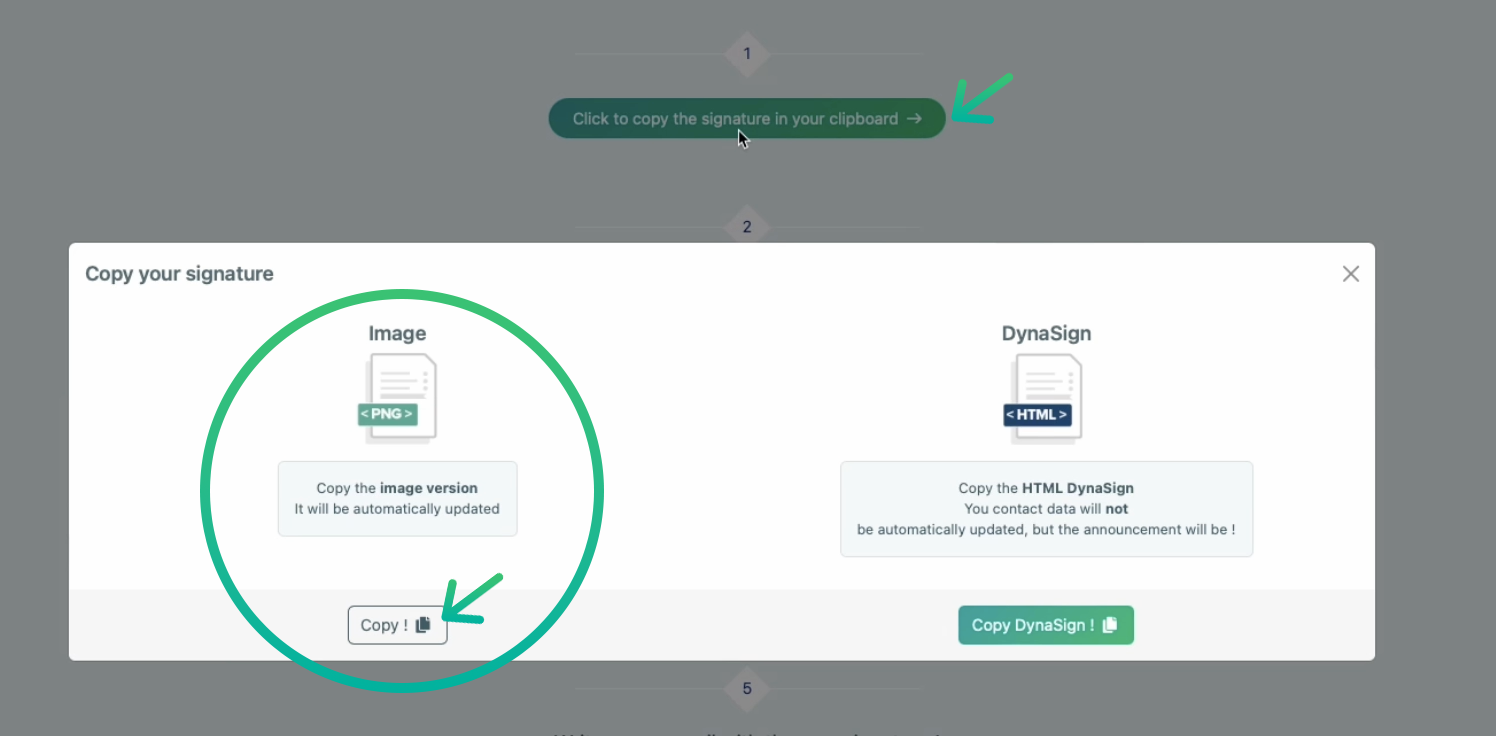
Under the signature, scroll and choose Other Clients

Select "Other Clients"
A window opens : Select Image (left side) and click an Copy.
Open RoundCube
On the top right corner, select Settings (gear icon)
On the left menu, select Composing Message and verify HTML format is activated and the option : Always is selected.
Same for the Displaying messages > HTML > Always
On the left menu, select Identities
Click on your email , go to the tab Signature
Tick HTML, then paste signature on the block
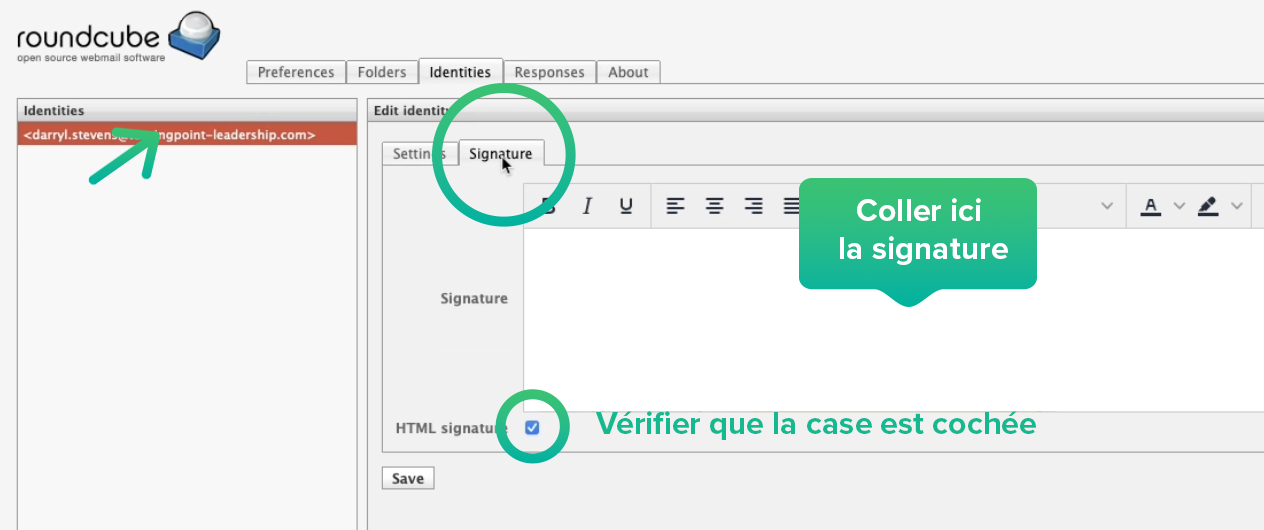
Tick HTML and Paste signature on the block
You're done. The signature appears.
Compose a new email, the signature appears.
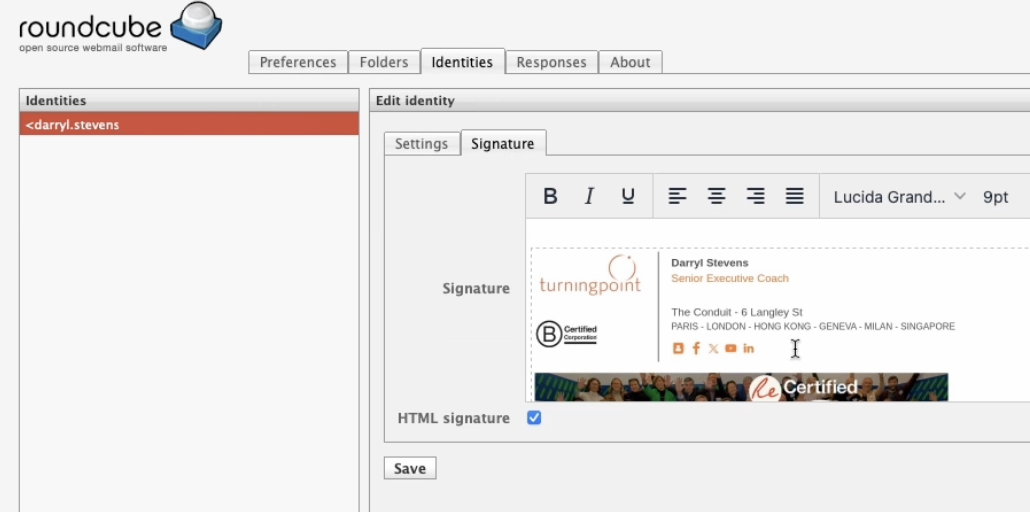
the email signature appears on the block
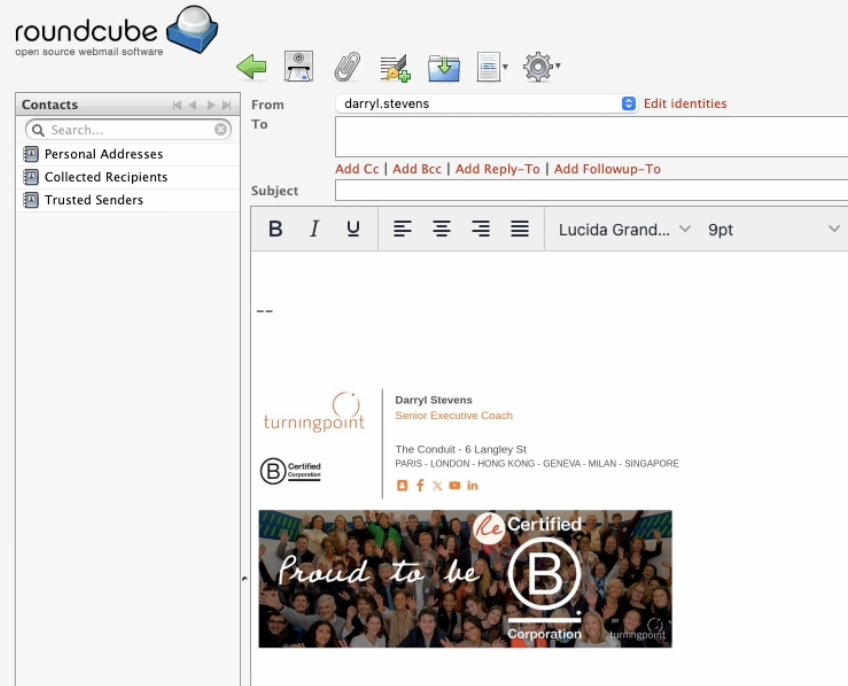
rédigez un nouvel email
