
Follow the installation step by step
Copy your Sigilium's email signature
Open the installation instructions email send by Sigilium
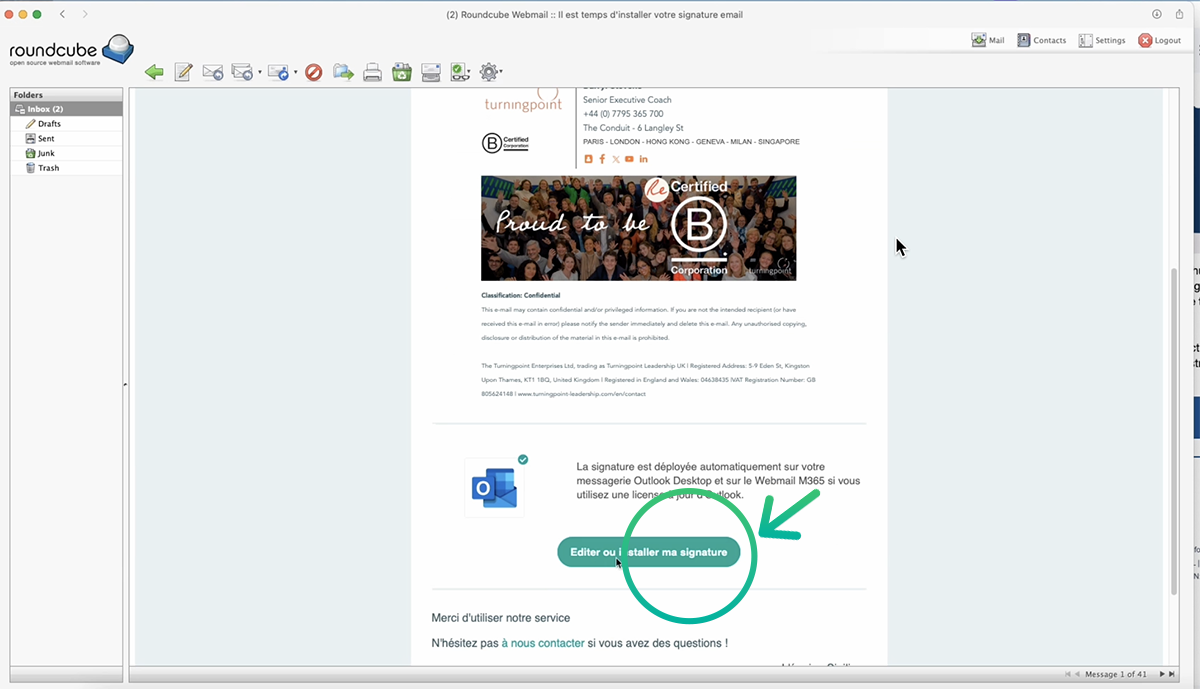
open the email send from Sigilium and click on the button Edit or Install
At the bottom, click on the green button Edit or install. it redirects to your account on Sigilium.
Under the signature, scroll and choose Other Clients

Select "Other Clients"
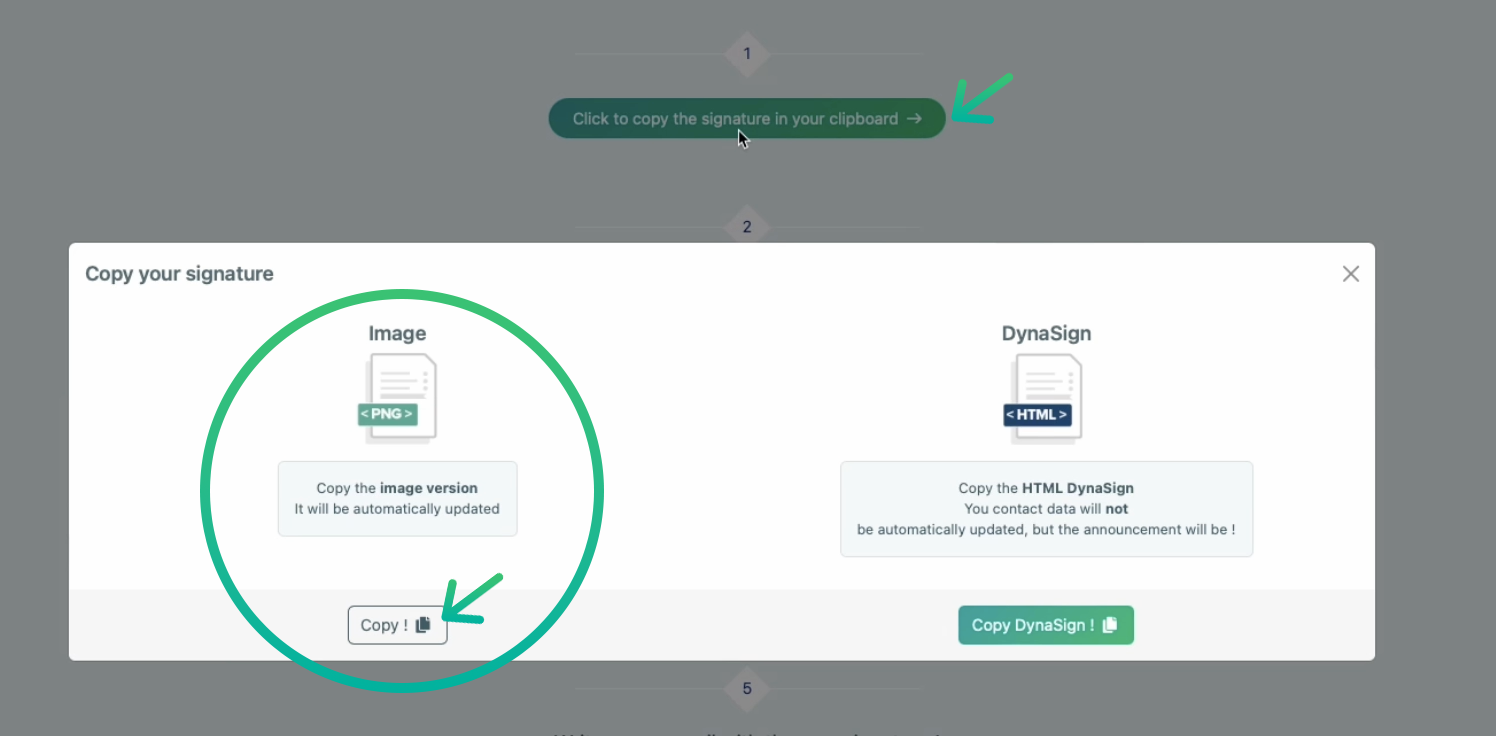
A window opens : Select Image (left side) and click an Copy.
Paste the signature on Roundcube.
Open RoundCube
On the top right corner, select Settings (gear icon)
On the left menu, select Composing Message and verify HTML format is activated and the option : Always is selected.
Same for the Displaying messages > HTML > Always
On the left menu, select Identities
Click on your email , go to the tab Signature
Tick HTML, then paste signature on the block
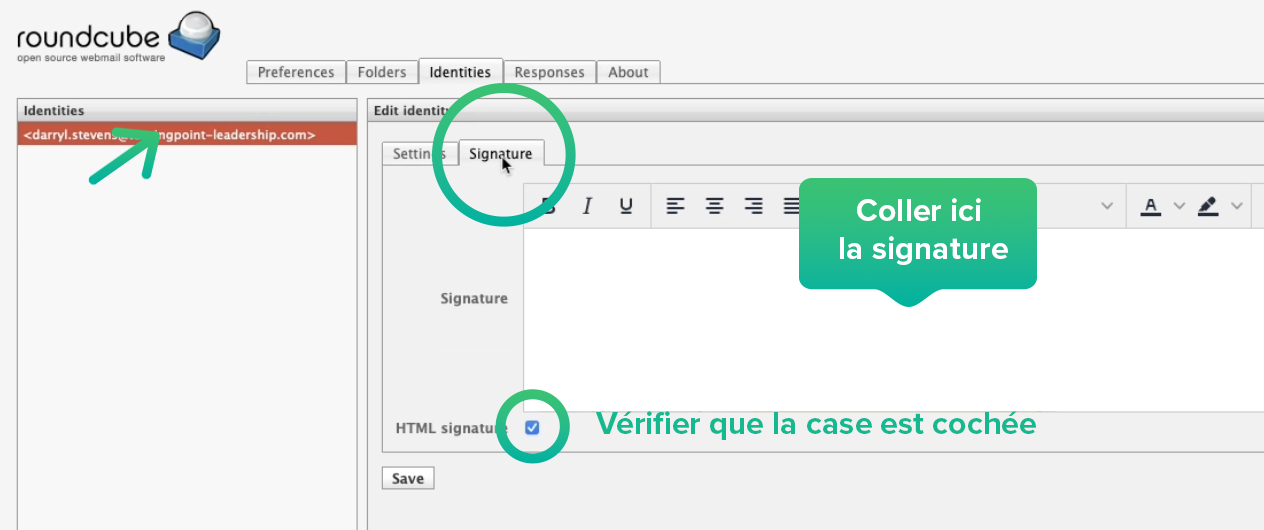
Tick HTML and Paste signature on the block
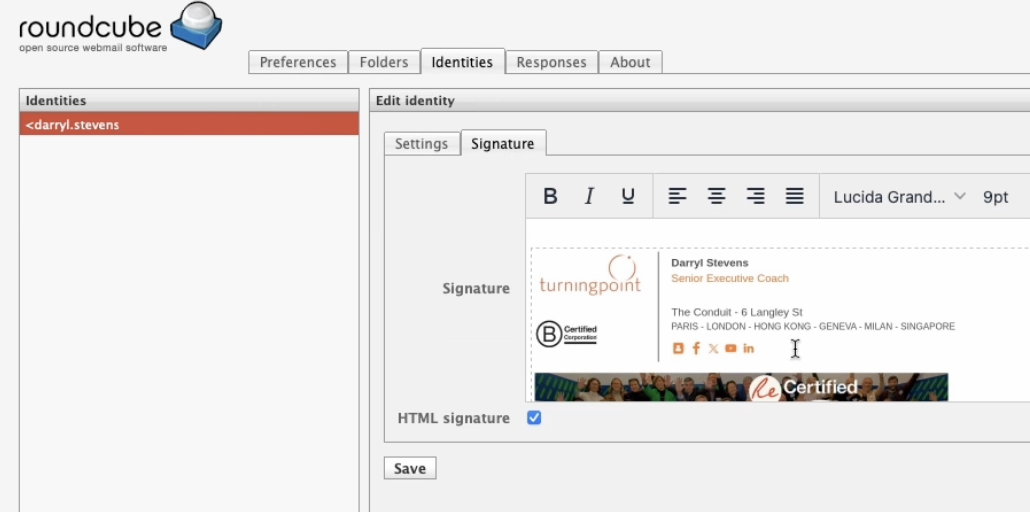
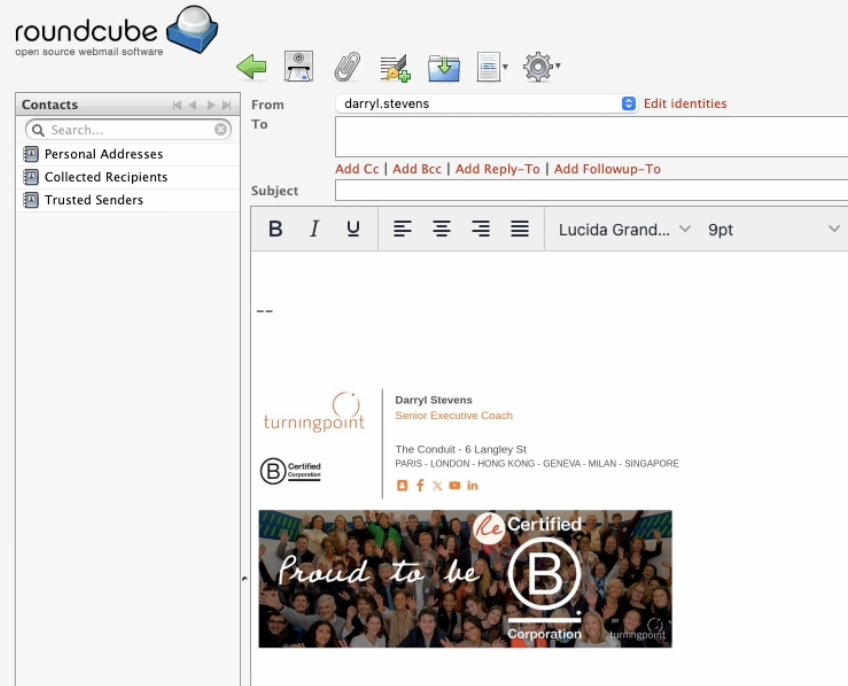
Result :
You're done. The signature appears.
Compose a new email, the signature appears.
Any questions ?
You can describe your problem orally in a few seconds leaving a message on the
+33 1 83 64 02 13
You would rather write it down? We are happy to help in response to your email at