
This protection blocks the right function of our Outlook Web Addin.
You can :
use another navigator (Firefox, Chrome)
Deactivate the protection on the whole Safari level by the tab :
Menu > Preferences > Privacy
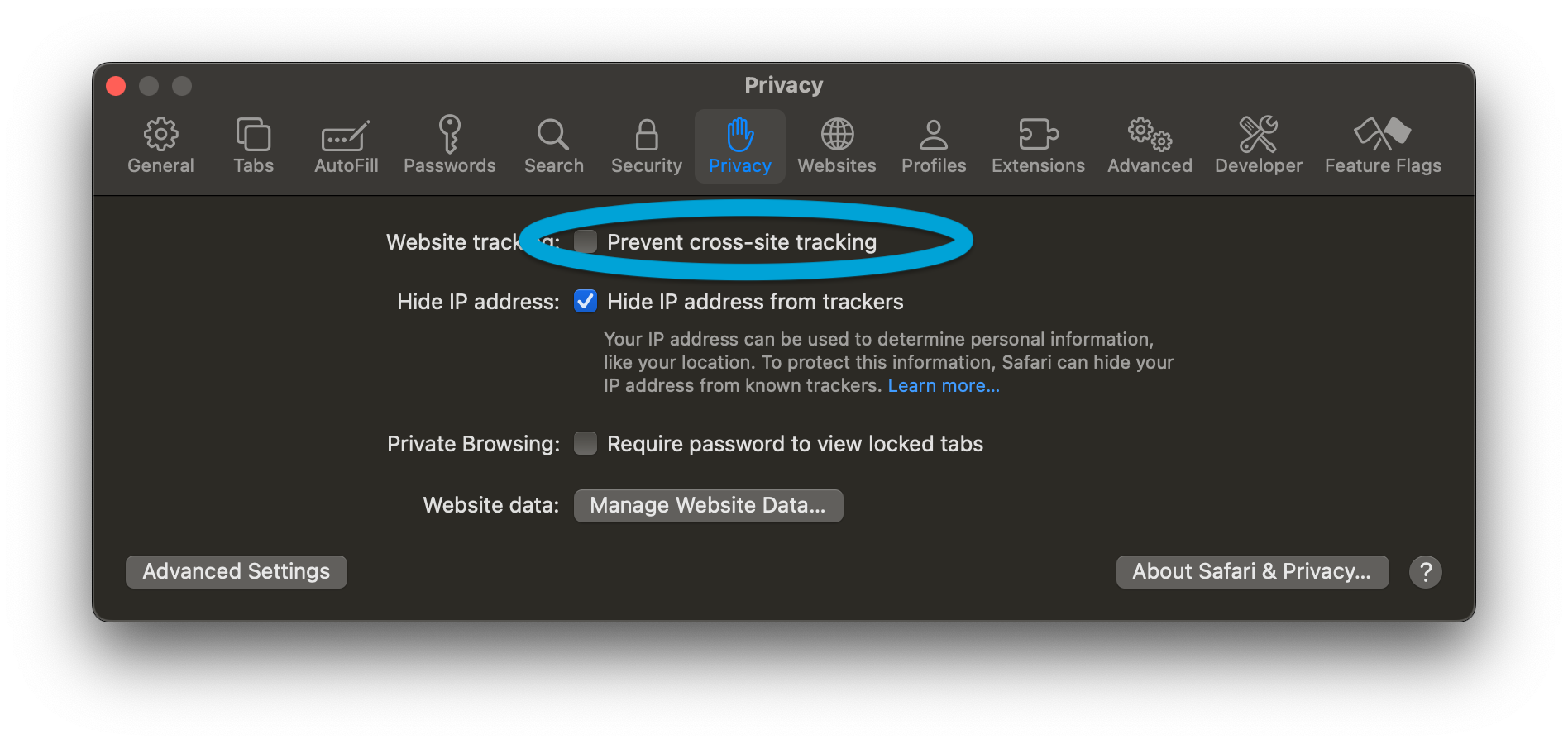
Untick Prevent cross-site tracking
To do it only on the Outlook site :
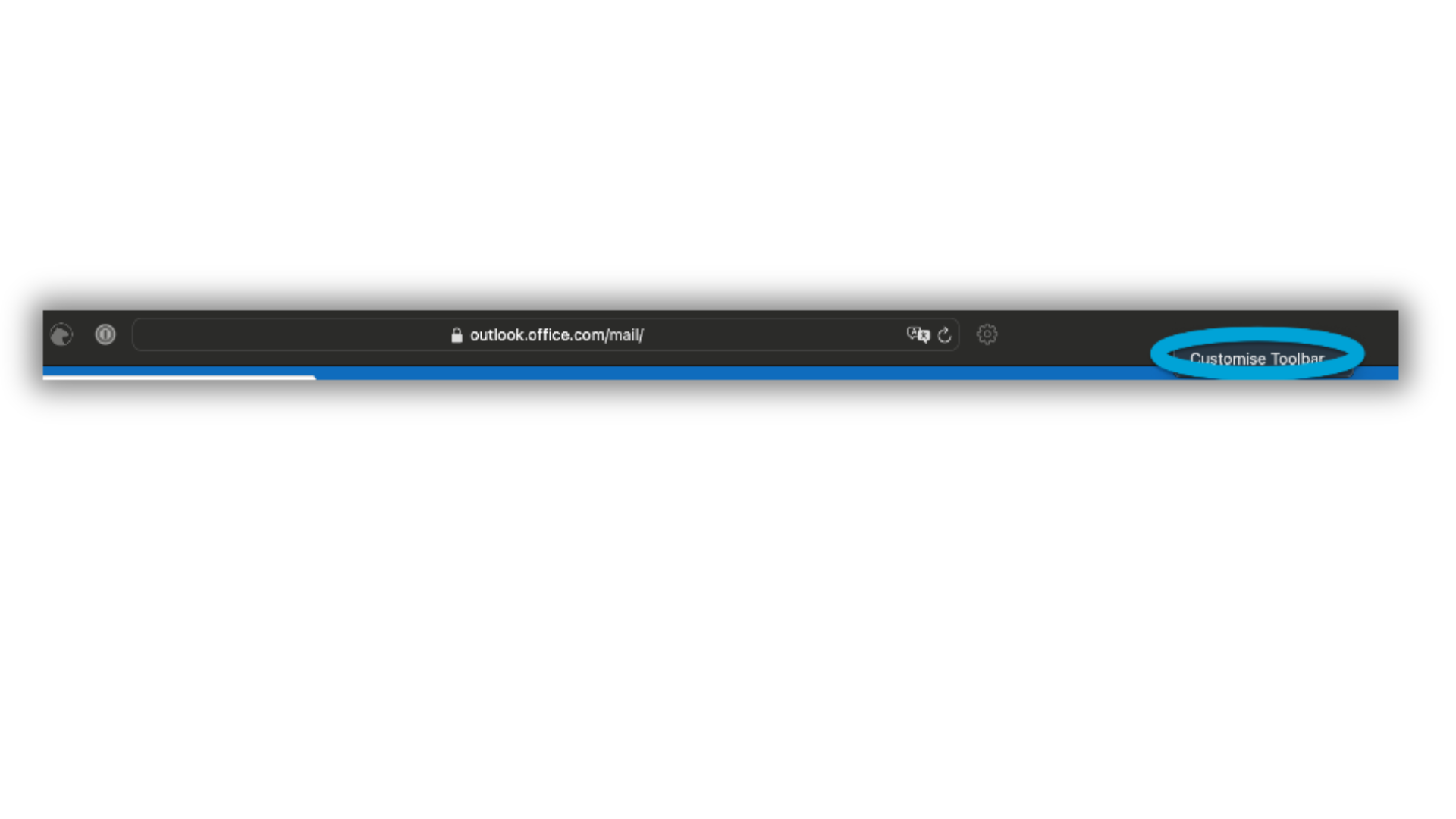
right clic on the menu bar and choose "Personalize the address bar"
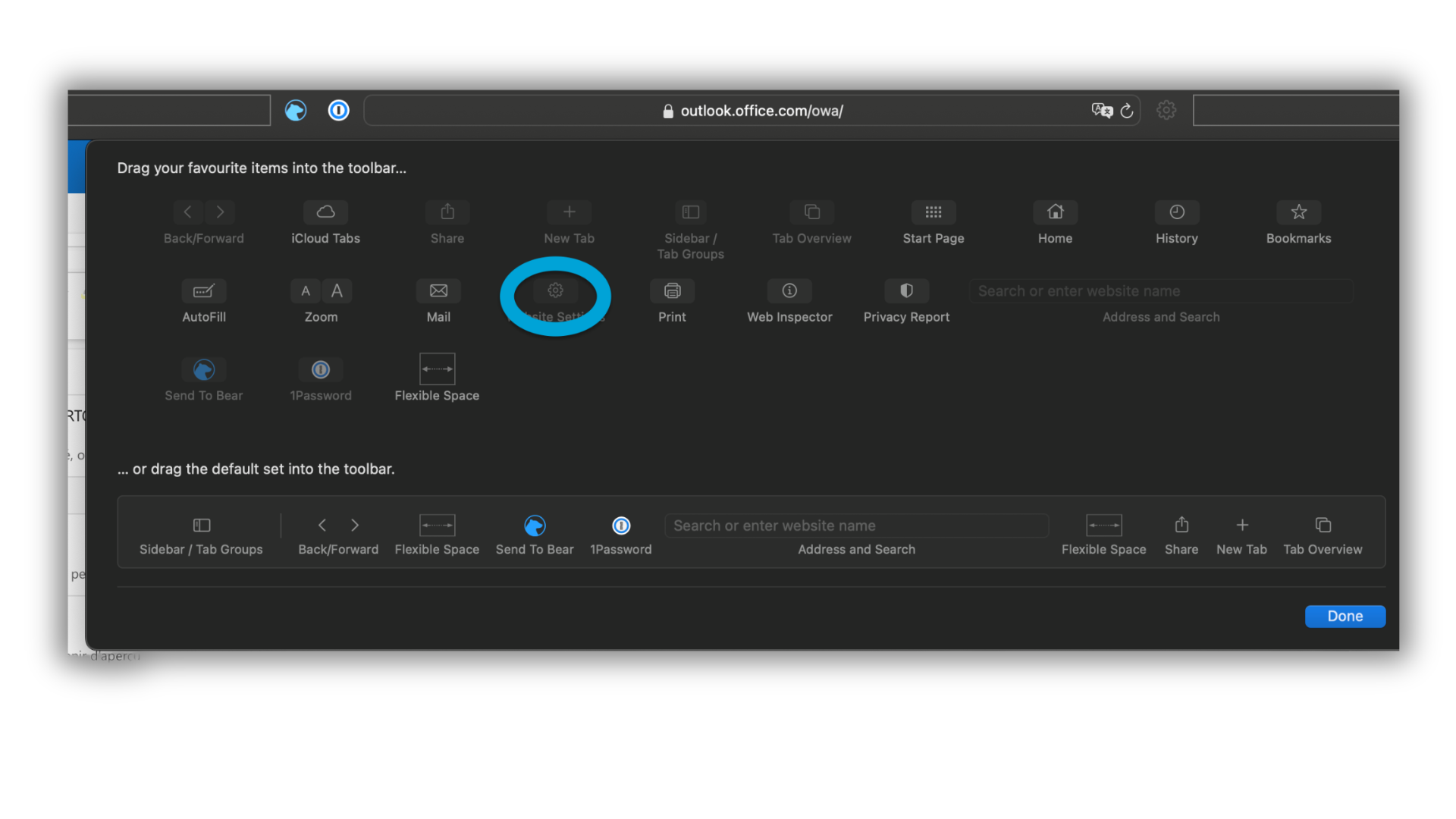
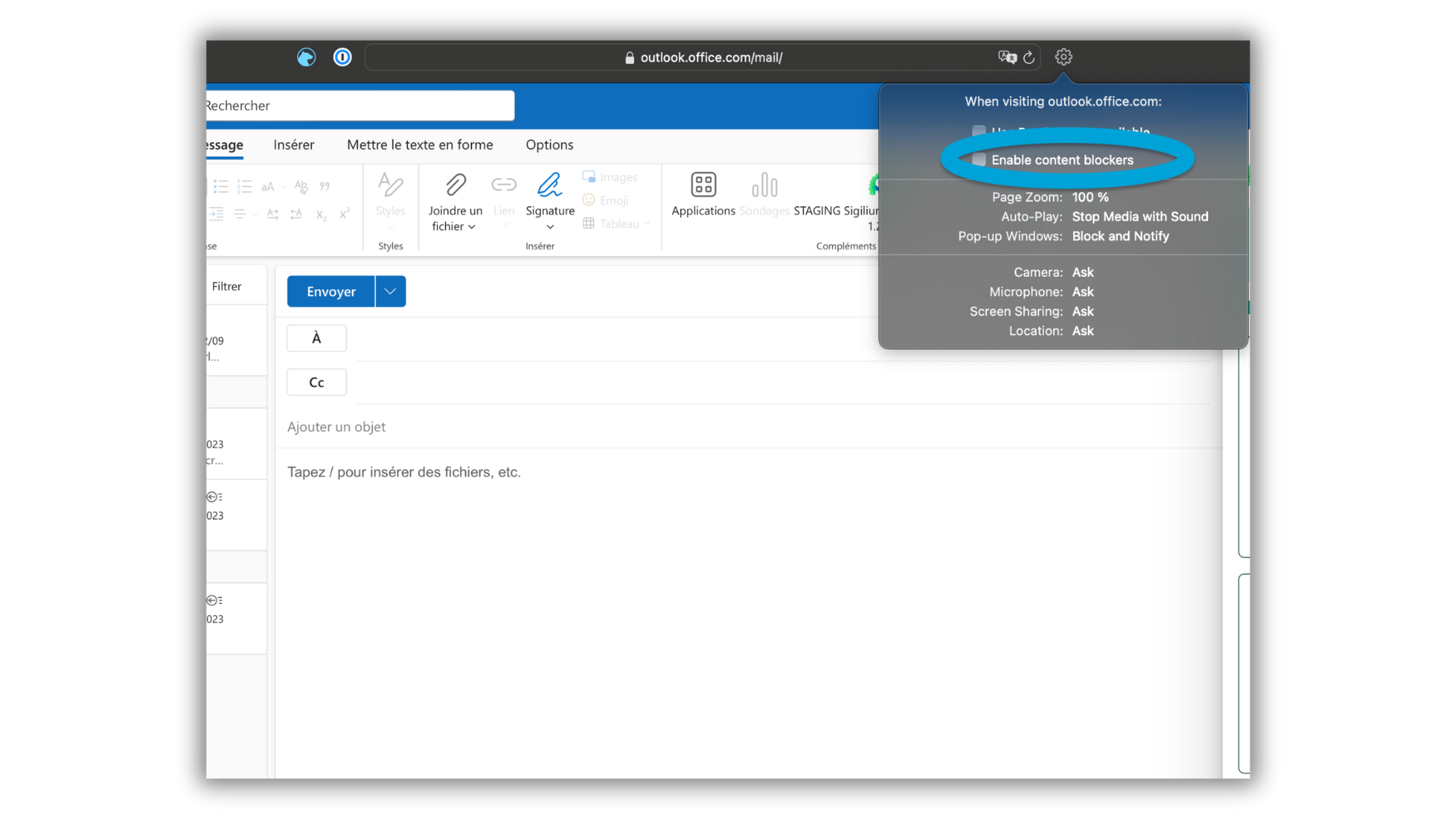
Décocher l'option Blocage de contenu
Any questions ?
You can describe your problem orally in a few seconds leaving a message on the
+33 1 83 64 02 13
You would rather write it down? We are happy to help in response to your email at