

Why add a Teams link to the email signature?
Inviting your contacts to start or pursue the discussion on Teams is very effective and convenient. It allows your clients and prospects to easily interact with you at key moments: when they need your support or want quick answers to their questions about your products.
Setting it up in your email signature is very simple with Sigilium!
How to do it
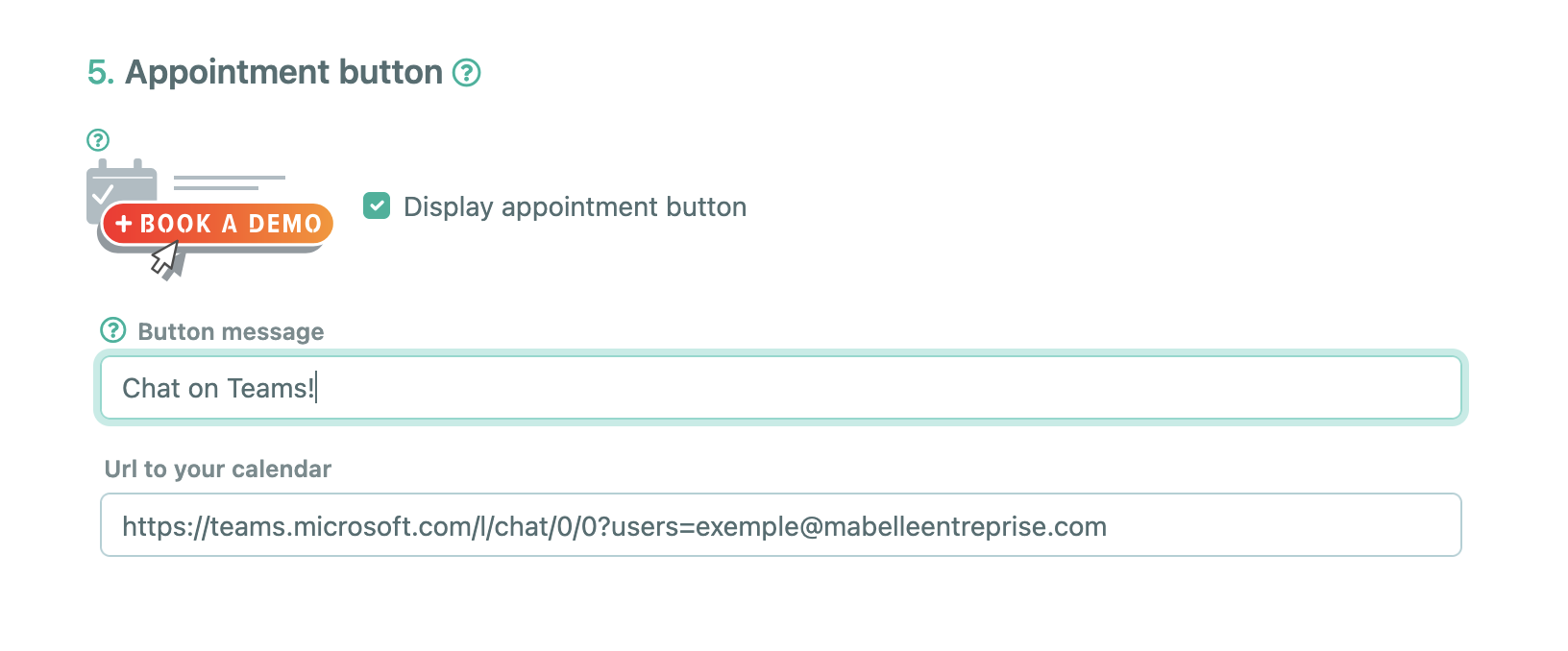
Edit your contact details in Sigilium, scoll to the "Schedule a meeting" section.
Define your call to action, for example: "Chat on Teams," "Exchange on Teams," "Continue on Teams," or "Chat with me on Teams."
For the link, add the following URL: https://teams.microsoft.com/l/chat/0/0?users= (and complete the URL with your email address).
For example: https://teams.microsoft.com/l/chat/0/[email protected]
The button will be added to your email signature and will automatically redirect to the chat.
Great, you're done!
Your email signature will automatically sync with Outlook (or your other email client) and add the Teams chat button!
Any questions ?
You can describe your problem orally in a few seconds leaving a message on the
+33 1 83 64 02 13
You would rather write it down? We are happy to help in response to your email at