
Context
The Dark Mode is an option that has appeared around 2020 in operating systems, it allows the mobile to switch from a bright interface to a dark interface.
The browsers have adapted so the website could take into account this setting and adapt their design accordingly.
Unfortunately, the HTML available in the messaging apps do not allow to adapt the signature directly according to this setting, which does not exist yet per say.
However, here are a few tips :
Preparing email signatures for the Dark Mode
You can have an email signature that displays well in 2 cases, following these points :
On Sigilium, the used icons (including social networks) are automatically generated with a .png format to be properly cropped whatever the mode.
Choose icon colors displayed on a black background as well as on a white one.
The text color will switch from black to white automatically on messaging apps.
Example : informations in black (#000000) will automatically be detected by the messaging app and be adapted to white when the dark mode is toggled.
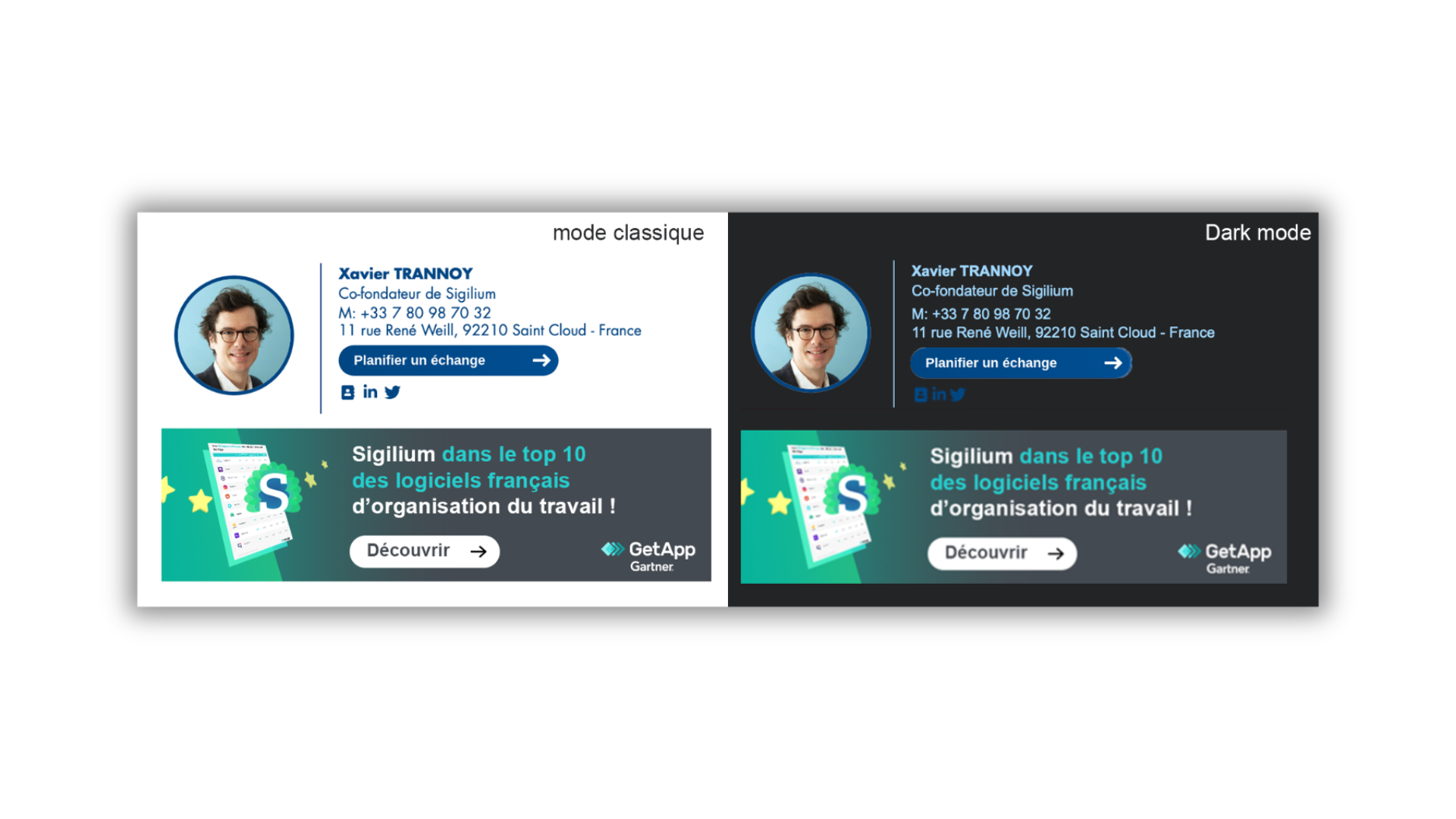
Here is an example in the two modes :
Any questions ?
You can describe your problem orally in a few seconds leaving a message on the
+33 1 83 64 02 13
You would rather write it down? We are happy to help in response to your email at