Our Outlook Addin can be installed for all users or just a selection, using Microsoft admin's panel
How to centrally deploy the addin
You can quickly discover our Add-in in the video below:
–
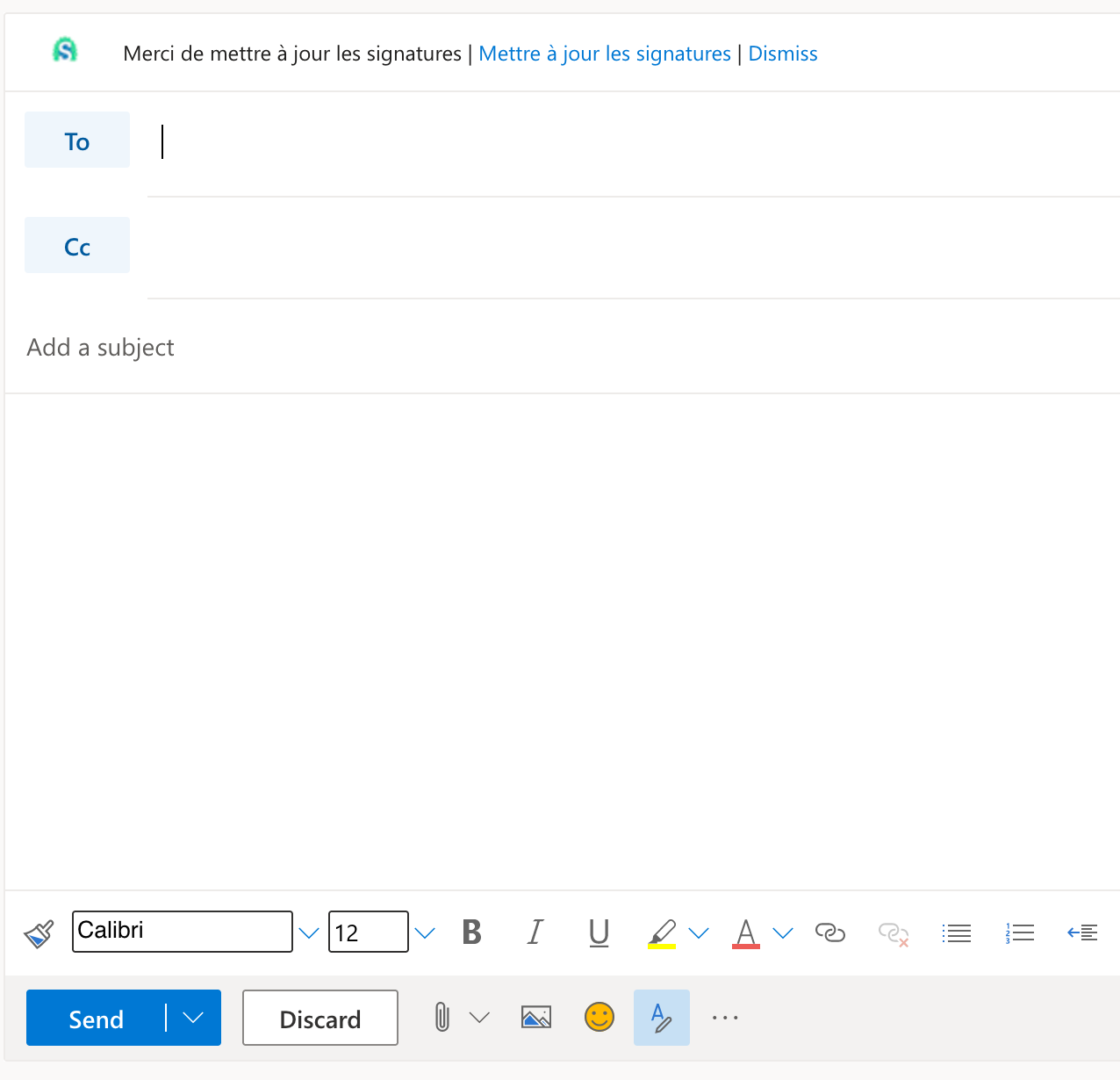
In Outlook Web Access, write a new message.
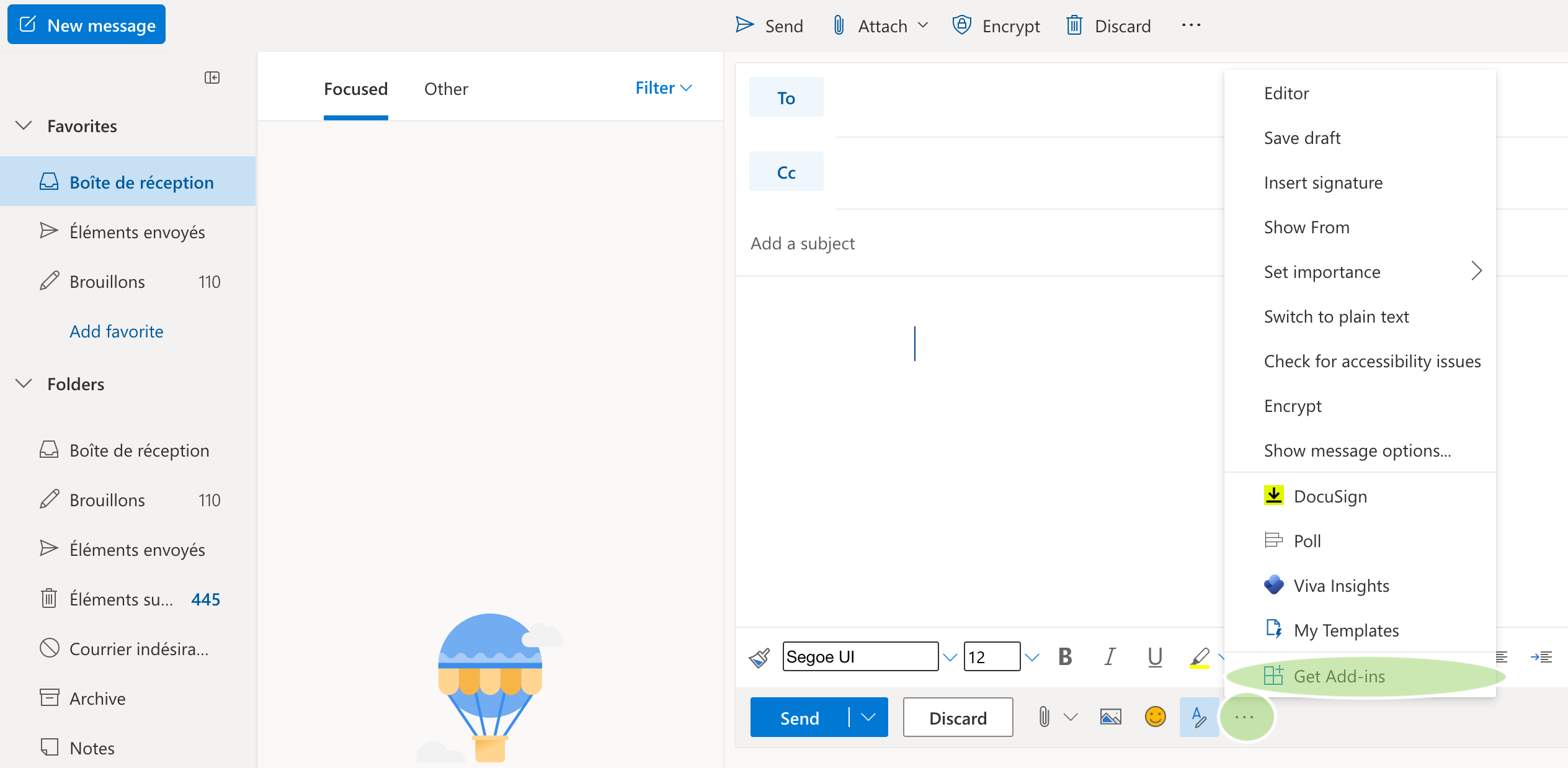
Clic on the ellipsis icon (3 dot, at the bottom of the message), then clic on "Get Add-ins".
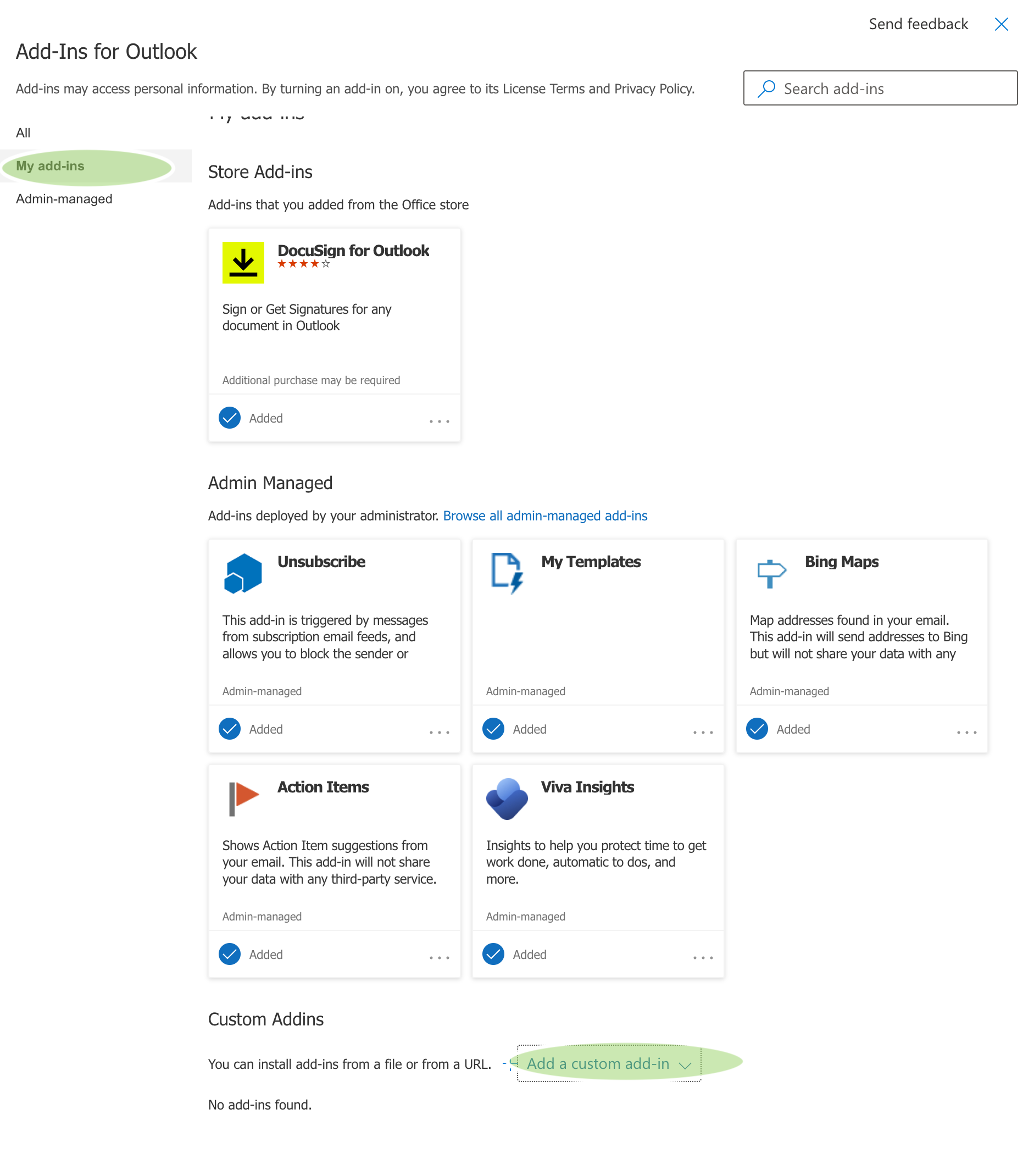
3. Clic on " My add-ins" and on "Add a custom add-in"
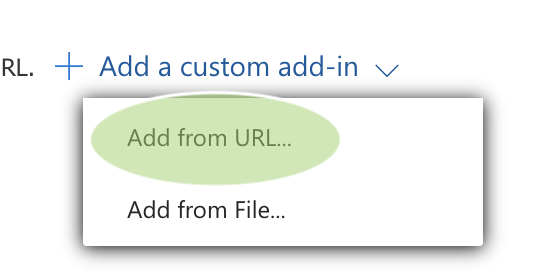
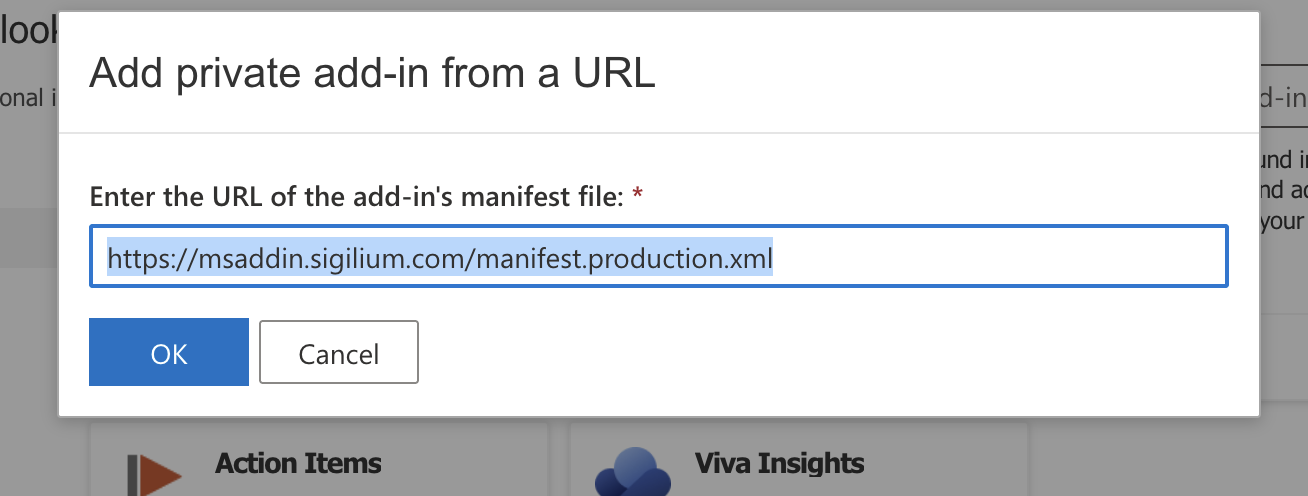
4. Choose " Add from URL"
5. Fill the following URL:
https://sigilium.com/msaddin2/manifest.production.xml
6. The add-in is added. You can close the window and write a new email !

7. Notice :The first time you write an email, the addin will request to open a windo,w to sync the signature.