
To integrate Lucca & Sigilium, you will need to create an API key.
At the end of this tutorial, you will need to send us two items:
The API key and your Lucca URL (in the form https://xxxx.ilucca.net) to [email protected]
If you have the Poplee Core HR module, we recommend limiting the API key permissions.
Otherwise, skip to step 4!
Creating the API key
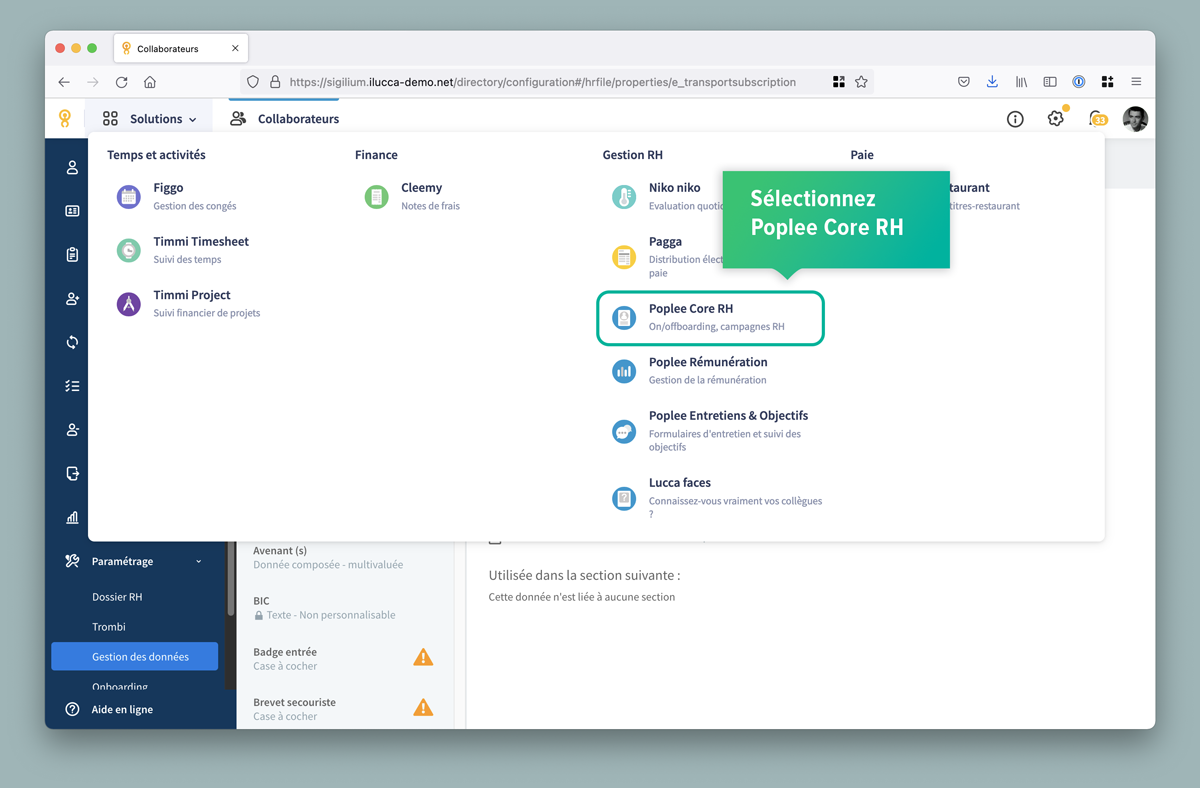
In the Solutions section, select Poplee HR.
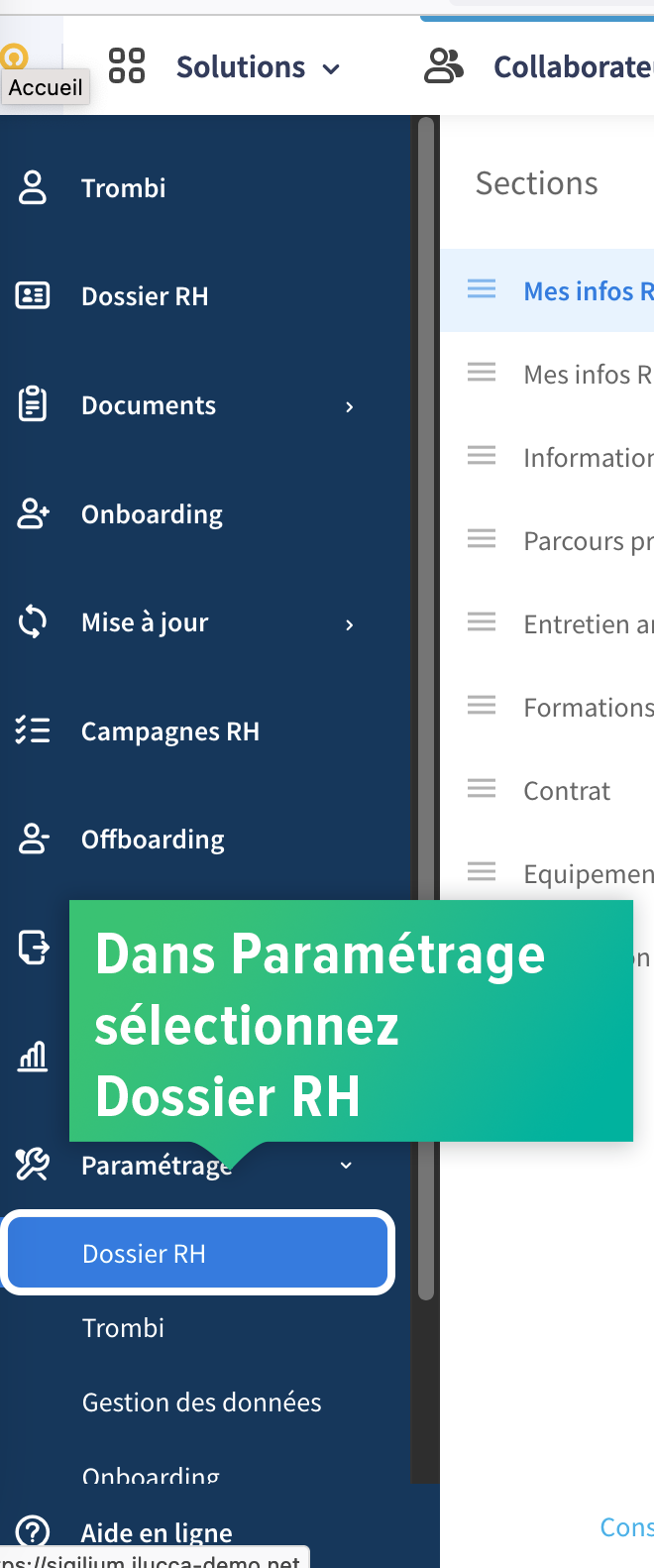
In the menu, open Settings and select HR Folder.
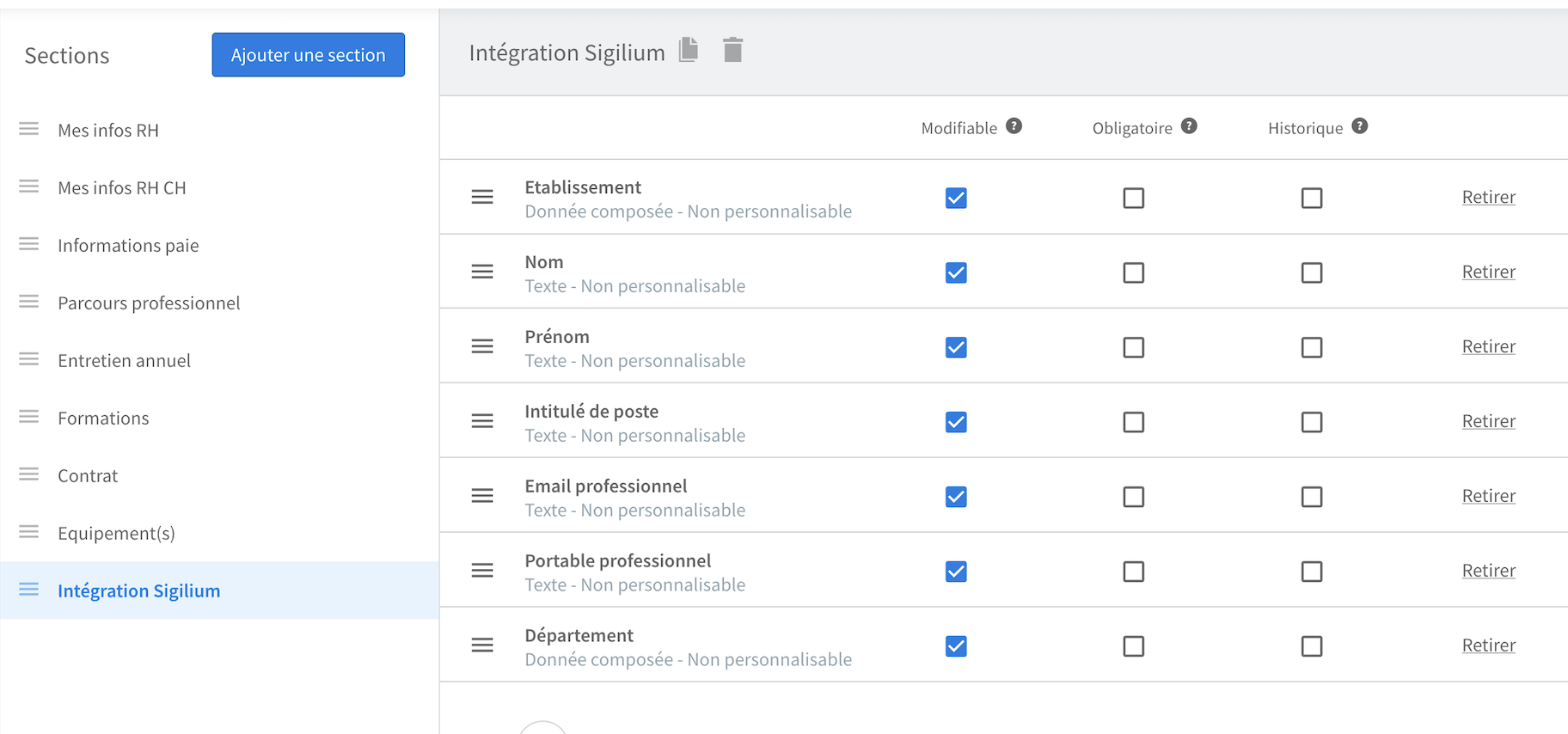
Click Add Section.
• Name the section “Sigilium Integration.”
• Select only the fields necessary for integration with Sigilium
(for example: Institution, Last Name, First Name, Job Title... but not compensation).
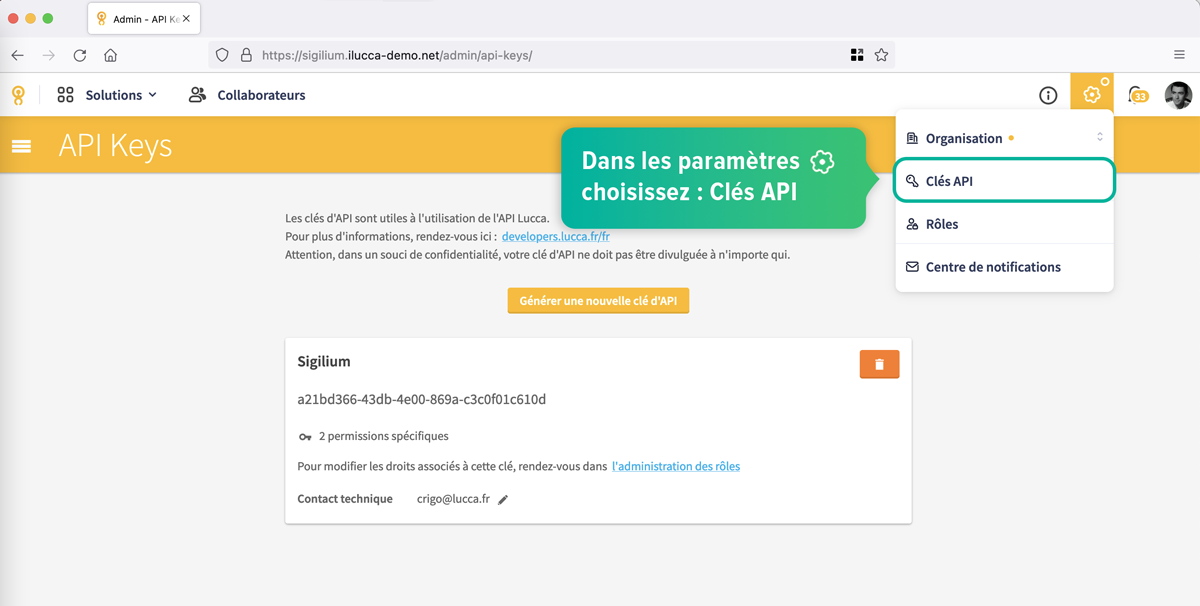
In Settings (gear icon), select API Keys
Generate an API key by clicking on “Role Management”
Select the role “View personnel file” and choose “Sigilium integration.”
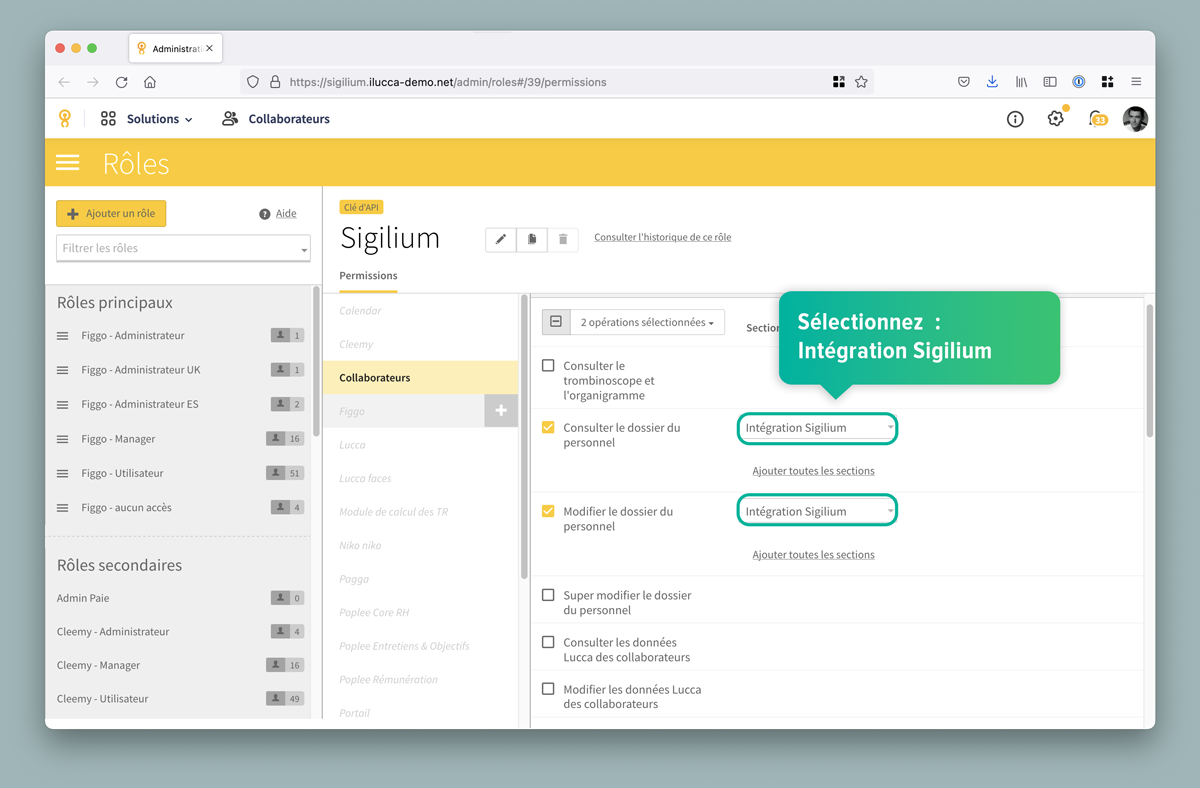
Send us the API key and your Lucca URL (in the format https://xxxx.ilucca.net) to [email protected].
We will run tests and send you a first version of the synchronization for validation.
Any questions ?
You can describe your problem orally in a few seconds leaving a message on the
+33 1 83 64 02 13
You would rather write it down? We are happy to help in response to your email at