
Set a better image resolution in Outlook
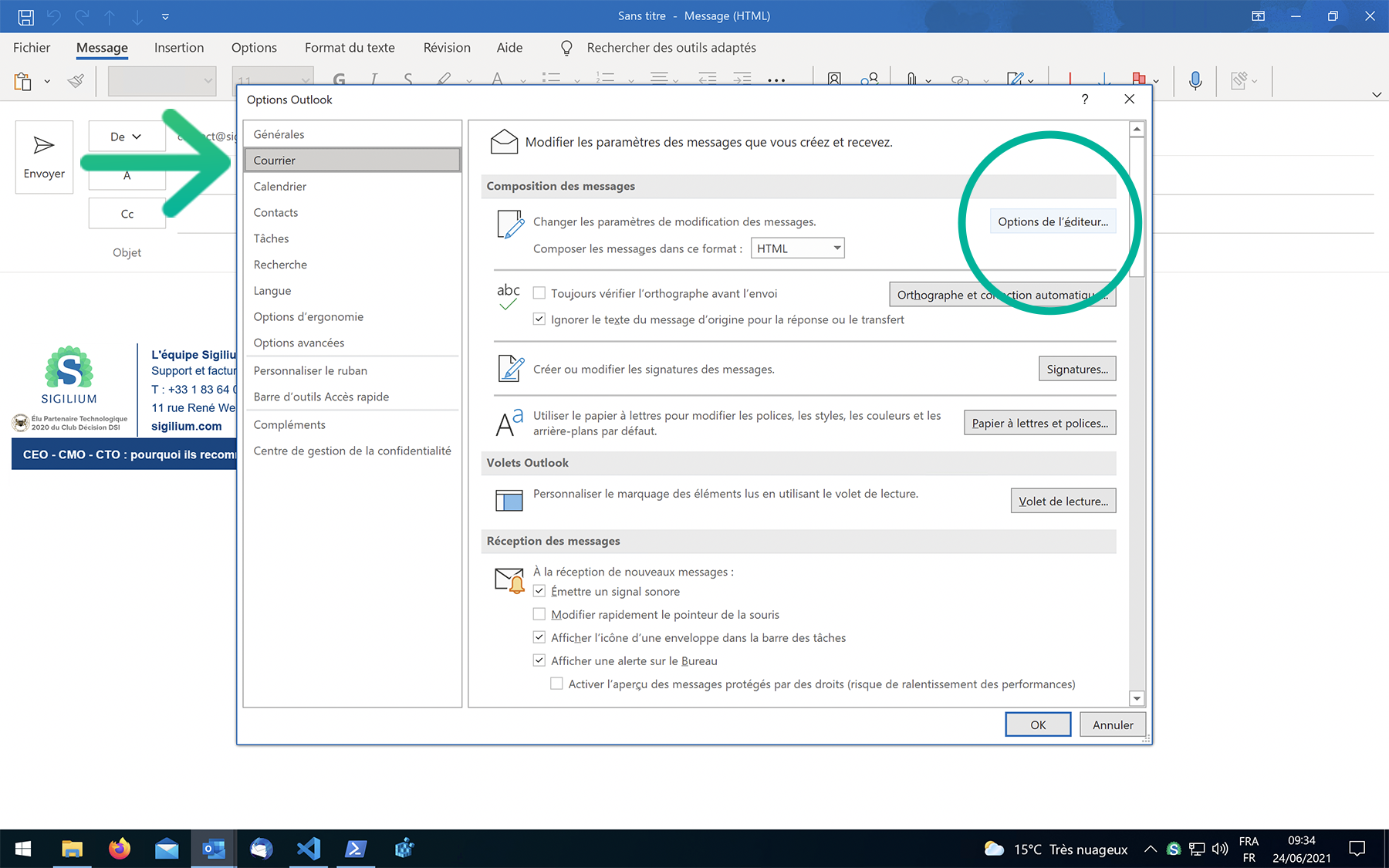
Create a new email. Go to File > Options > Mail
On your right, click on the button Editor preferences, and choose > Advanced options
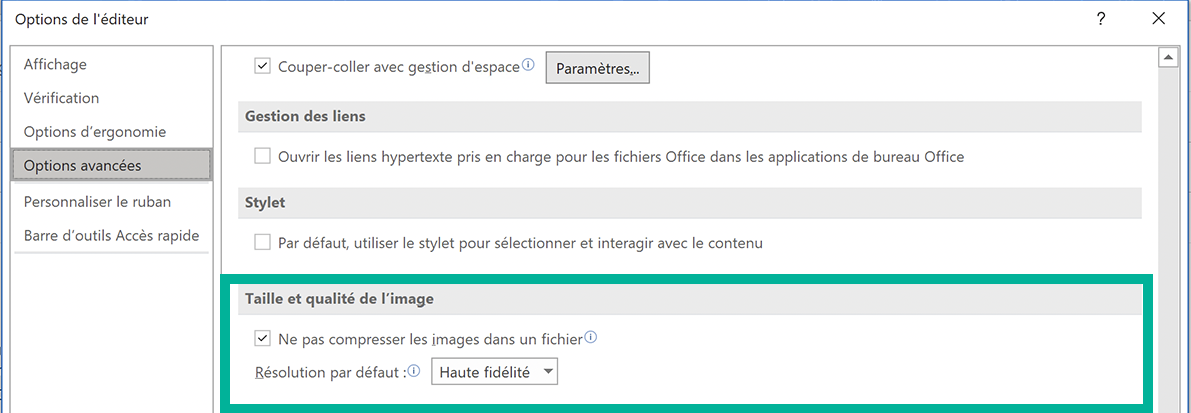
In Advanced Options, scroll down to the section: Image size and quality
Select your default resolution: “220” or “High fidelity,” for example, and confirm with OK.
Bravo, it’s done : your images are now of a way higher quality
Any questions ?
You can describe your problem orally in a few seconds leaving a message on the
+33 1 83 64 02 13
You would rather write it down? We are happy to help in response to your email at