
Context: if your employees use a generic email address that is shared by several people (e.g., contact@..., support@..., or quote@...), you can do two things:
Associate one or more employees with this address. And allow them to switch from their personal email signature to the generic one, depending on the context.
Duplicate it to allow each employee to personalize it.
Here’s how to do it
Step 1 :
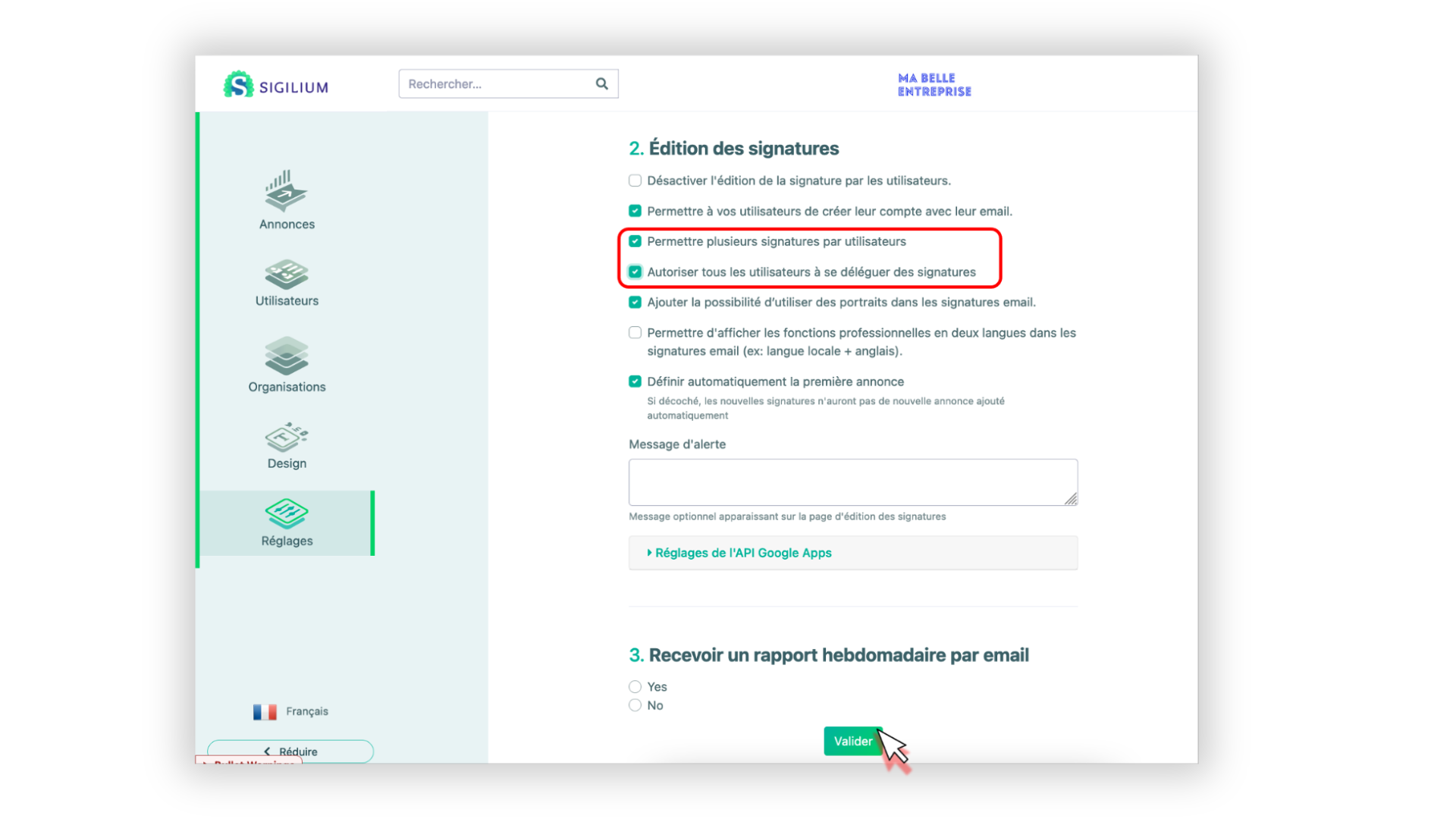
As an administrator, log in to your Dashboard on Sigilium, and in Settings, check these two options:
Step 2 :
Create or go to your generic email signature page, e.g., “[email protected].” A button will now appear at the top right of the page. This allows you to associate a signature with one or more people and/or create multiple email signatures for this email address.
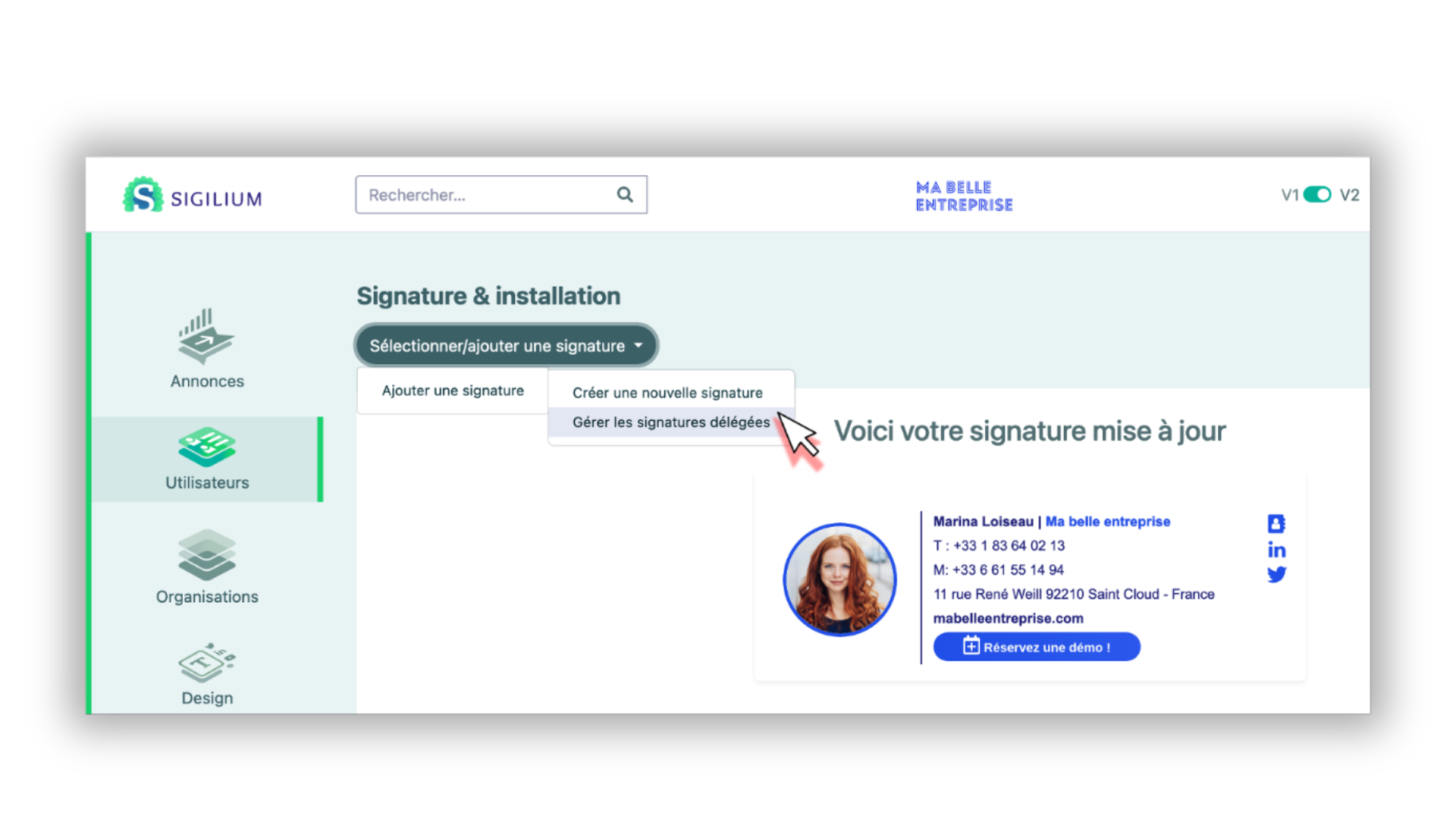
Click on the Manage delegated email signatures button (see screenshot).
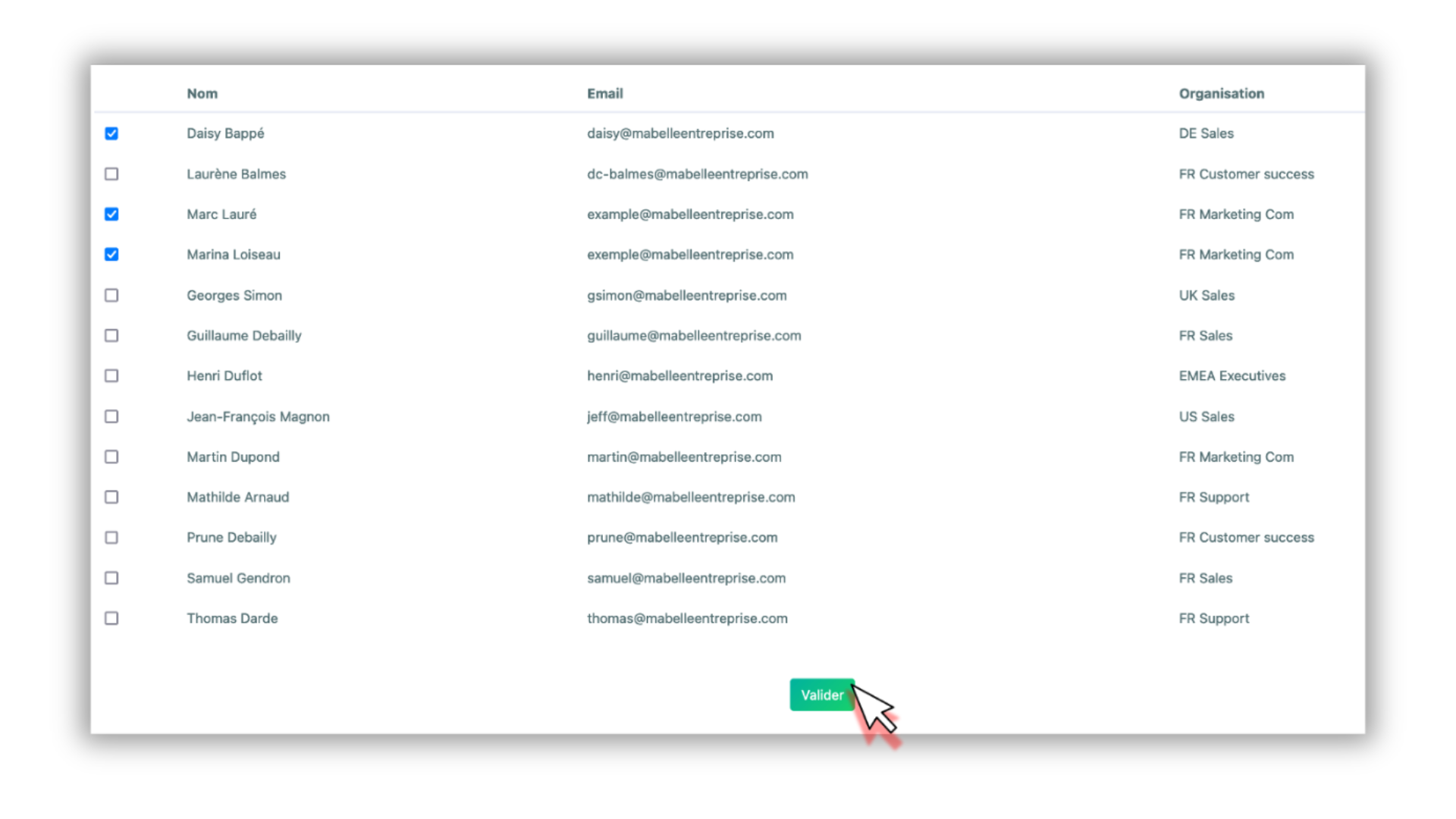
Then, in the list of email signatures, check both the email address of the person concerned and the generic email address.
Step 4 : Customize an email signature shared by multiple people
You can create multiple email signatures from the email address of your choice. In this case, a generic email signature: quote@...
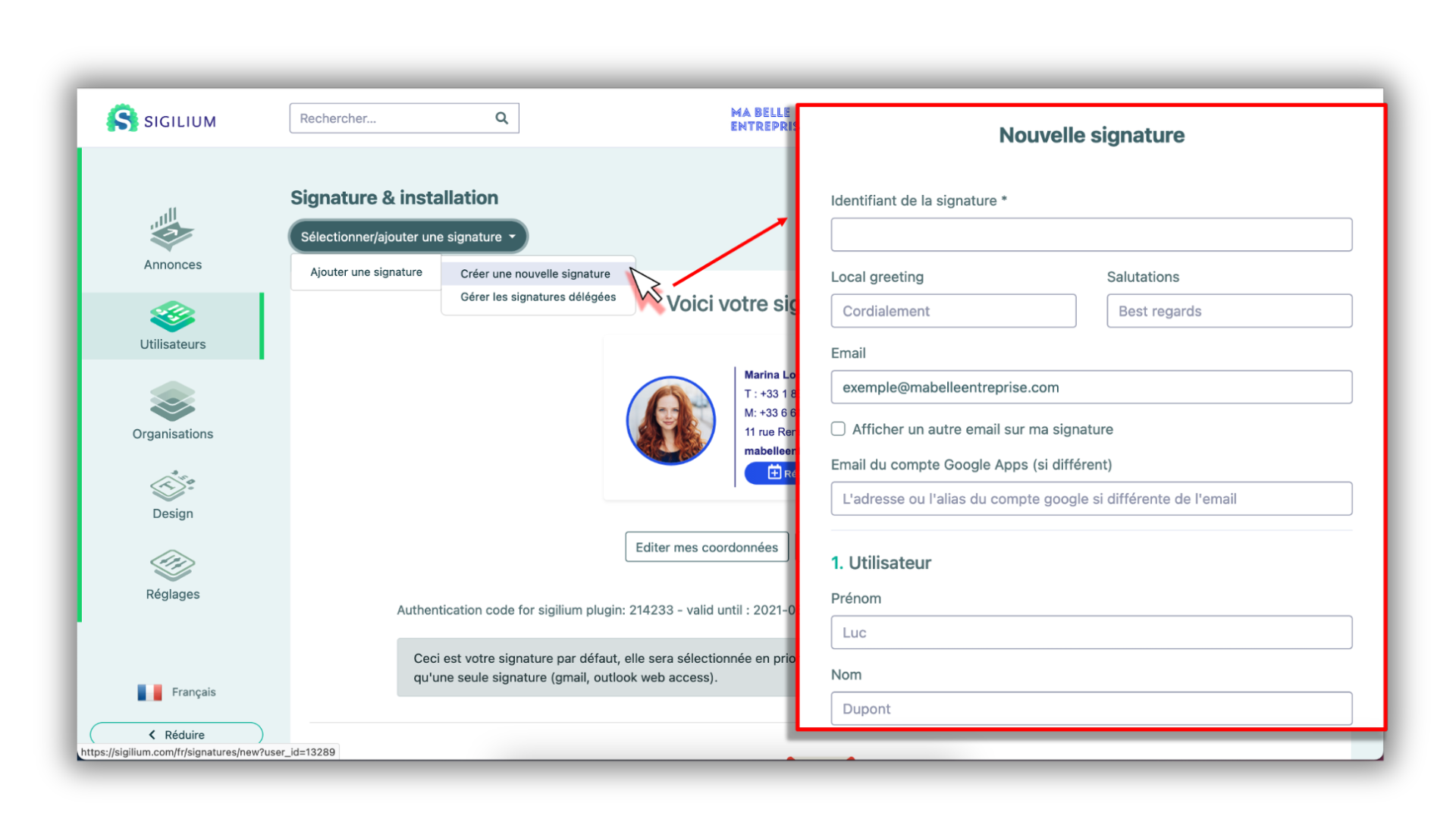
Go to the signature page in question
Click on Add an email signature > Create a new email signature
Give the signature a clear name (e.g., ID: “Marina Quote Signature”) and fill in the contact details you want to appear.
Then associate this second quote signature with Marina (see Step 3).
Repeat the process for the other employees concerned.
Any questions ?
You can describe your problem orally in a few seconds leaving a message on the
+33 1 83 64 02 13
You would rather write it down? We are happy to help in response to your email at