
Hi and welcome,
In this article you'll learn how to:
choose or edit an email signature template
edit logo, colors or social networks of an organization
customise the template code with our HTML editor
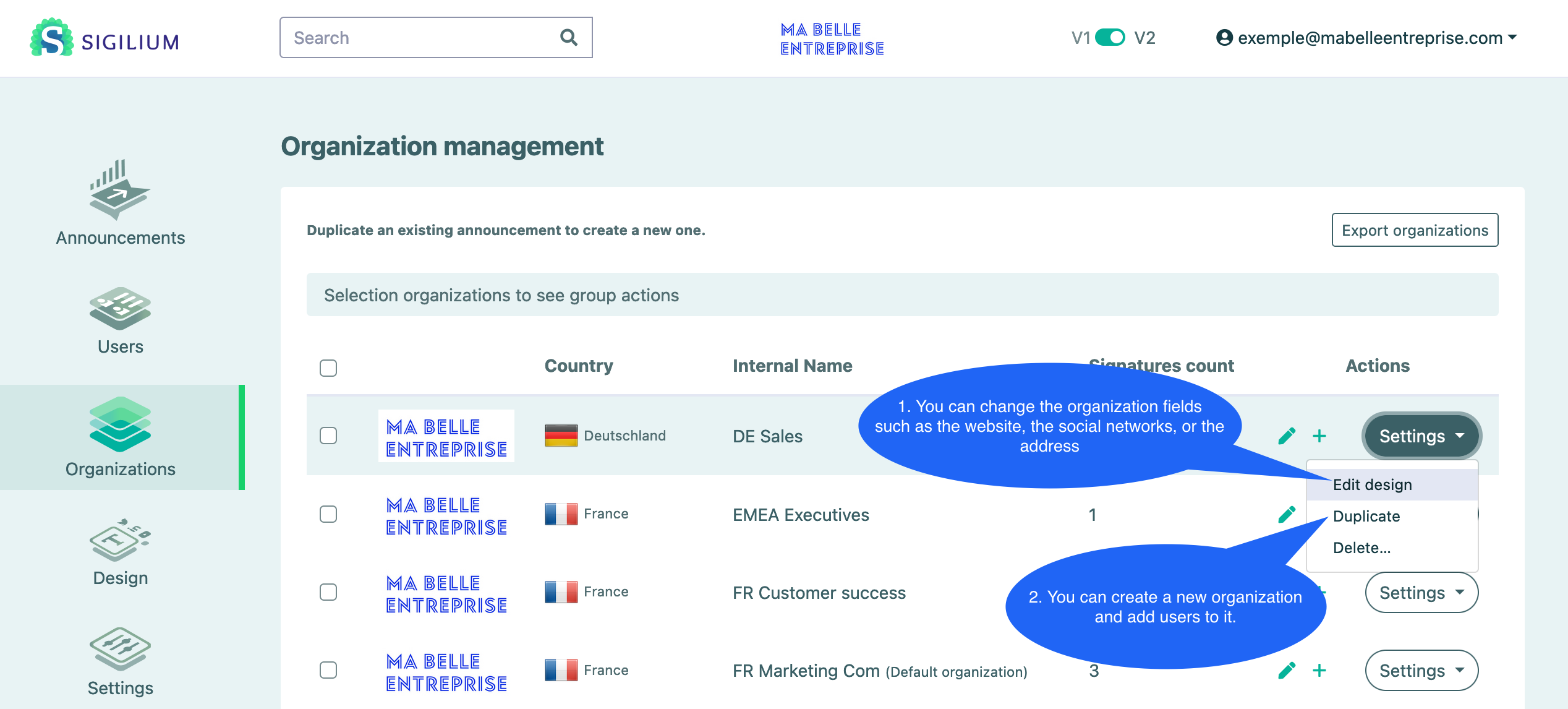
1. Choose your email signature template
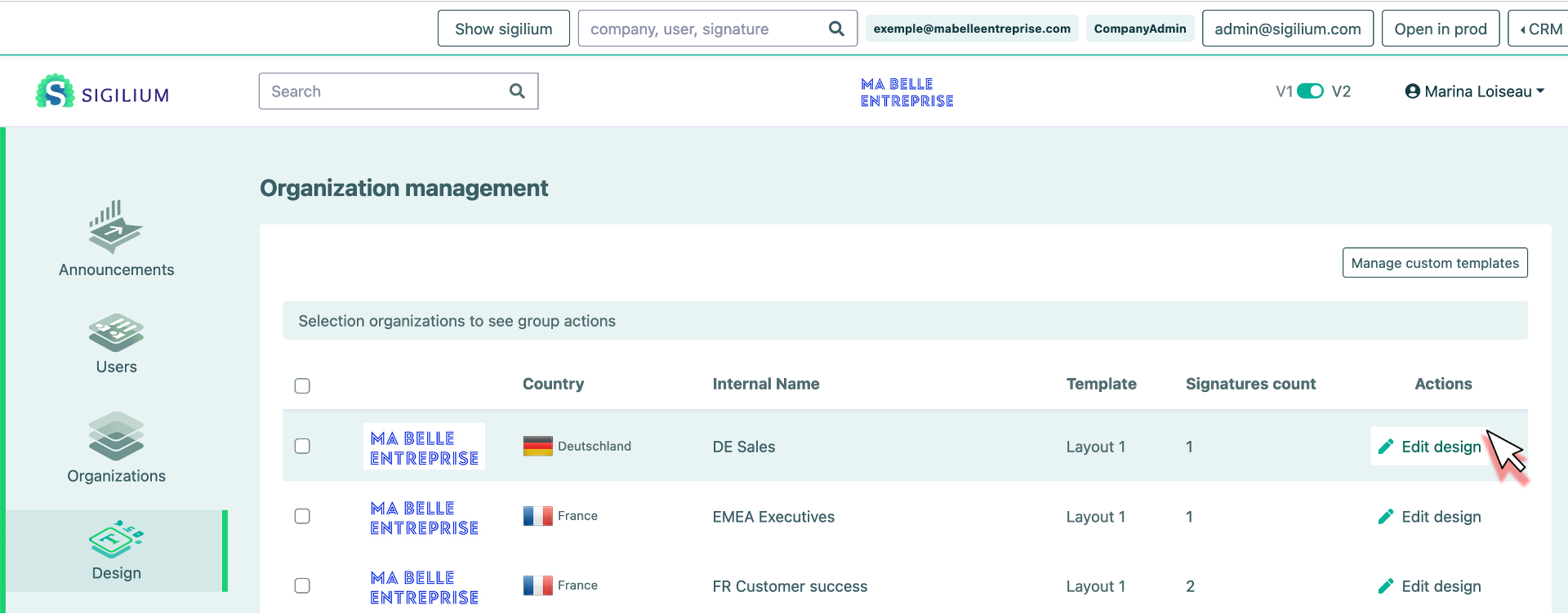
From the menu Design click on Modify design for the organization concerned.
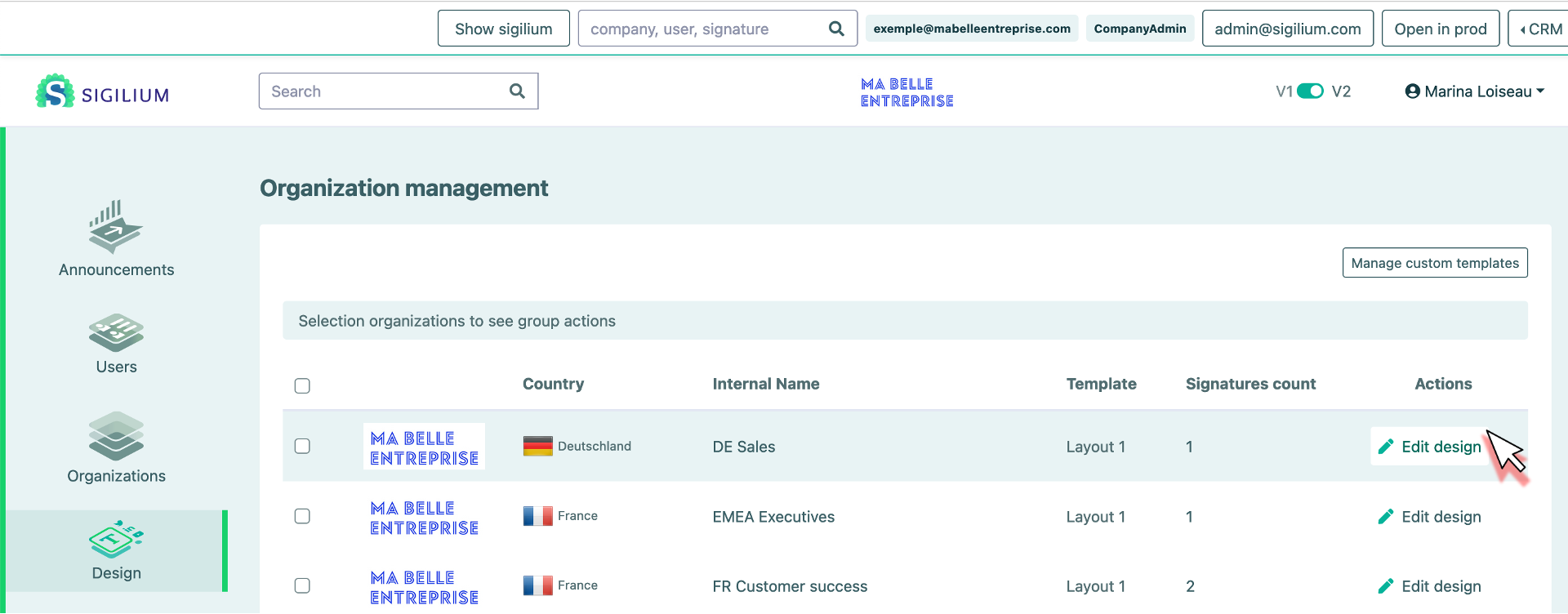
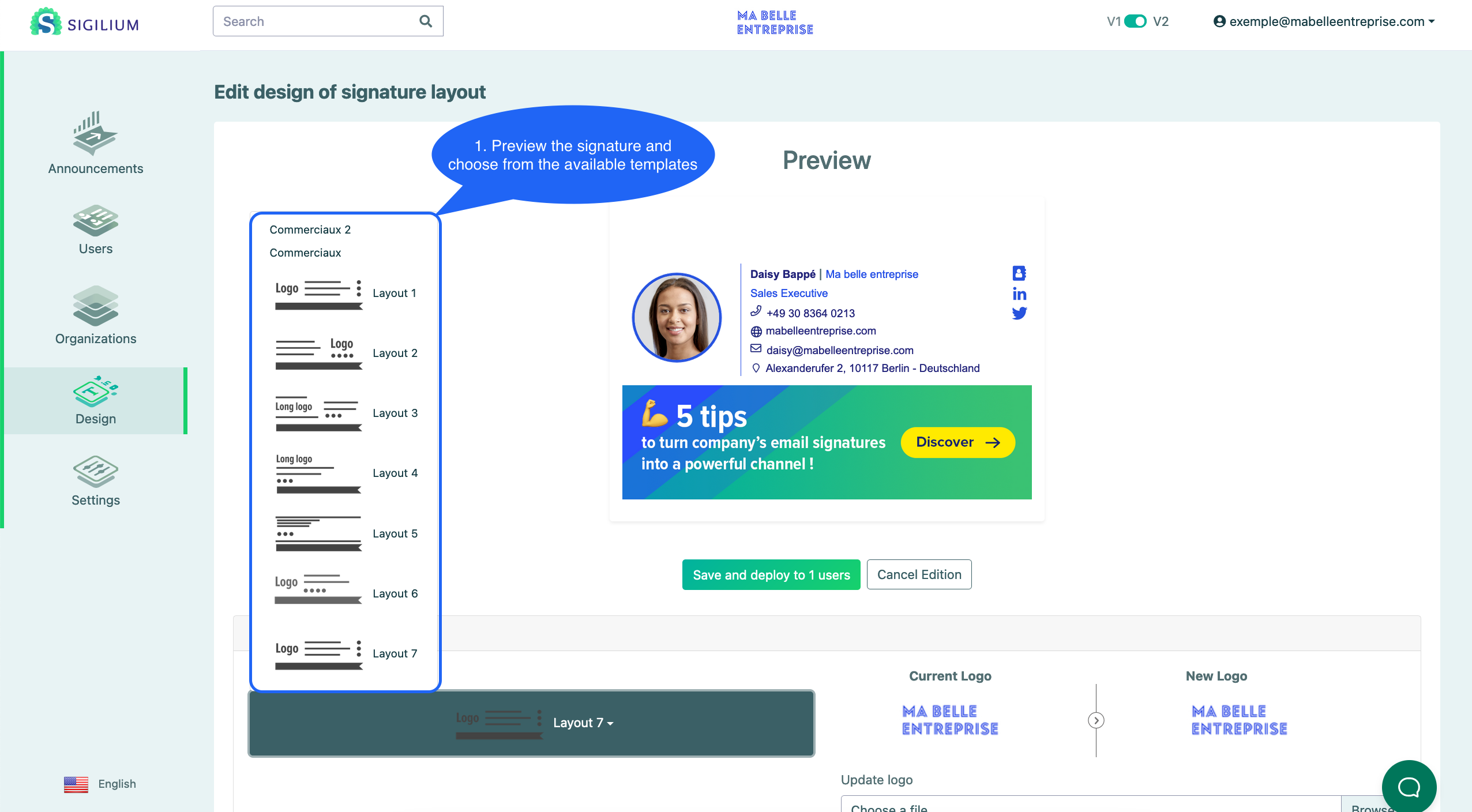
You can choose and preview the signature, among a list of preset templates. Click on the Preview button then Save and deploy. You can choose which organisations are concerned by the update.
2. Customise the email signature template or edit your own
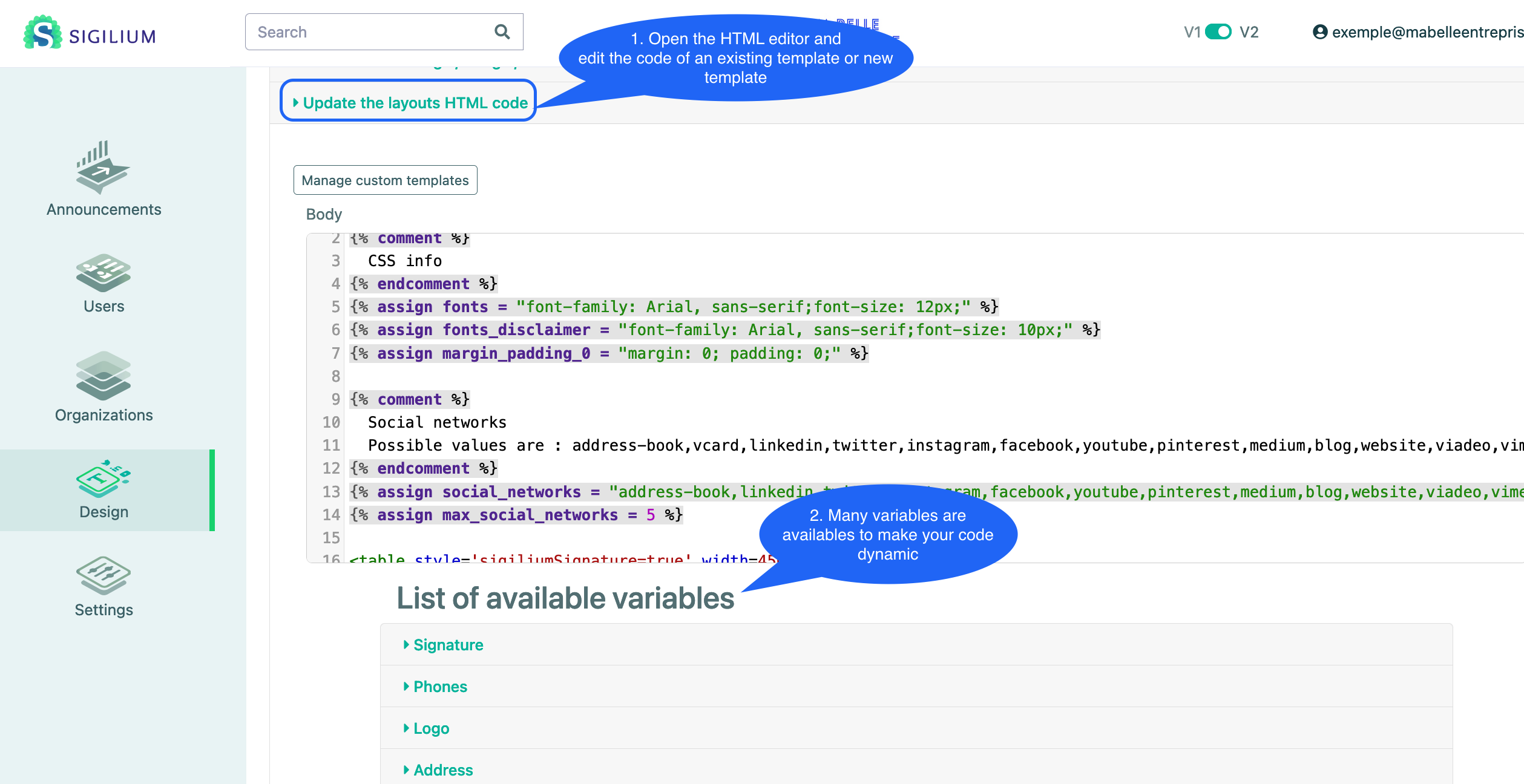
Sigilium HTML Editor helps you customise the code of a template or copy paste your HTML code. It helps you modify (font, size, colors, order of elements, etc...). Take look at the listed variables and turn your initial static html code into a dynamic template of signature!
3. Change the logo, change colors
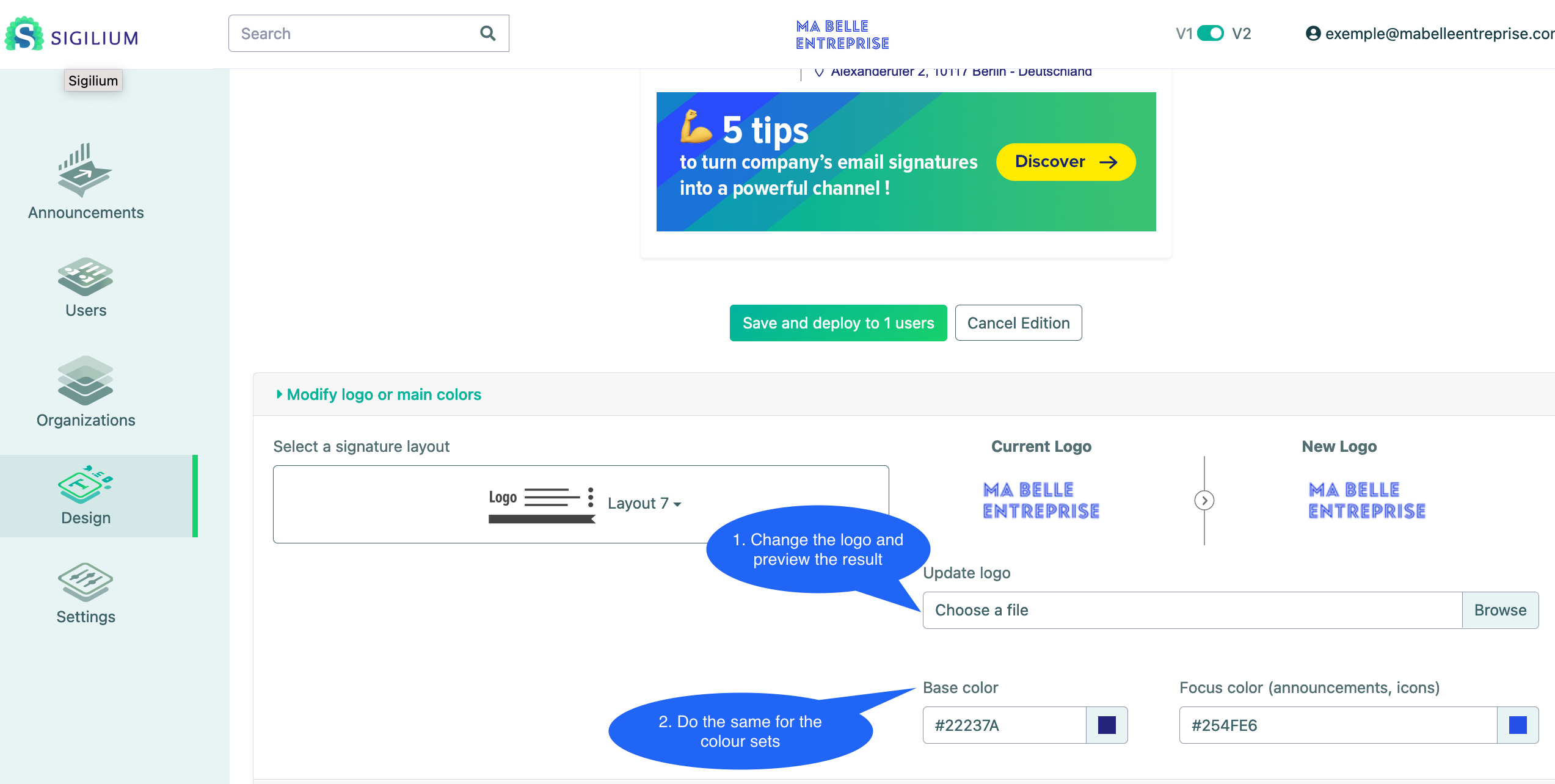
From the menu Design > Edit design
You can directly update logo and colors, then preview the result. Don't forget to validate, if you want to deploy your new logo or colors.
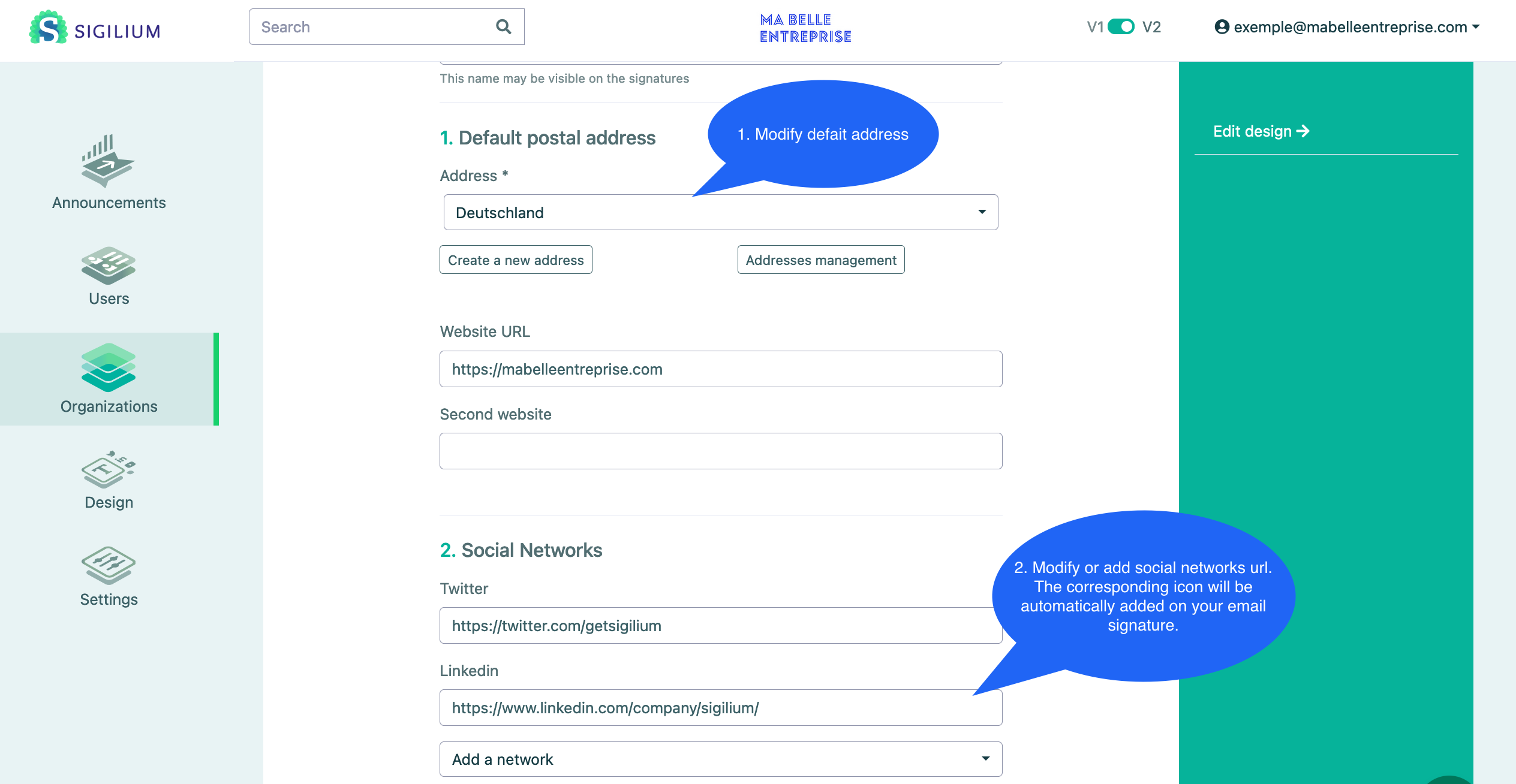
4. Update website, social networks and organization details
update organisation detail from Dashboard > Manage design > Edit
website
social networks
postal address
internal organization name (to have it clear)
standard phone number
disclaimer
Any question about the design of your email signature?
Please call Sigilium team at: +33 1 83 64 02 13.