
There are two possible scenarios:
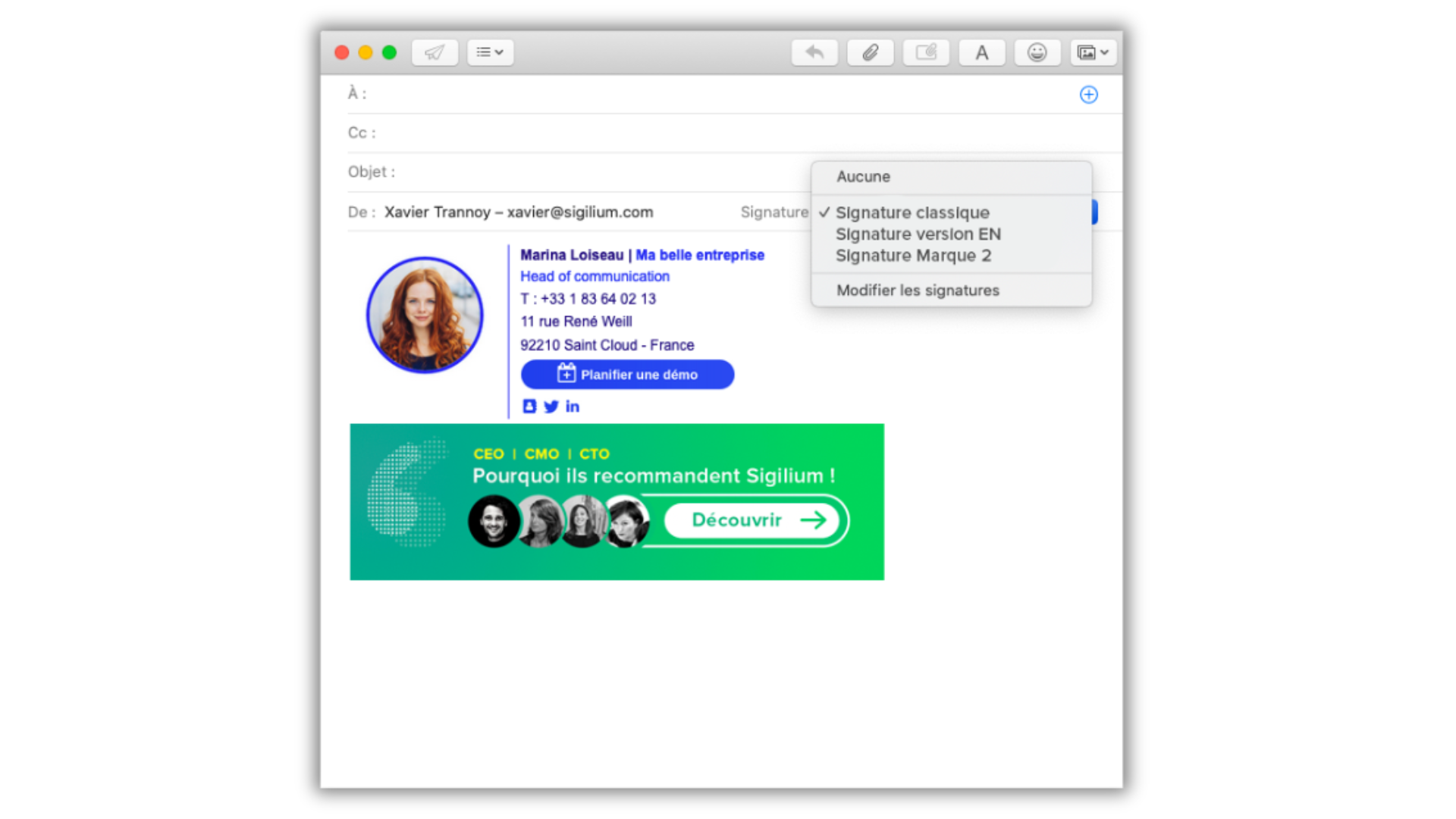
You have a single email address and want to be able to switch between signatures.
You have several different email addresses associated with you.
e.g.: a personal signature + a signature shared with other employees (support@...)
e.g.: signature brand 1 / signature brand 2
1. Create several signatures for the same email address:
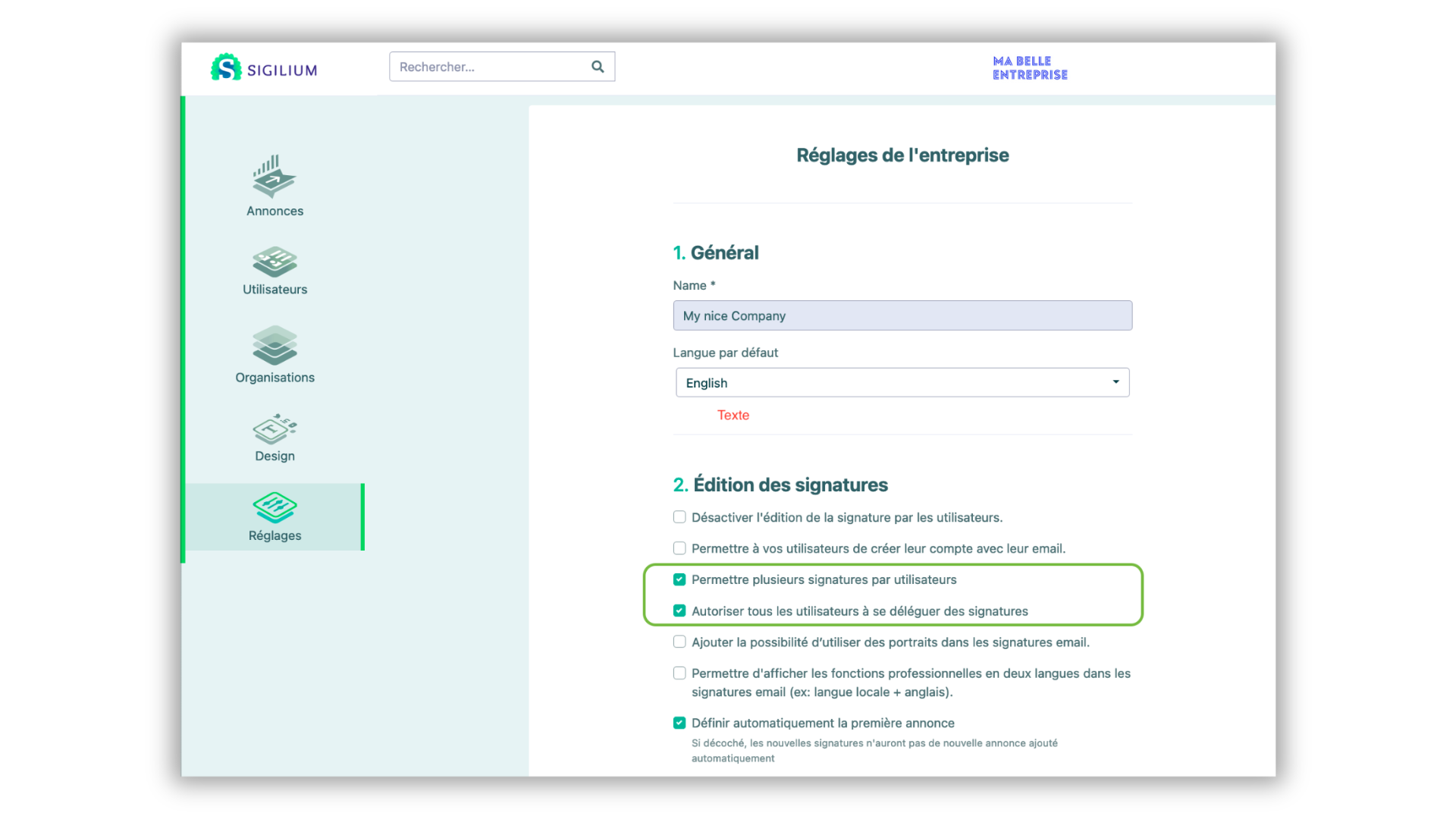
Go to Settings.
Then check the two boxes below.
If the multi-signature option is enabled for your company:
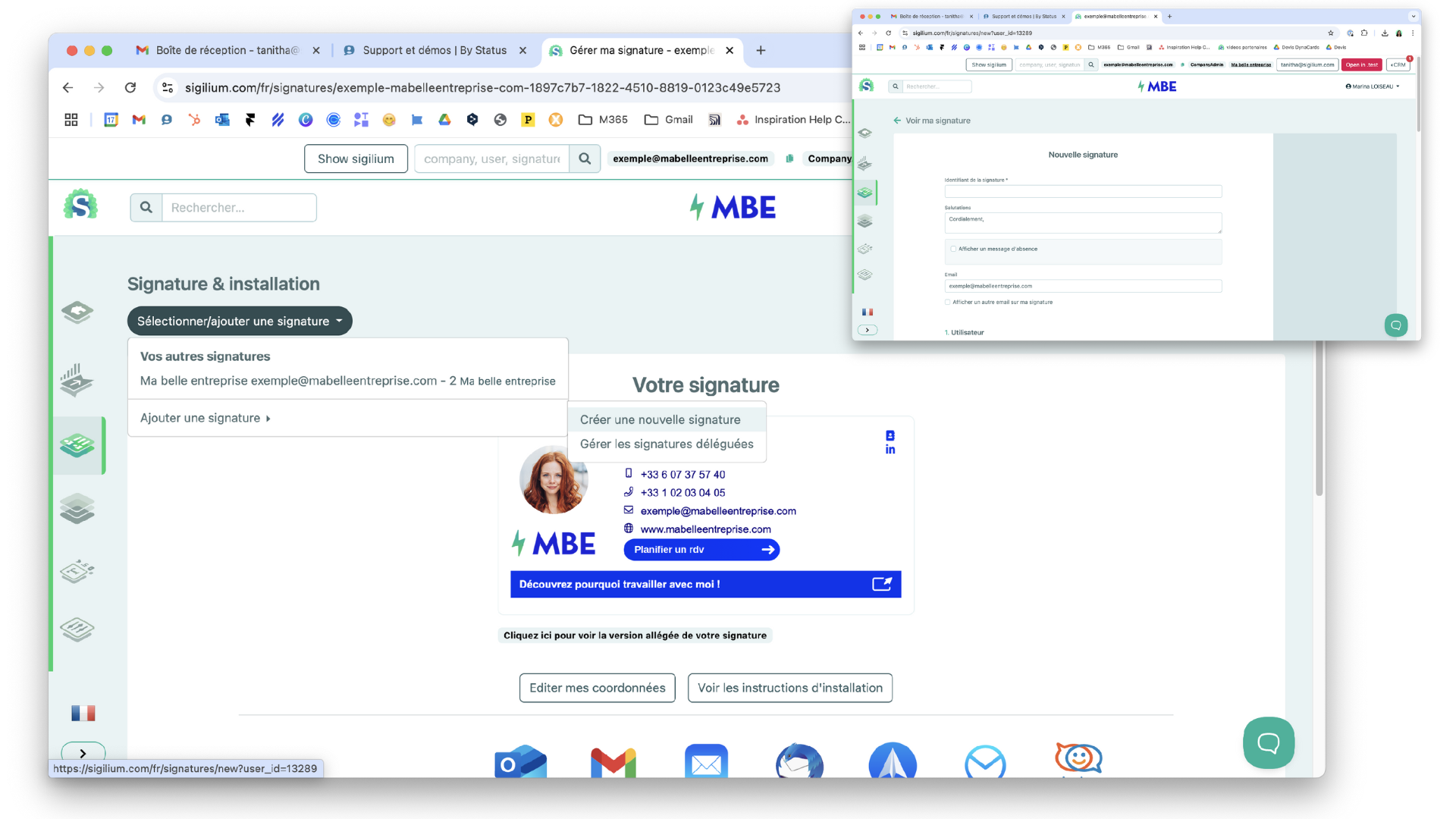
From your Sigilium space, go to Create a new signature
Create the signature by giving it a clear name and filling in the information you want to display.
Confirm.
Signatures are now synchronized in your Sigilium application and your Outlook, Thunderbird, or Mail email client. You can restart it to see them appear immediately.
2. Link multiple emails and their signatures to the same account
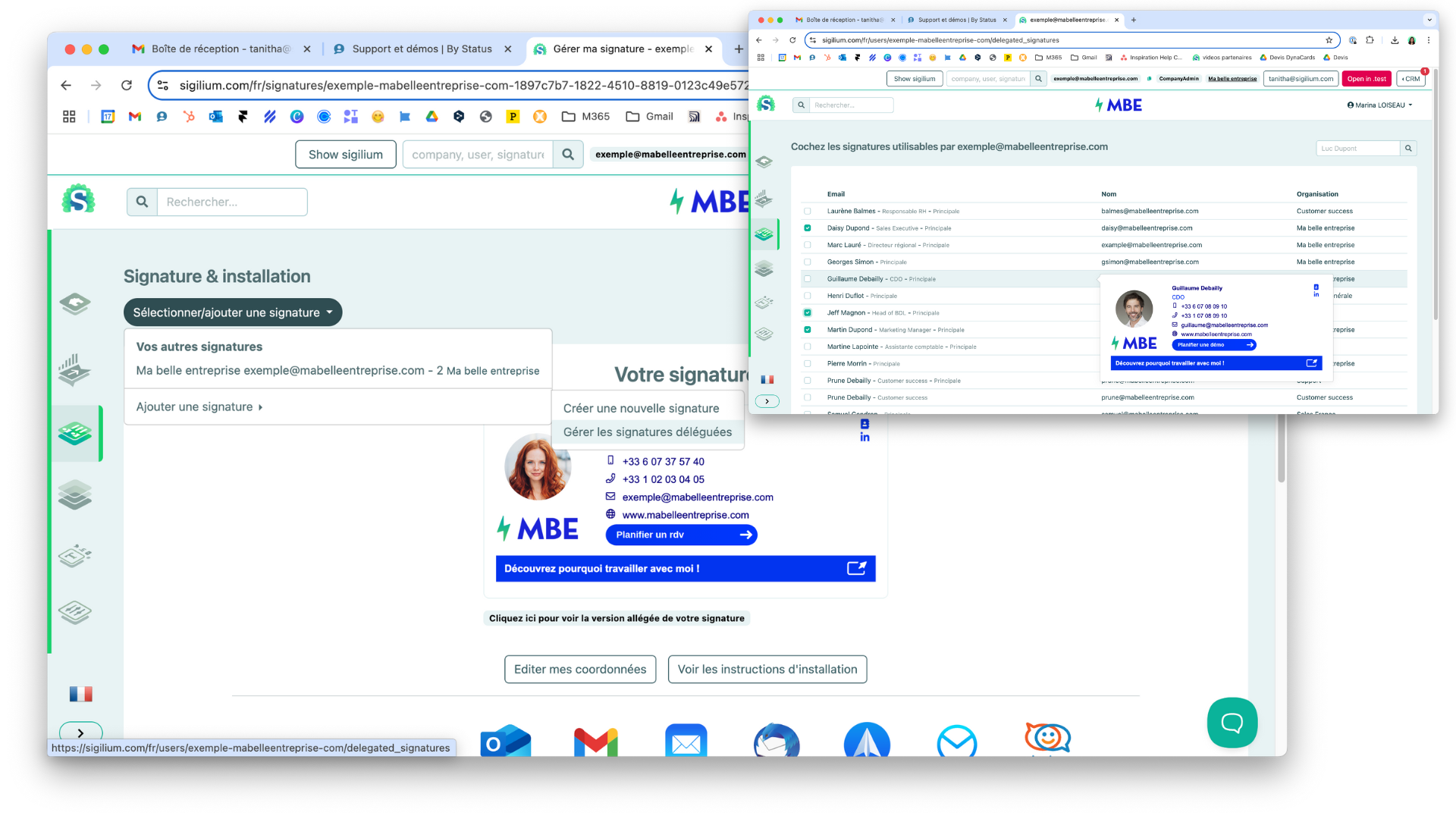
Go to Create a new signature > Add a delegated signature
Check all the accounts that apply to you and confirm.
Any questions ?
You can describe your problem orally in a few seconds leaving a message on the
+33 1 83 64 02 13
You would rather write it down? We are happy to help in response to your email at