Here's how from the Users menu :
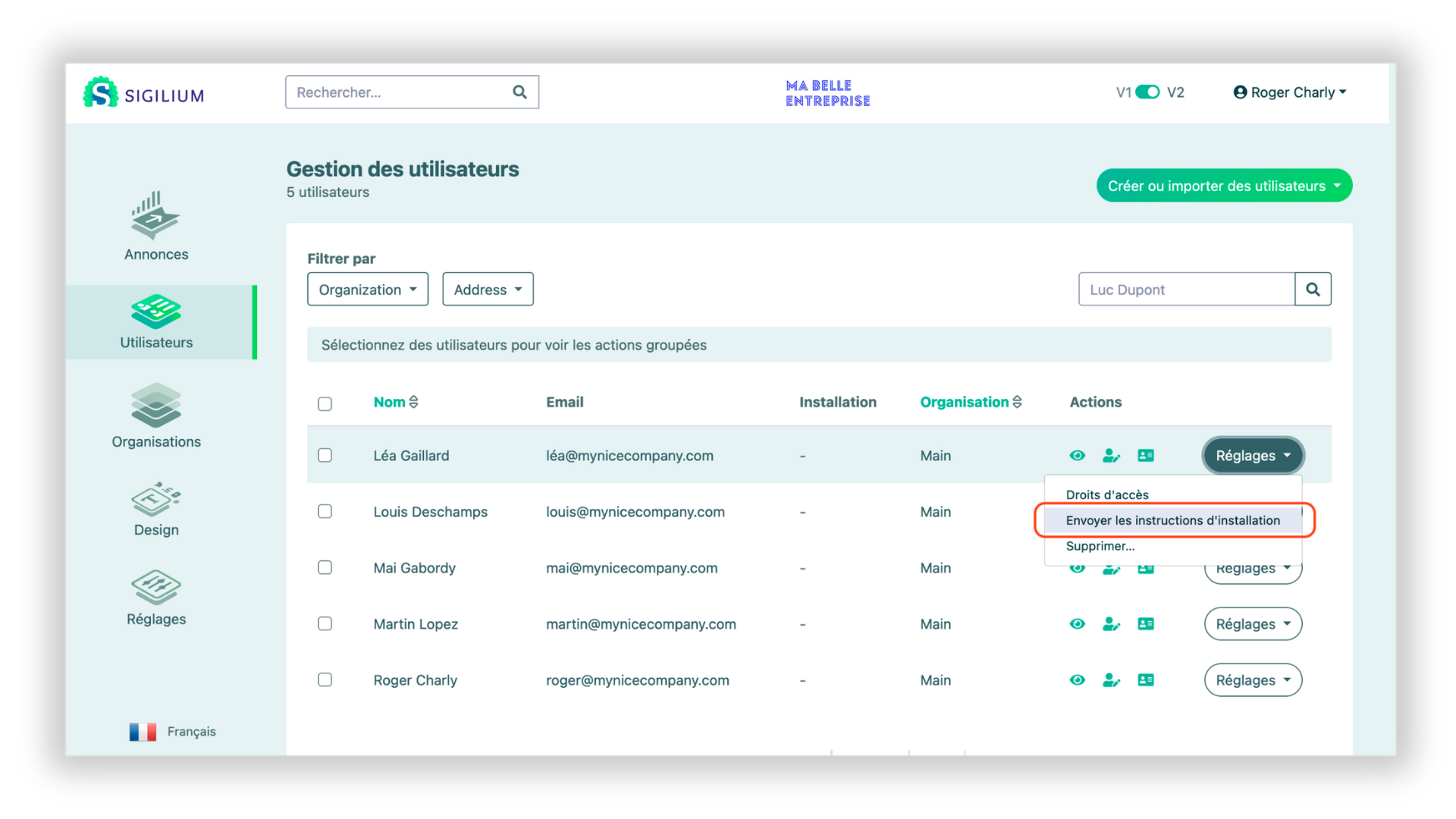
1 - On the user's line, click on Settings, then Send installation instructions
2 - An email has just been sent to him, presenting their new signature and how to install it in their messaging app
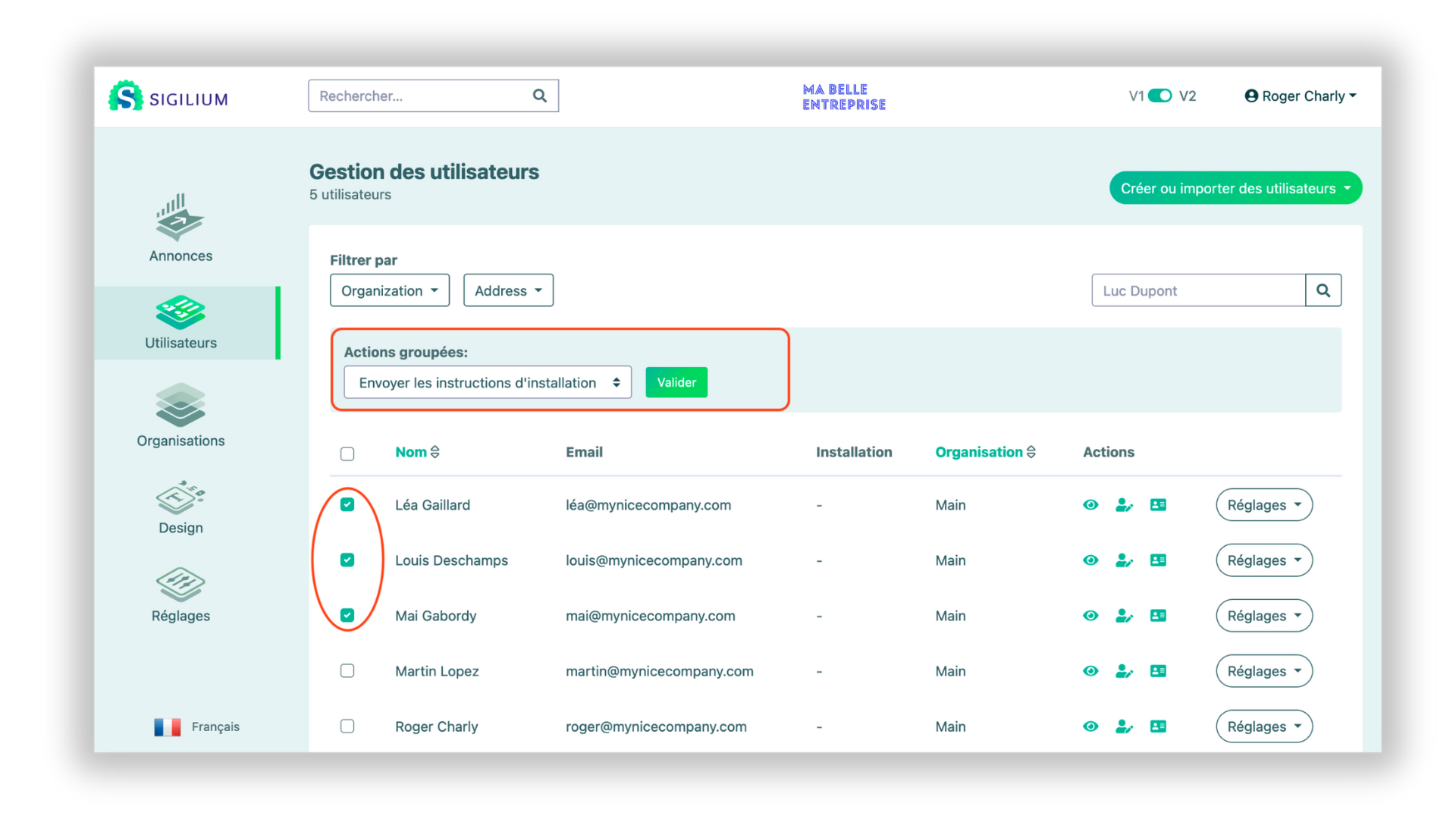
1 - Toggle the persons affected in the list
2 - At the top of the users list, click on Select an grouped action > Send the installation instructions
3 - An email has just been sent to all selected persons, presenting their email signatures and how to install them in their messaging app
Any questions ?
You can describe your problem orally in a few seconds leaving a message on the
+33 1 83 64 02 13
You would rather write it down? We are happy to help in response to your email at
